Atmosphere
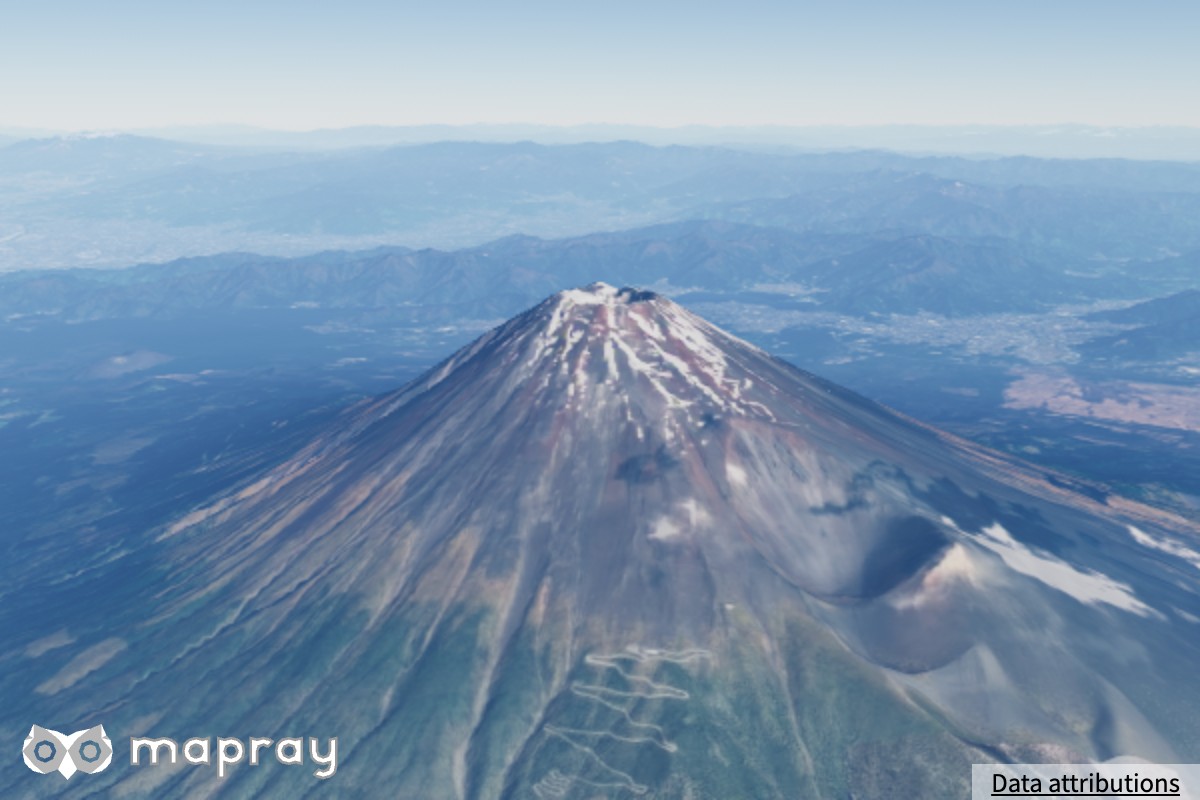
Mapray JS は物理ベースの大気散乱シミュレーションで、青空・夕焼け・薄明・宇宙から見た地球を、時刻と視点に応じて描きます。大気は空だけでなく、地形・建物 (B3D)・点群・水面のライティングと空気遠近 (遠くの景色が霞んで青みがかる効果) にも同じモデルで作用します。
本ページでは、Atmosphere クラスが公開するパラメータと、それぞれを変えたときの見え方を、実際のレンダリング画像とともに解説します。描画品質 (setQuality) によって使える機能が変わります。品質ごとの違いは 描画品質 にまとめています。
大気を使う
Viewer の生成時に Atmosphere を渡します。大気は Viewer の生成時にしか設定できません。
const viewer = new mapray.Viewer( "mapray-container", {
    // ...
    atmosphere: new mapray.Atmosphere(),
    sun_visualizer: new mapray.SunVisualizer(),
} );
new mapray.Atmosphere() の見た目は標準のプリセット (FILMIC_PHYSICAL) と同じです。
大気表現の仕組み
物理モデル
Mapray の大気は、地球大気で起きている 3 種類の光学現象を物理定数に基づいてシミュレートします。
| 現象 | 実体 | 見た目への寄与 |
|---|---|---|
| レイリー散乱 | 空気分子による散乱 | 空の青、夕焼けの赤、宇宙から見た大気の青い縁 |
| ミー散乱 | エアロゾル (塵・水滴) | 霞・もや、太陽周囲の明るい暈 |
| オゾン吸収 | 成層圏オゾン層 | 薄明時の空の色味 |
レイリー散乱とミー散乱の強さは、setGroundRayleigh / setGroundMie で変えられます。レイリー散乱は波長ごとに強さが違うので、空は青く、夕方は赤くなります。大気の密度は高度とともに指数的に減り、その減り方 (分布高度) もパラメータで変えられます。
事前計算テーブル (LUT)
散乱の積分を画素ごとに計算すると重いため、Mapray は計算結果をルックアップテーブル (LUT) に事前計算してから描きます。プログラミングで気にするのは、いつ作り直されるかです。
| 作り直すとき | 内容 |
|---|---|
| 散乱のパラメータを変えたとき | 大気そのものの透過と多重散乱 (2 回以上散乱した光) |
| カメラ・太陽が動いたとき | 現在のカメラから見た全天の色と、カメラから各距離までの空気遠近 |
カメラと太陽が動いたときに作り直す分は、描画品質に応じて間引かれます。どれだけ動いたら作り直すか、何フレームおきに作り直すかは 描画品質 を参照してください。宇宙視点では、カメラが止まっているときに細かい Aerial Perspective へ自動で切り替わります。利用者が操作する必要はありません。
HDR パイプライン
大気を含むシーンは物理的な輝度 (HDR) のまま描かれ、最後にトーンマップで画面の輝度域へ圧縮されます。トーンマップ、ブルーム、自動露出、光芒は viewer.render_effects で設定します。詳しくは Render Effects を参照してください。
描画品質 minimal では HDR パイプラインを使わず、キャンバスへ直接描きます。
地表・建物への作用
大気は空だけでなく、シーン内の要素にも作用します。
- 大気ライティング — 地形・建物・点群・水面は「太陽の直射光 × 大気の透過率 + 環境光」で照らされます。夕方には赤みを帯び、日没後は暗くなります
- 空気遠近 — 遠くのものほど大気の散乱光が重なり、霞んで青白くなります
何にどう作用するかは、描く対象・ライティングモード・描画品質で変わります。建物・点群・データセットへの作用 で画像つきで説明します。
プリセット
applyPreset() で、調整済みのパラメータ一式をまとめて適用できます。個々のパラメータを触る前に、まず目的に近いプリセットを選んでください。
viewer.atmosphere.applyPreset( mapray.Atmosphere.Preset.FILMIC_PHYSICAL );
FILMIC_PHYSICAL "filmic-physical"物理的な散乱係数を基準にした、標準の見た目 (トーンマップは Render Effects の aces)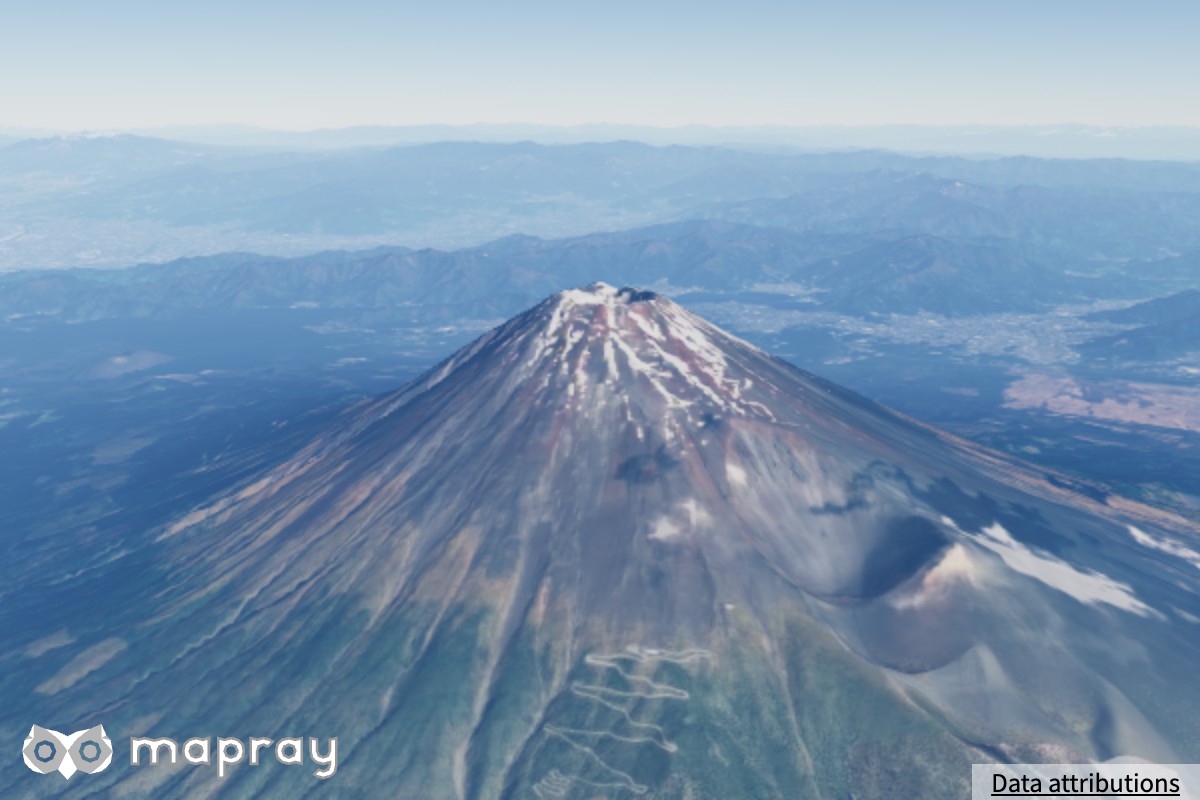 |
PHYSICAL_REFERENCE "physical-reference"物理的な散乱係数をそのまま使い、見た目の補正を加えない 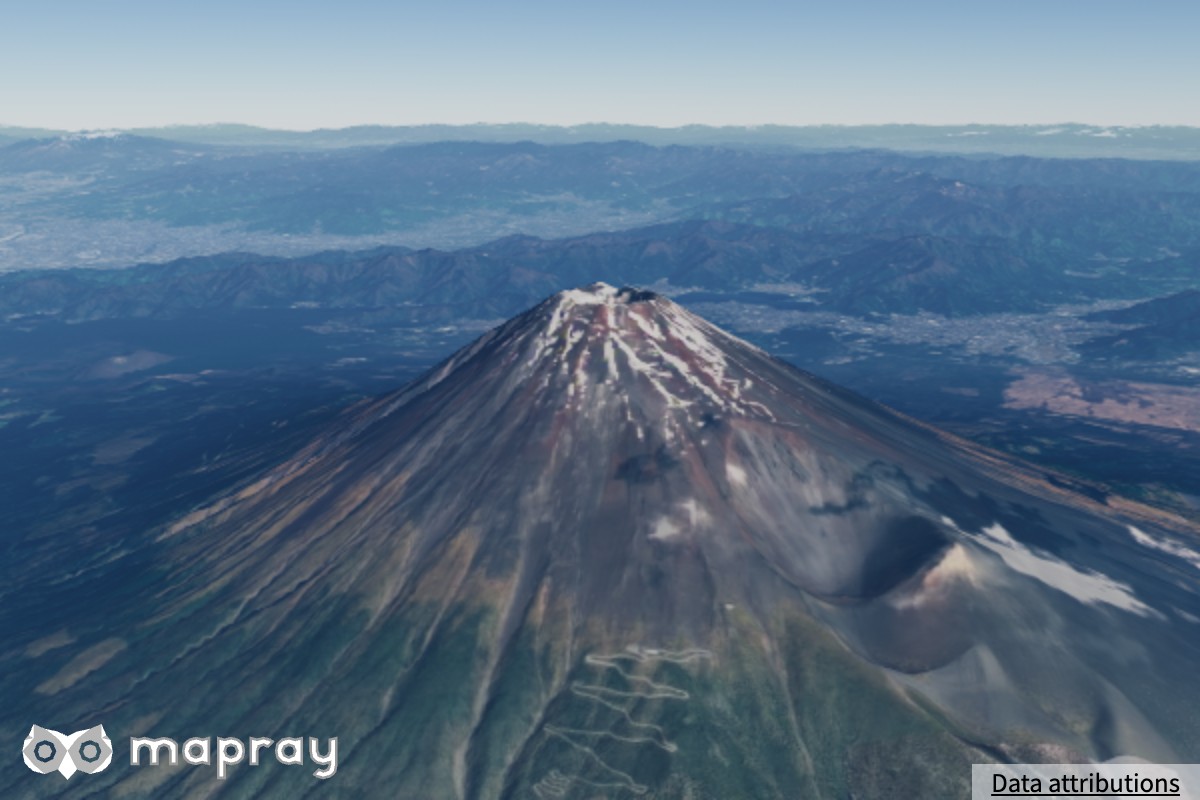 |
CLEAR_BLUE_SKY "clear-blue-sky"澄んだ快晴。もやが少なく遠くまで抜ける 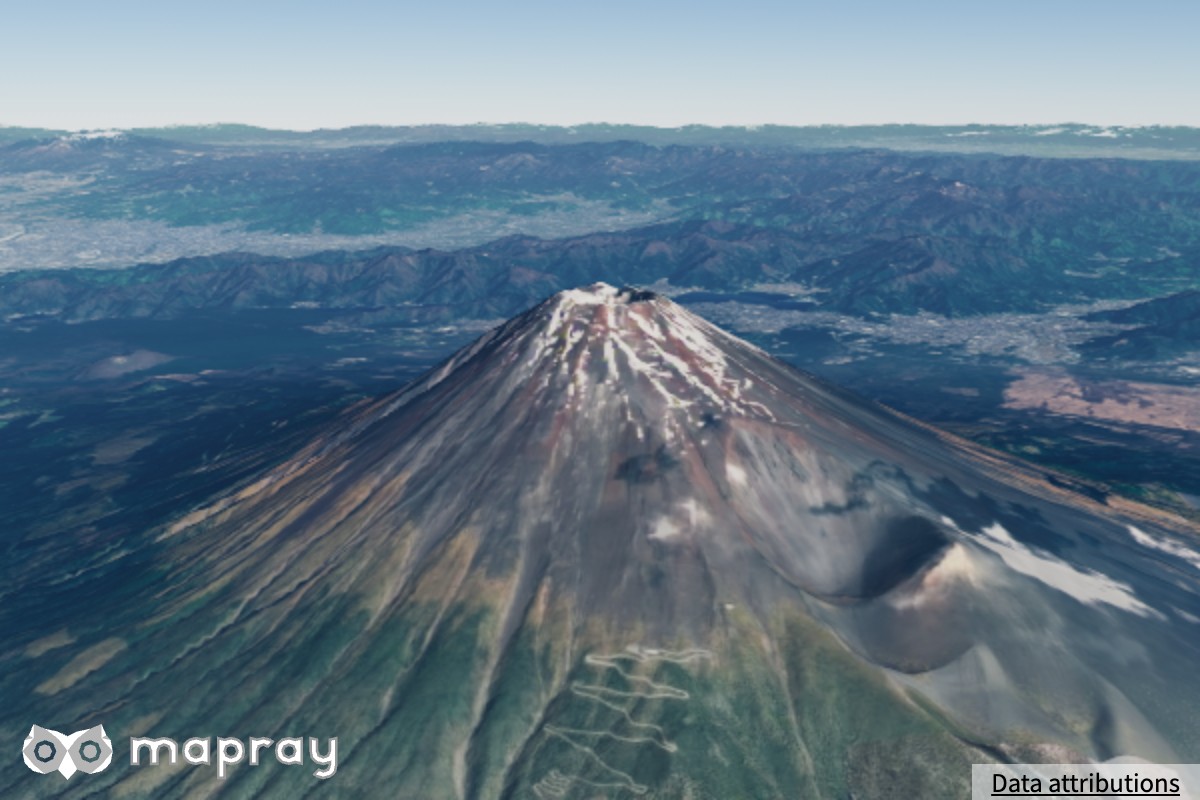 |
VIVID_DEEP_BLUE "vivid-deep-blue"濃い青。露出を絞った空 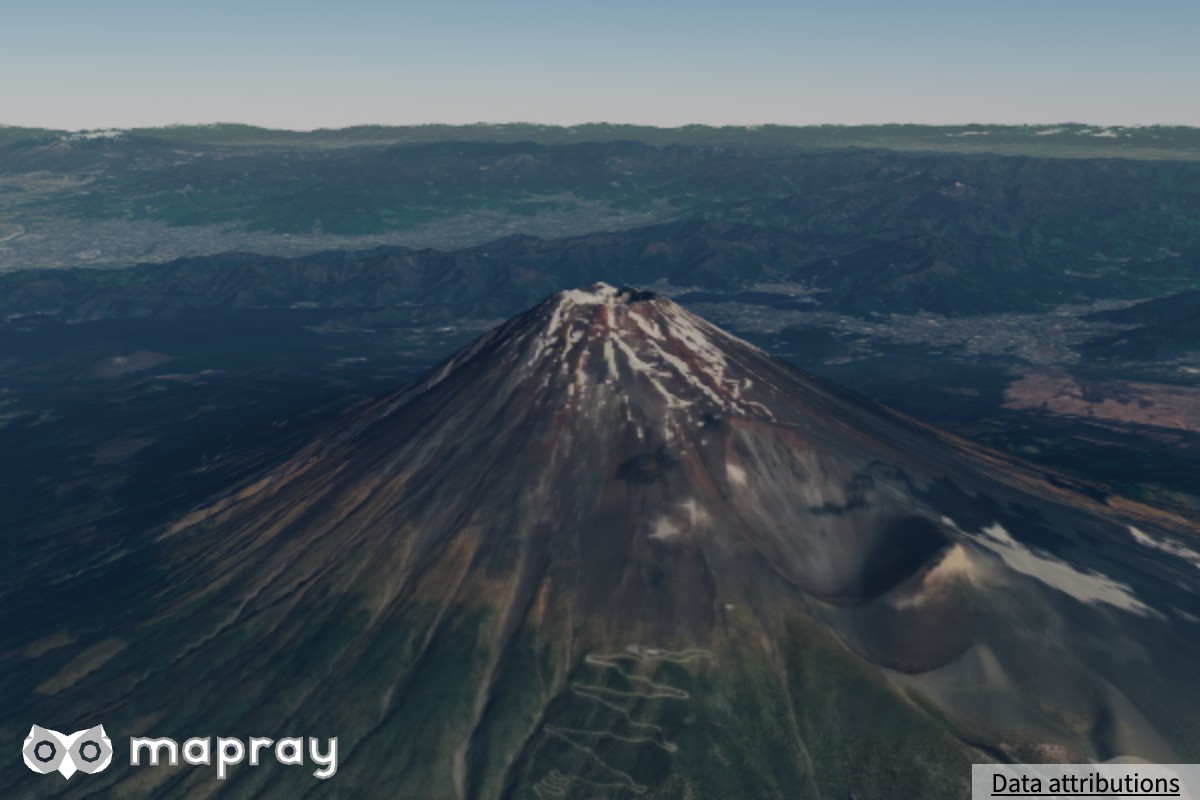 |
CITYSCAPE_BRIGHT "cityscape-bright"都市の建物がはっきり見える明るい見た目 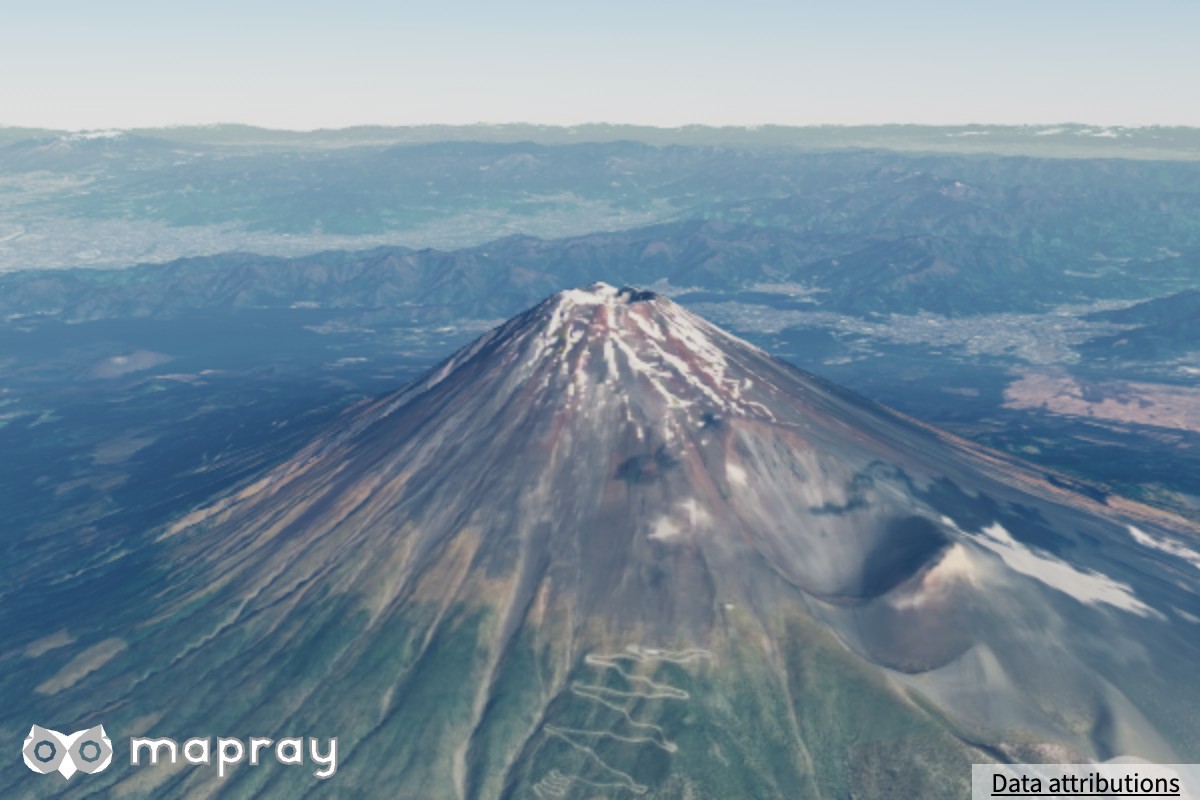 |
HAZY "hazy"少し霞のある空 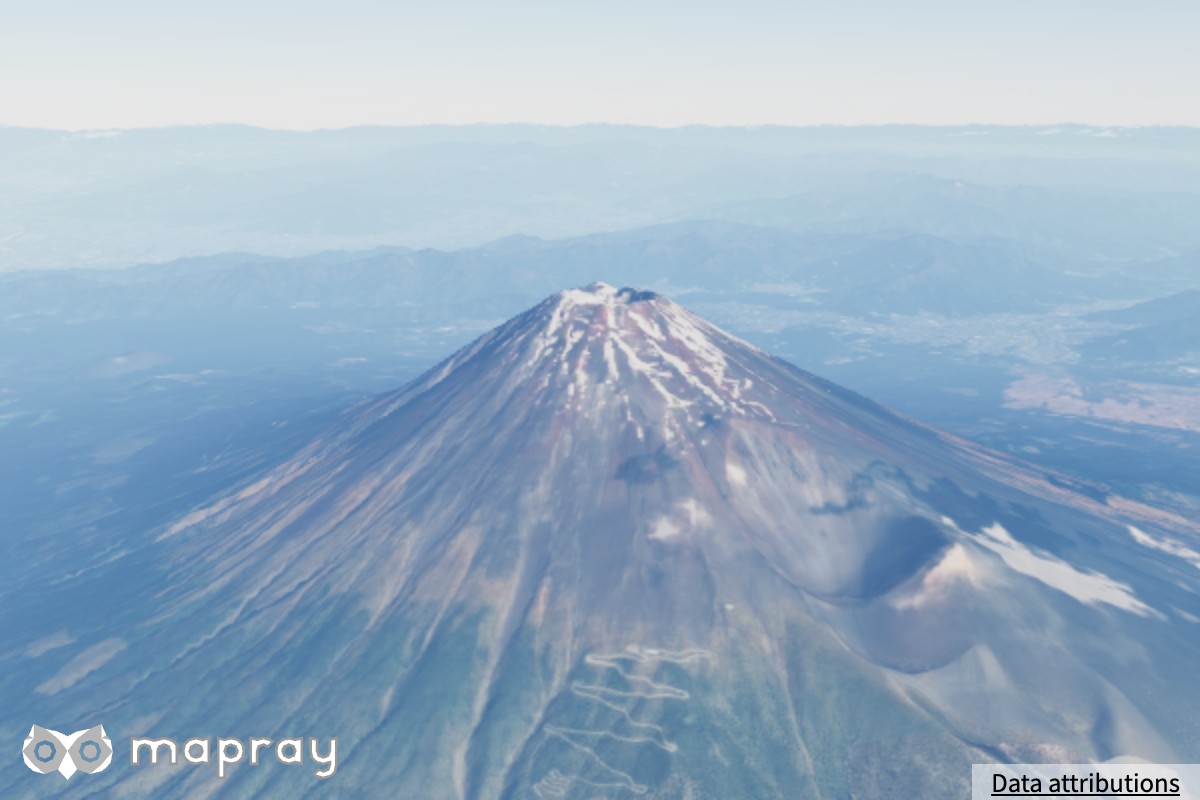 |
ONEIL_CLASSIC "oneil-classic"旧バージョンの見た目への移行用 (非物理) 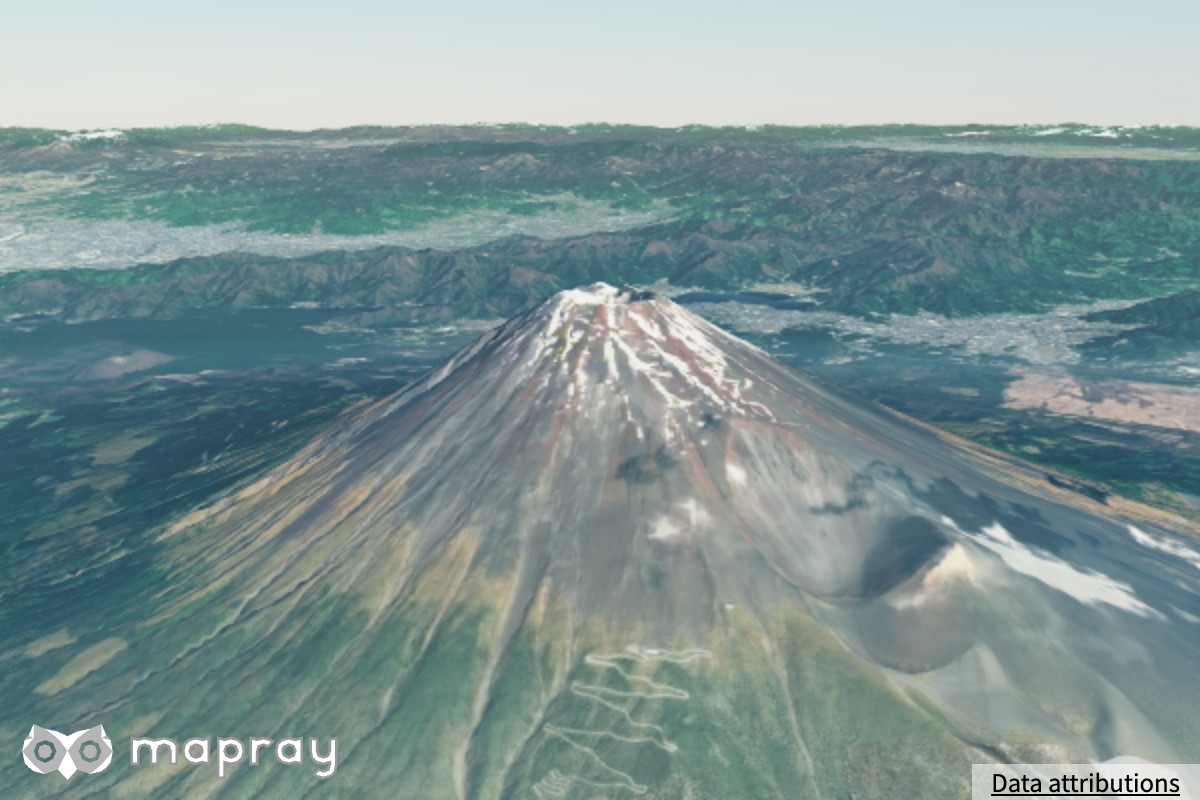 |
- プリセットは描画品質を変えません。品質は
setQuality()で別に設定します - プリセットはトーンマップ (
render_effectsのtonemap_mode)、月の照度、太陽と月の円光も書き換えます。ONEIL_CLASSIC は非推奨のground_sun_rateを他のプリセットと違う値にするので、太陽の照度がほかより明るくなります。プリセットの後に個別の setter を呼ぶと、その値だけを上書きできます (後から書いた方が残ります) - 個々のプリセットの値は、読み取り専用の表
mapray.Atmosphere.PRESETSから読めます - ONEIL_CLASSIC は描画品質
highとの併用を前提にしています。low/minimalでは空気遠近と地表の物理ライティングが止まるため、宇宙から見たときに昼夜の境界が消え、全球が昼に見えます
パラメータリファレンス
すべて viewer.atmosphere のメソッドです。既定値は FILMIC_PHYSICAL プリセットと同じです。数値の setter は、有限でない値 (NaN、Infinity) を無視します。
散乱媒質 (空の色と霞)
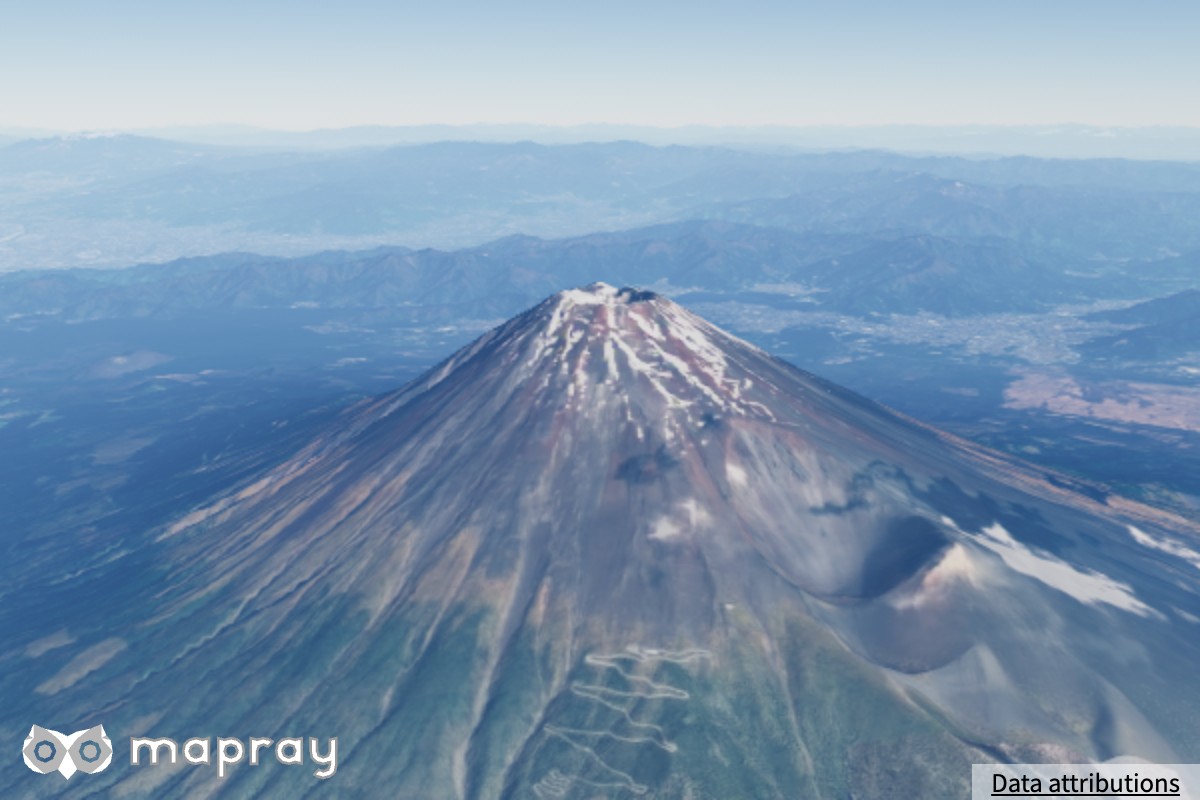
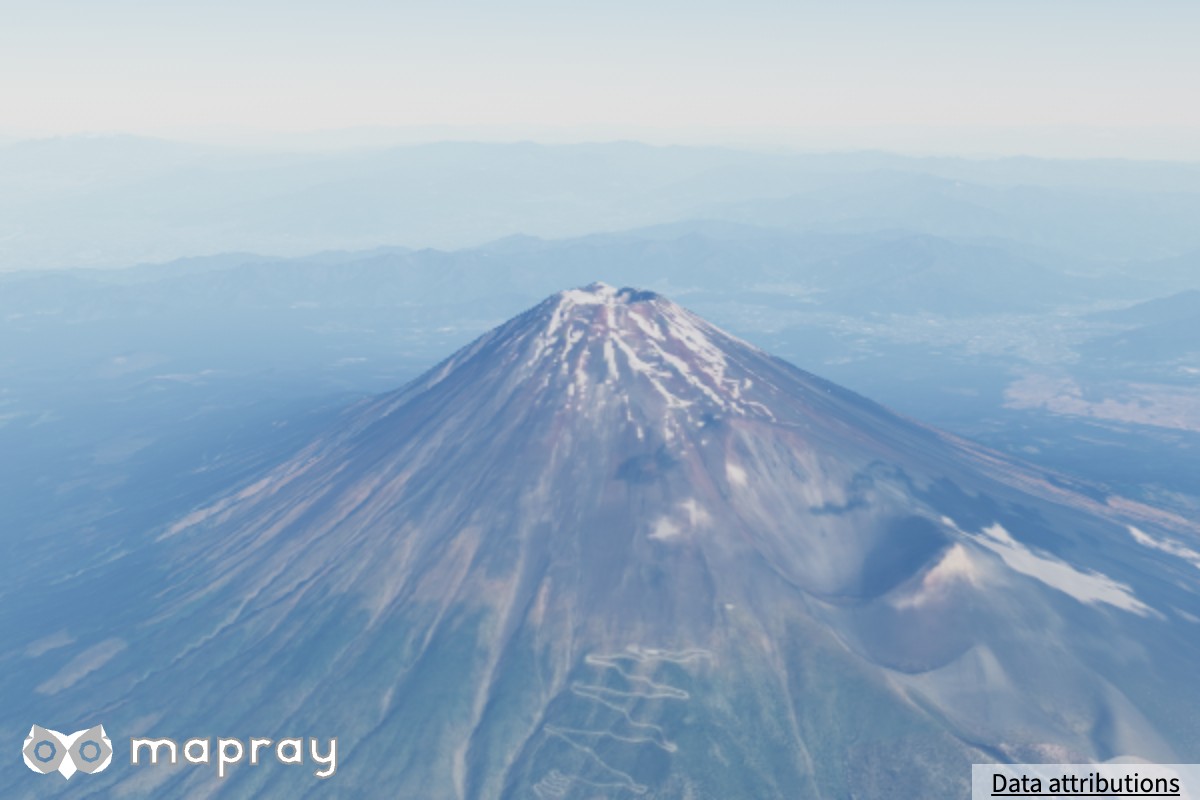
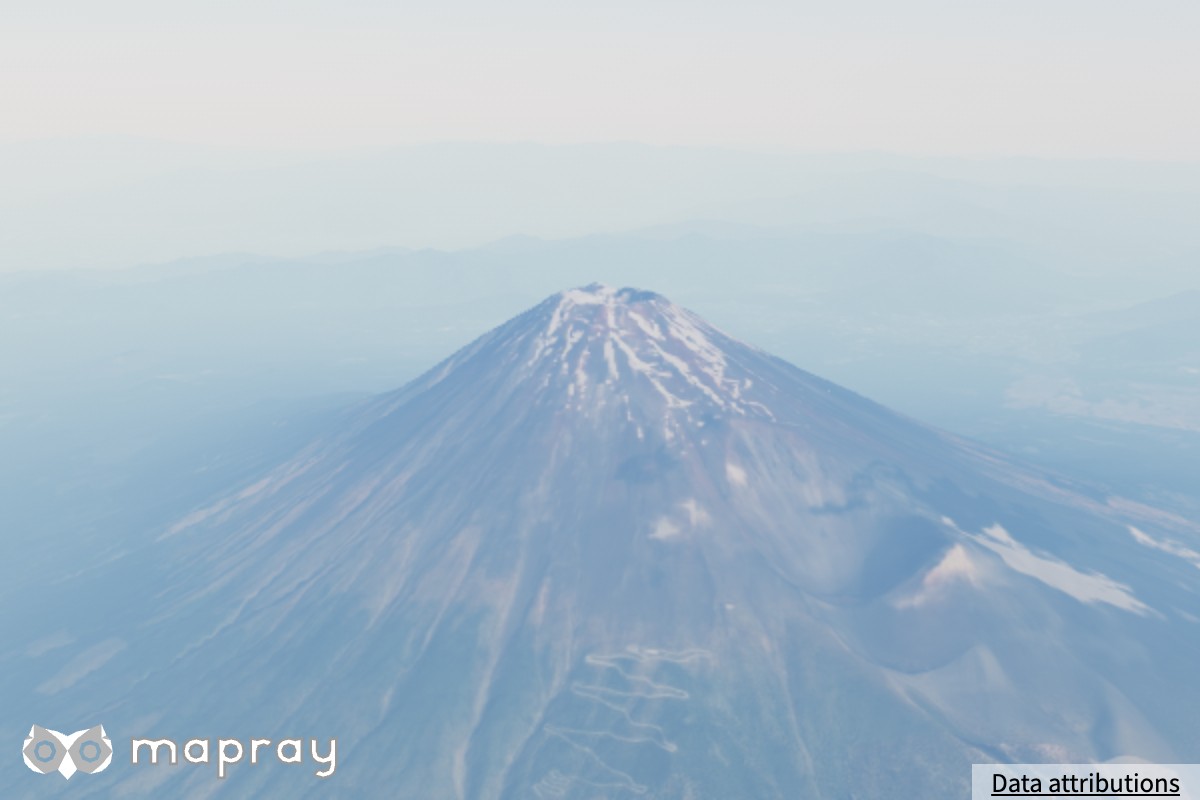
setGroundRayleigh — レイリー散乱係数
空の青さを決めます。標準値は物理的な地球大気に相当します。大きくすると空気の散乱が増え、空が白っぽく、遠景がより青く霞みます。
| 0.0025 | 0.006 | 0.012 |
|---|---|---|
 |
 |
 |
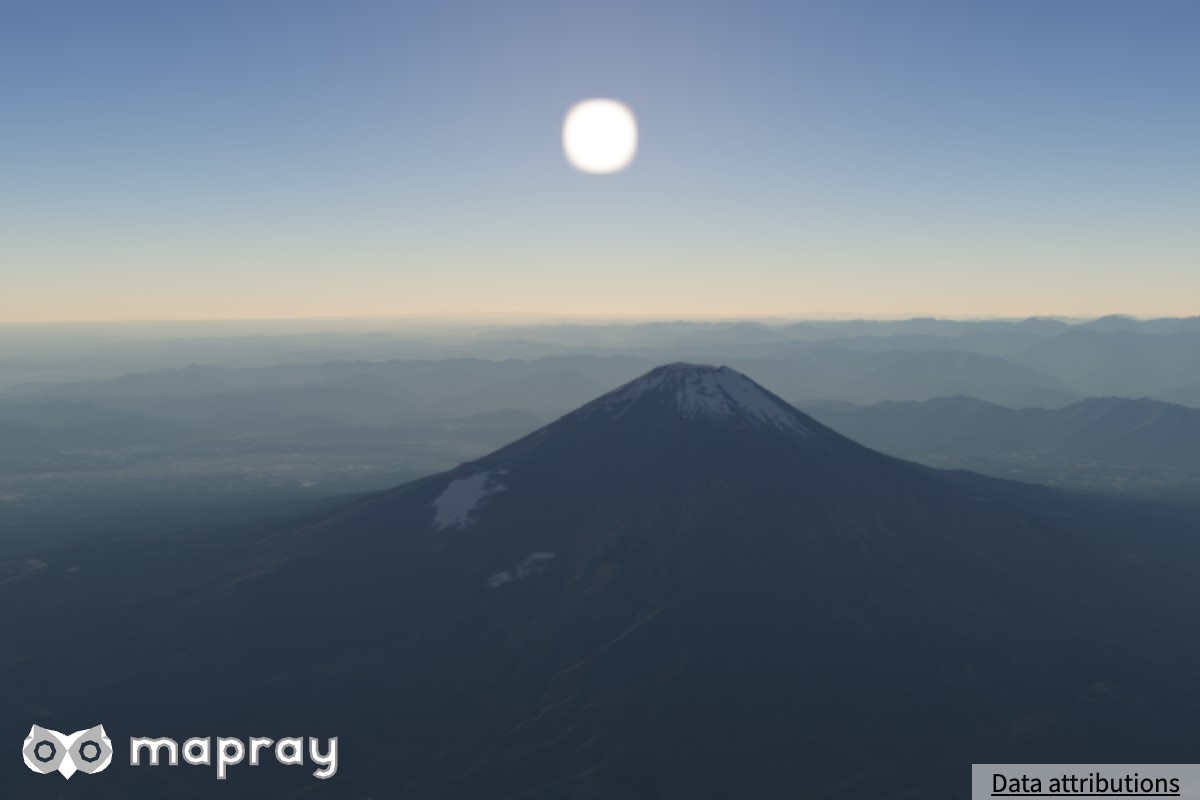
setGroundMie — ミー散乱係数
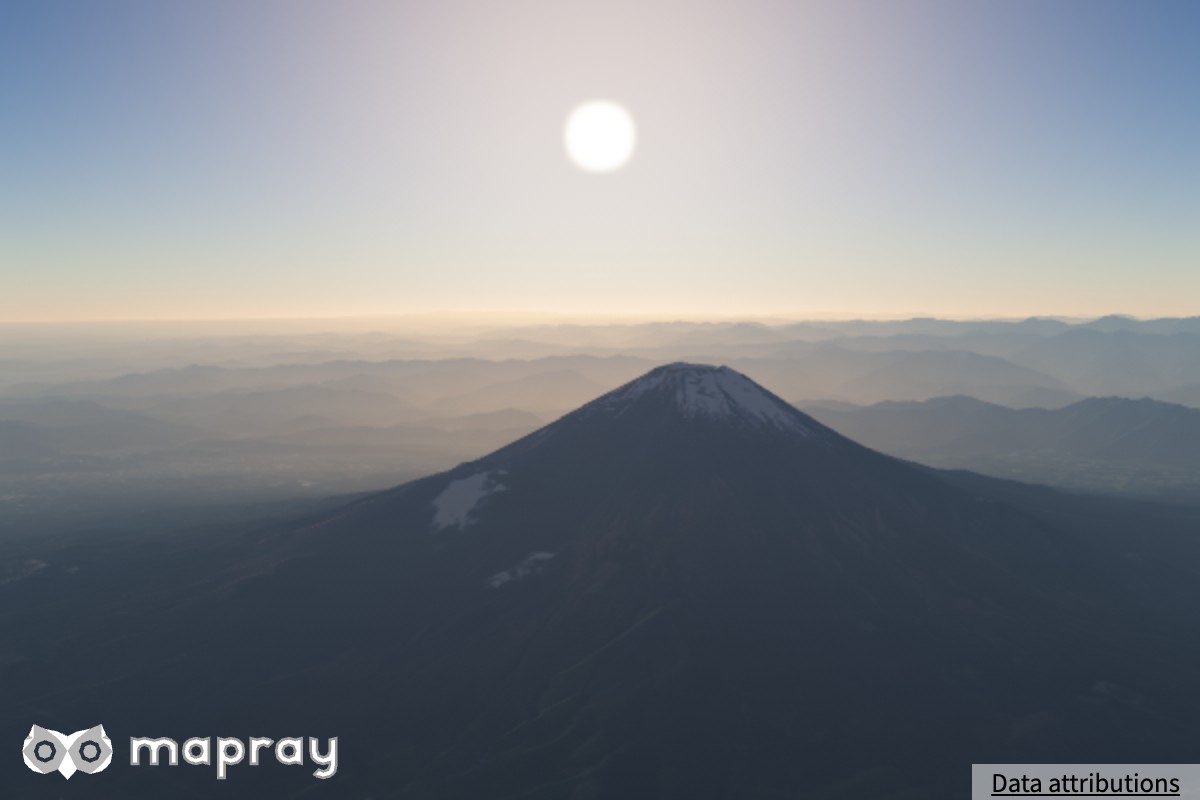
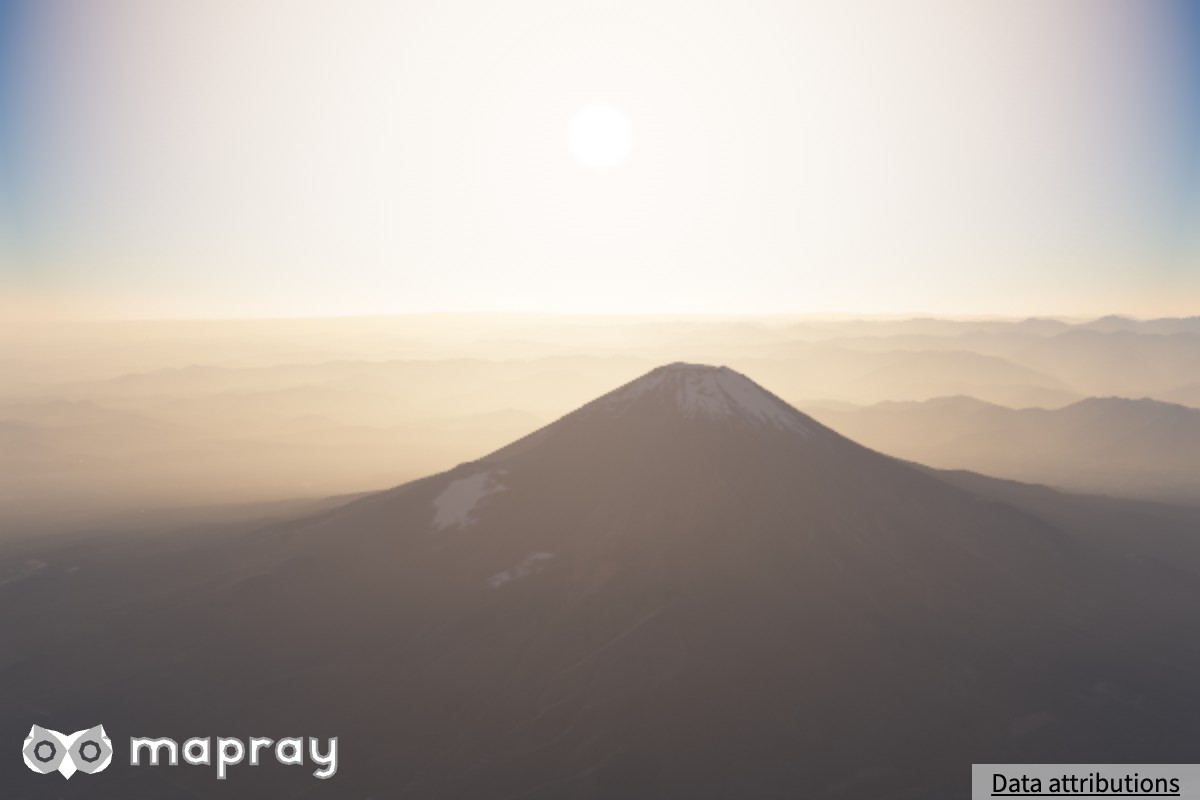
エアロゾル (もや) の量を決めます。標準値は物理的な地球大気に相当します。大きくすると太陽のまわりが白く明るくなり、地平線が霞みます。太陽を背にした昼の遠景では差が小さく、太陽の方向を見ると差が大きく出ます。
| 0.0001 | 0.001 | 0.01 |
|---|---|---|
 |
 |
 |
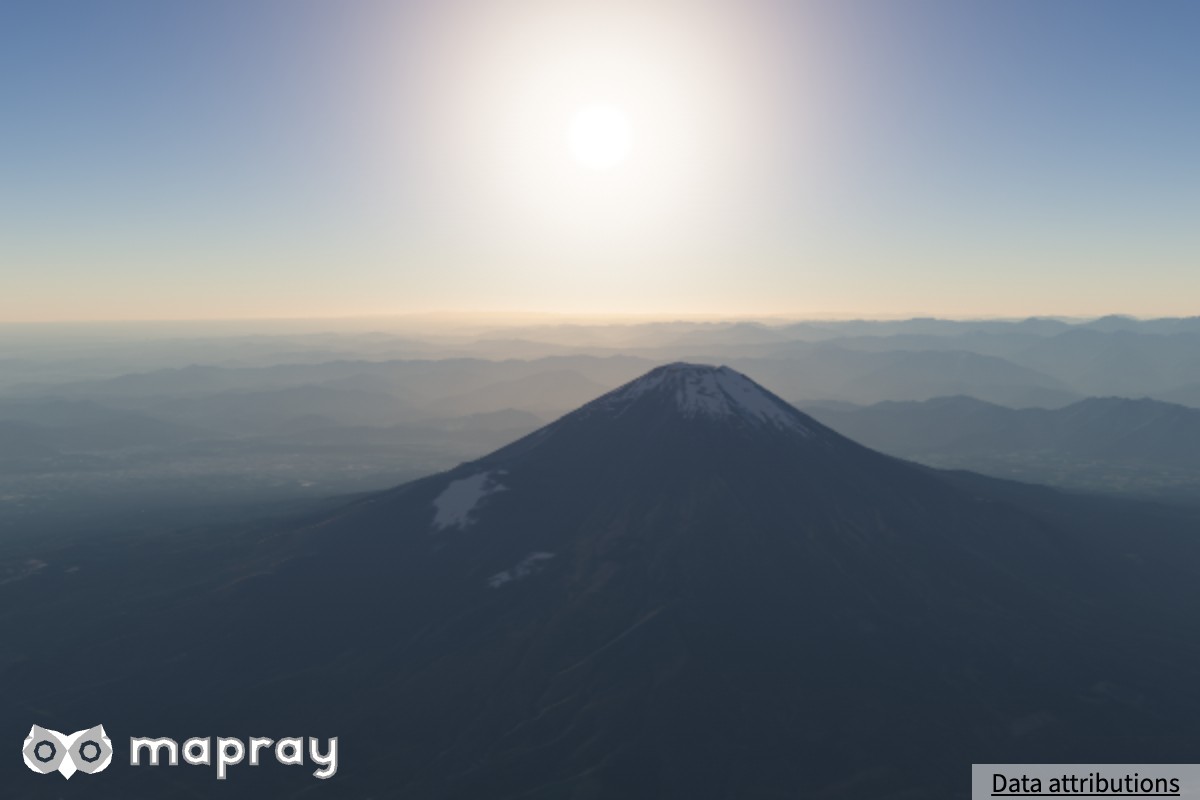
setMieG — ミー散乱の前方散乱性
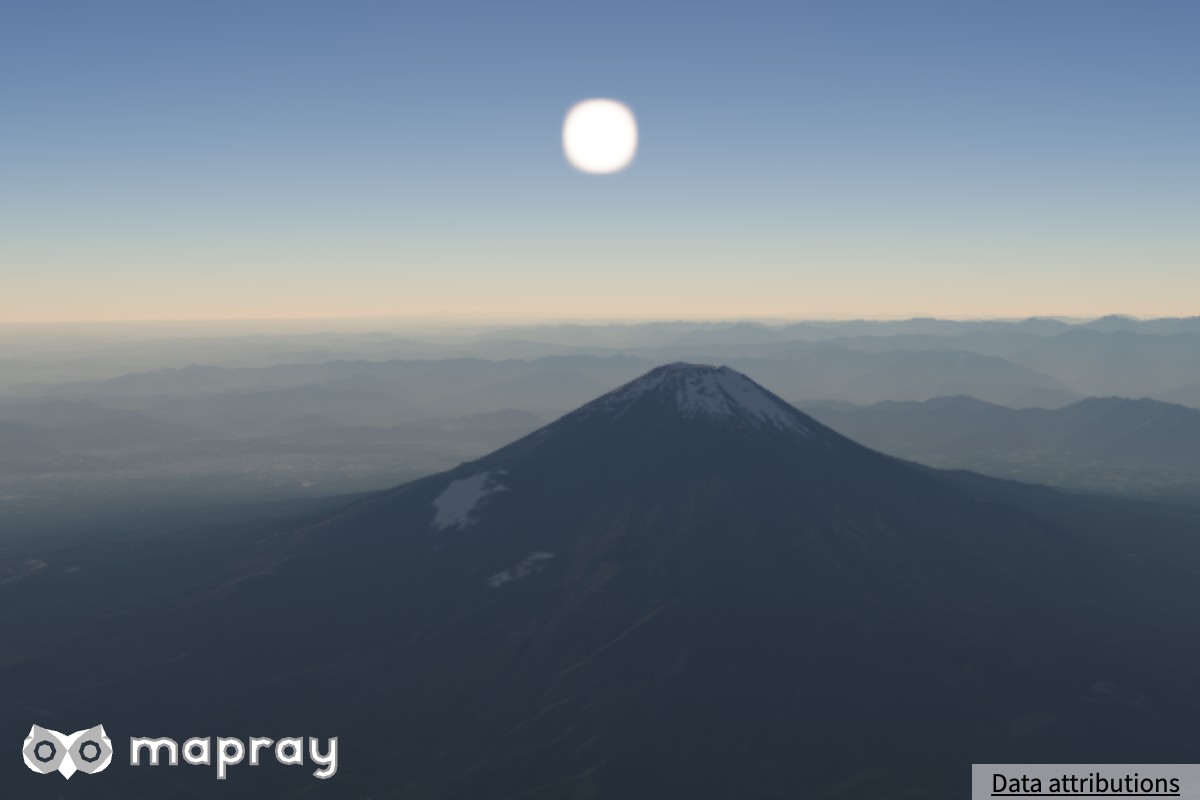
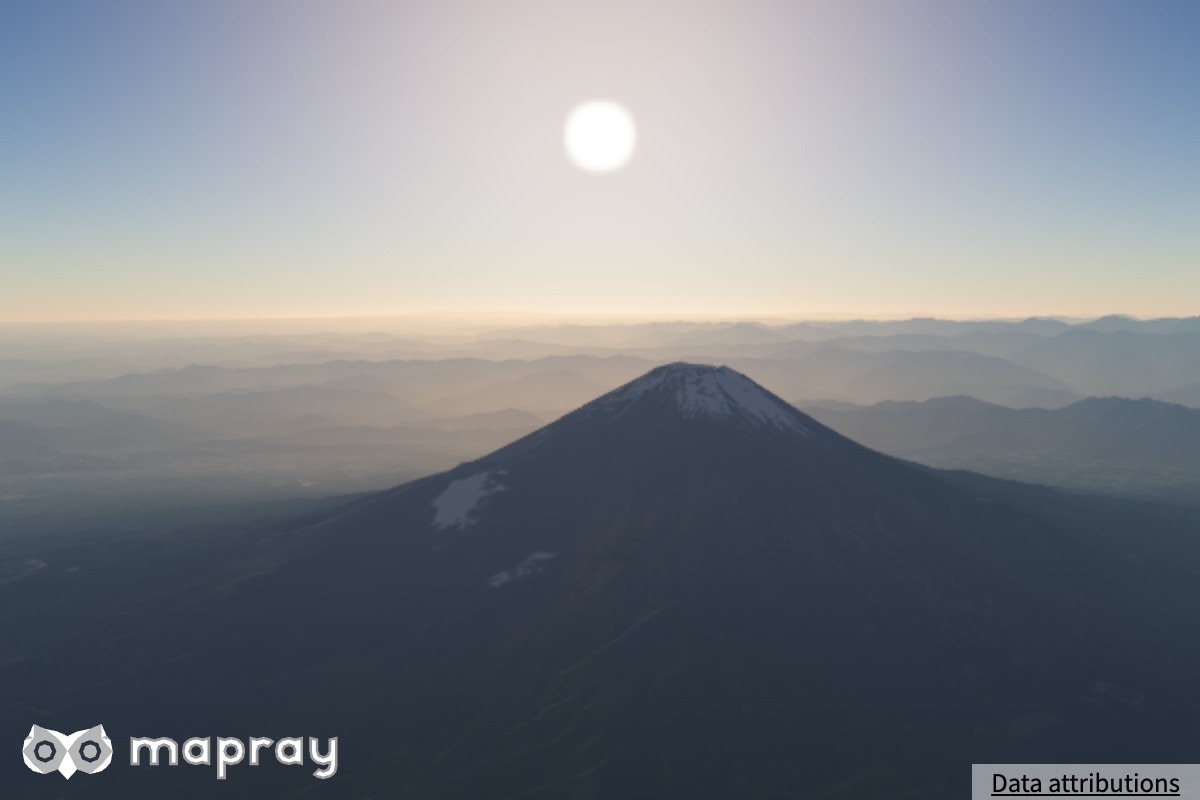
ミー散乱の向きの偏り g です (0 = 全方向に均等、1 に近いほど太陽の方向へ集中)。大きくすると太陽のまわりの明るさが鋭く集中します。
| 0.3 | 0.8 | 0.95 |
|---|---|---|
 |
 |
 |
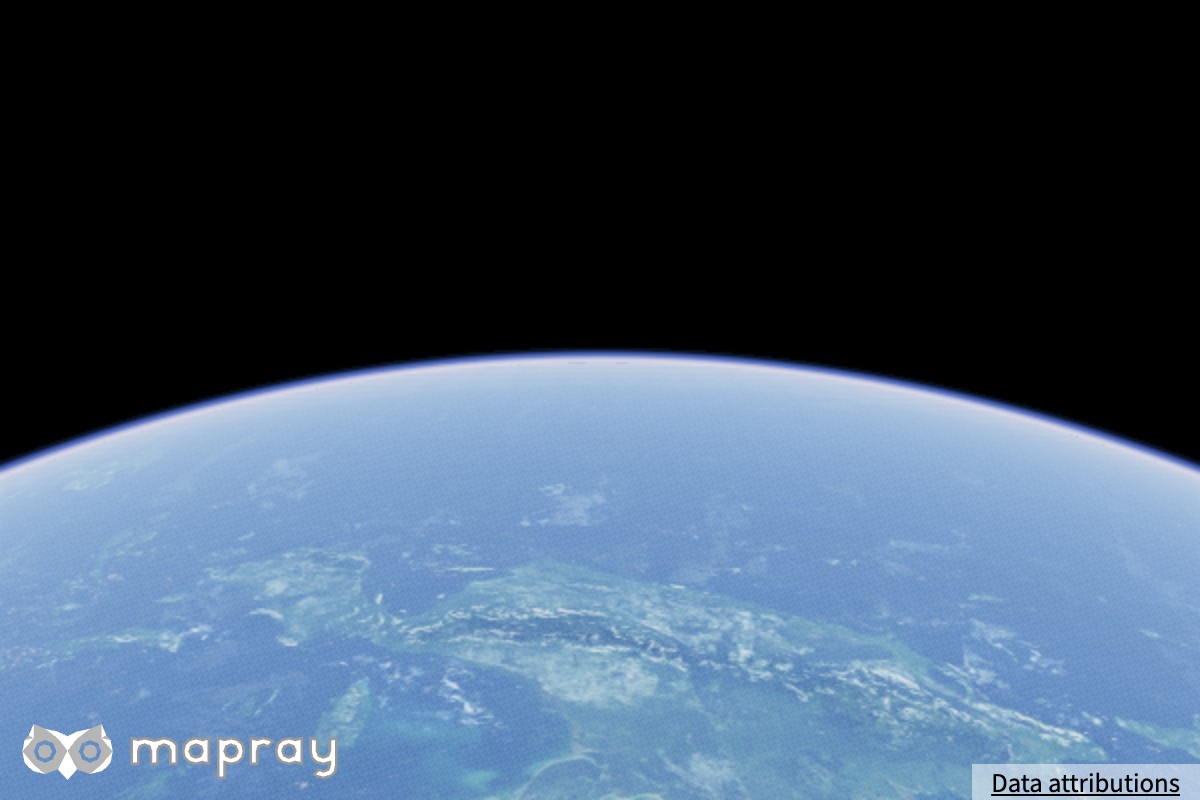
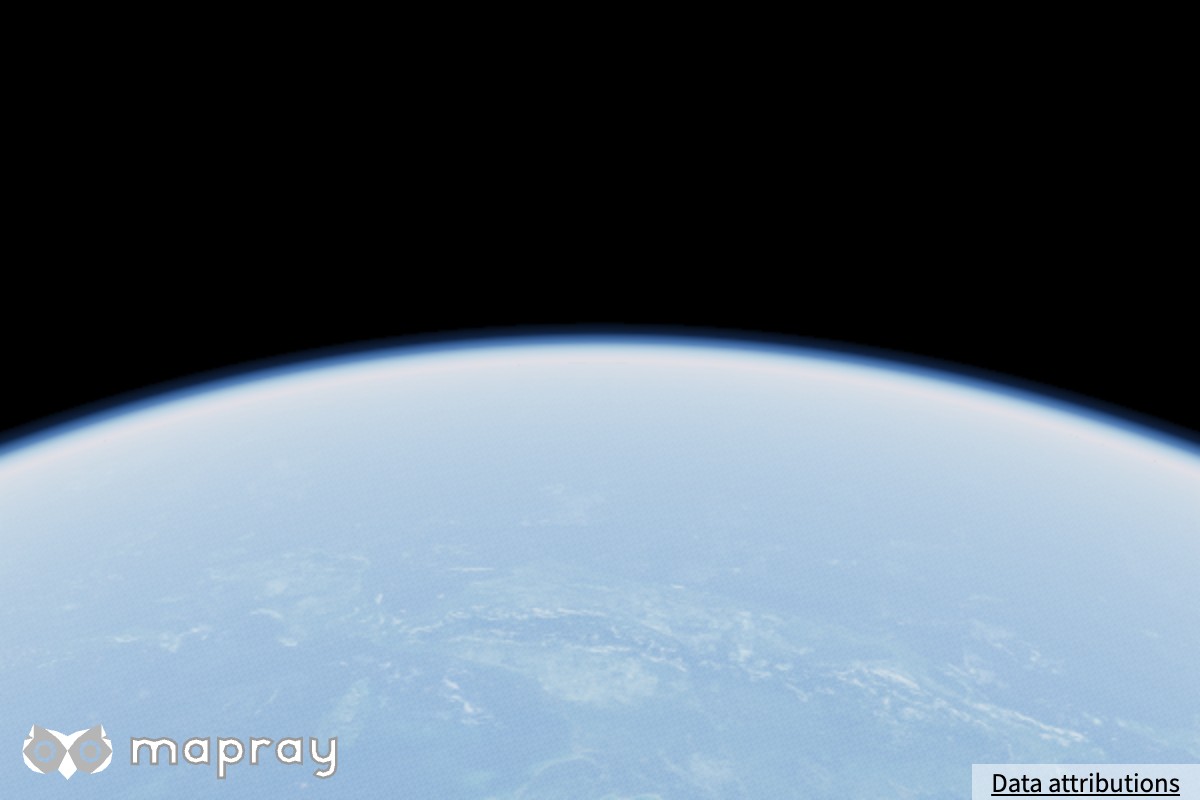
setAtmosphereHeight — 大気上端の高度 [m]
大気層の厚みです。宇宙から見た大気の縁 (リム) の厚みとして見えます。見た目の厚みはレイリー分布高度 (下記) で頭打ちになるため、縁を太くするには分布高度も一緒に上げます。下右の図は 160,000 m と、レイリー分布高度 20,000 m を組み合わせています。
| 60,000 m | 160,000 m + レイリー分布 20,000 m |
|---|---|
 |
 |
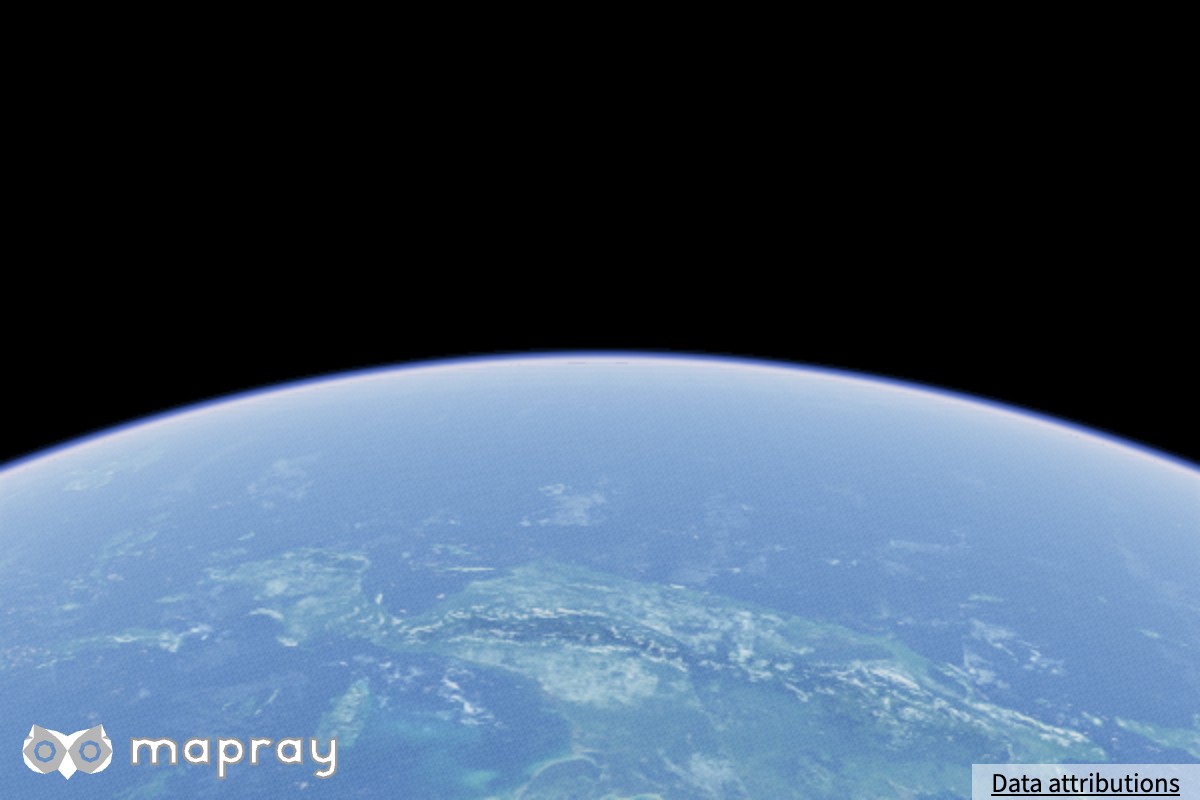
setRayleighDistribution / setMieDistribution — 密度の分布高度 [m]
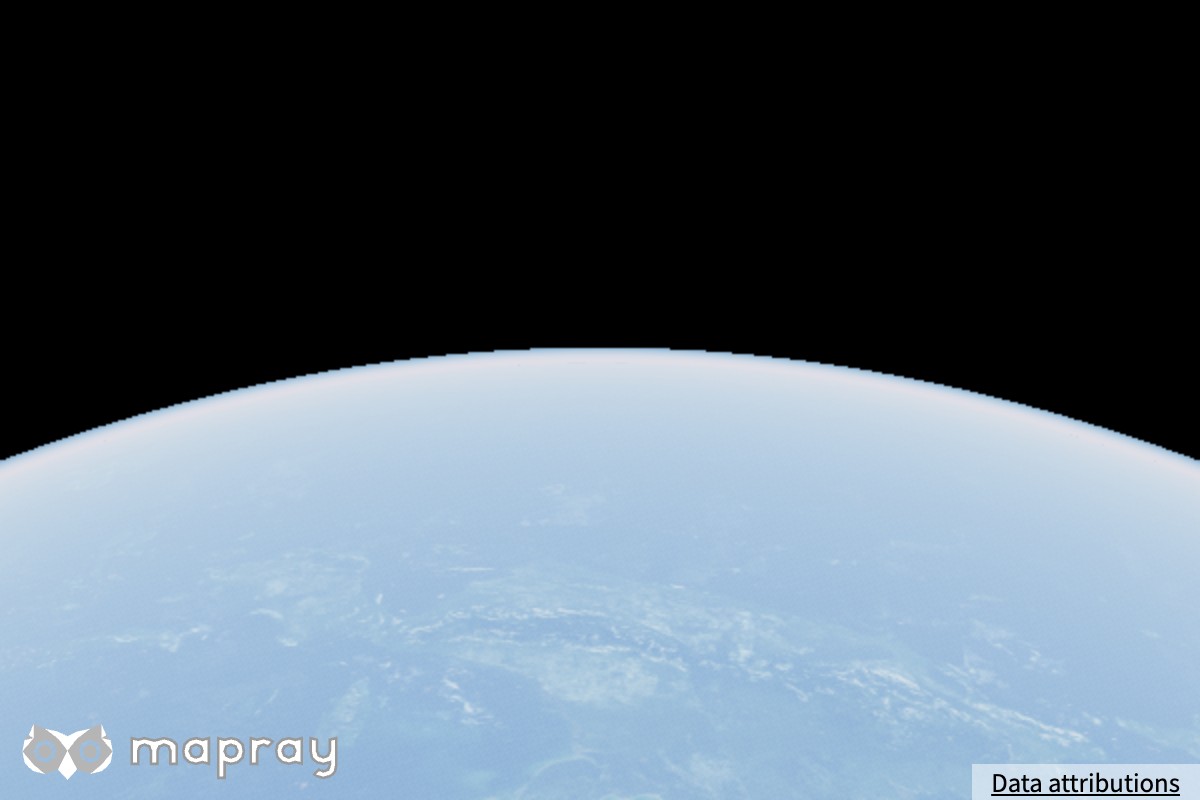
レイリー散乱とミー散乱の密度が 1/e (約 37%) に減る高度です。レイリーの分布高度を大きくすると、青みが高い高度まで広がり、宇宙から見た縁の光が太くなります。
| レイリー 8,000 m | レイリー 20,000 m |
|---|---|
 |
 |
明るさ
setExposureScale — 露出の倍率
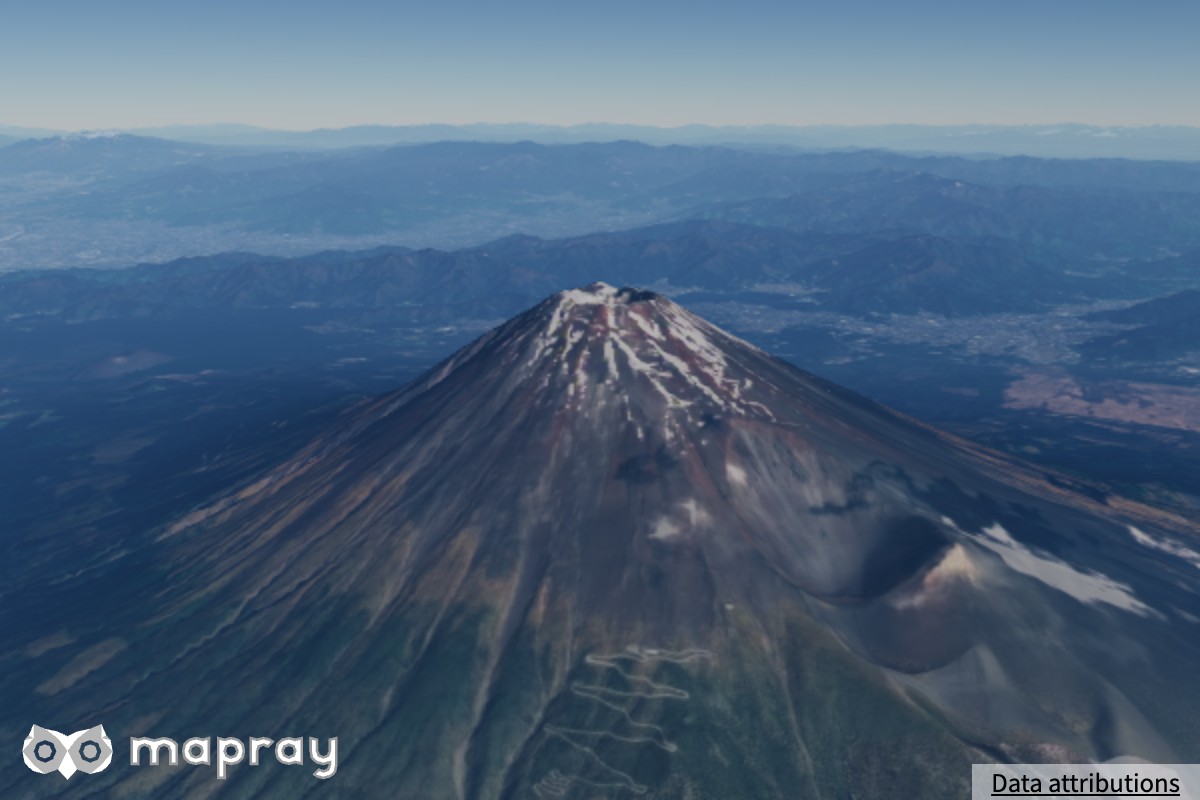
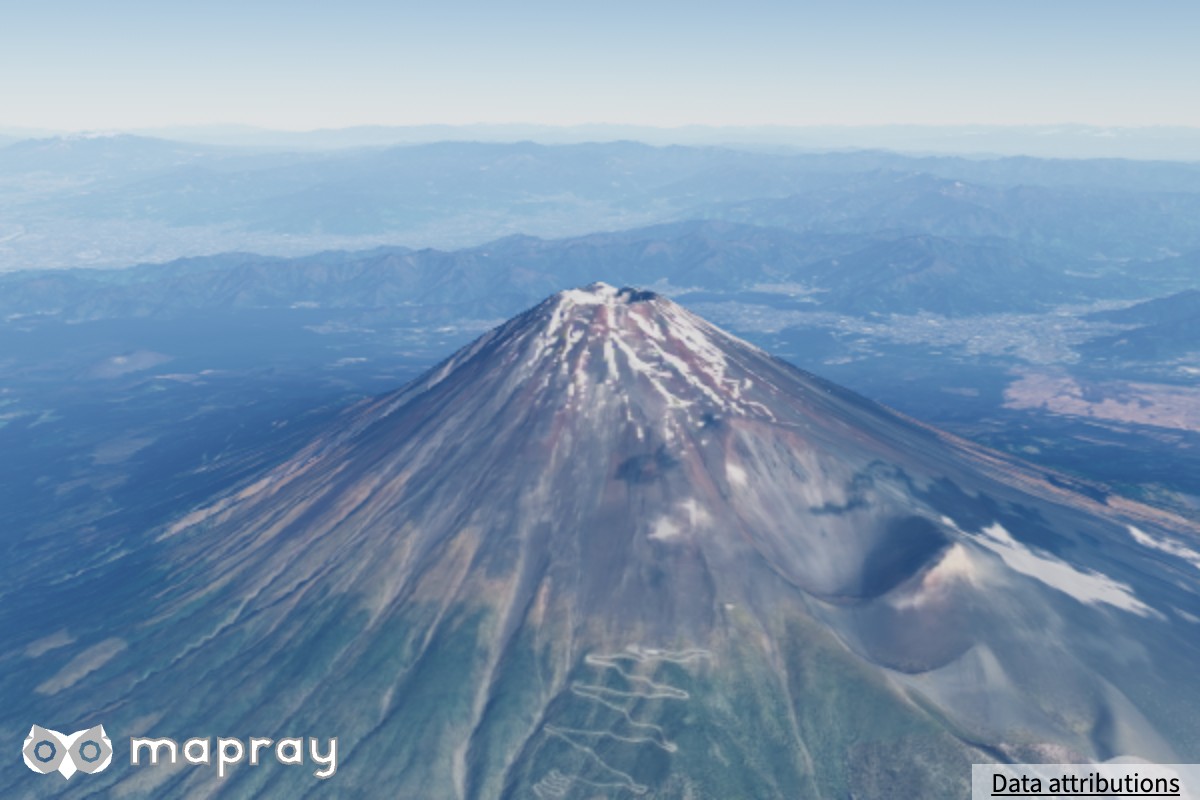
空と地表を含むシーン全体の明るさに掛かる倍率です。
| 0.6 | 1.40 | 2.5 |
|---|---|---|
 |
 |
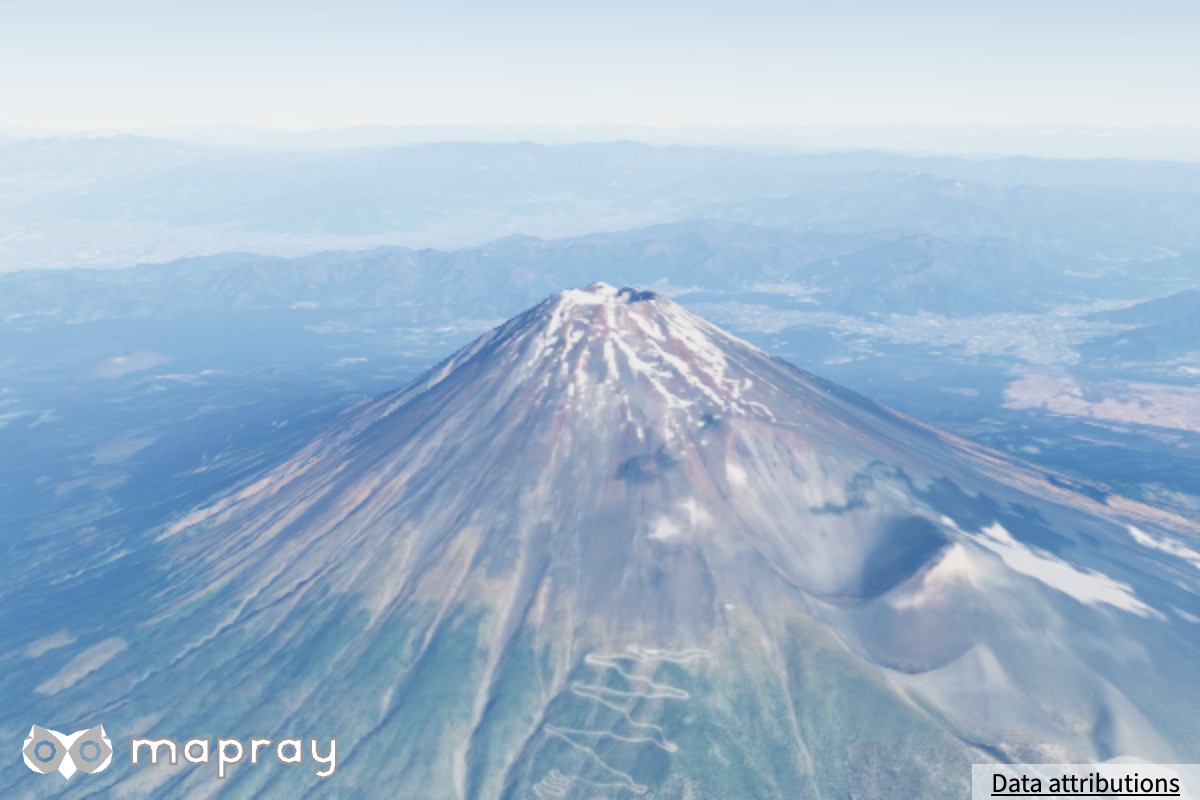 |
シーンの露出は、ground_exposure の絶対値と exposure_scale の積に比例します。
setGroundExposure — 露出の基準
露出の基準となる値 ground_exposure です。符号は無視され、絶対値が大きいほど明るくなります。0 にするとほぼ真っ黒になります。明るさを変えるときは setExposureScale を使ってください。
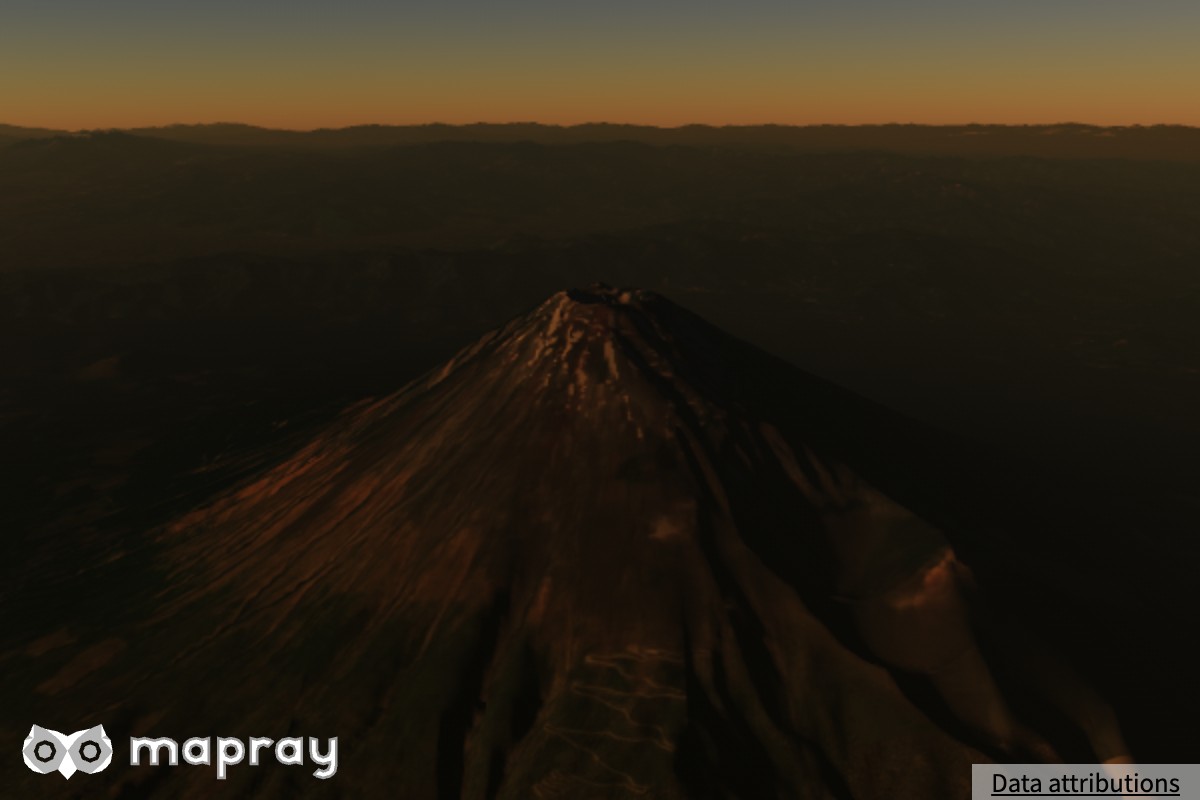
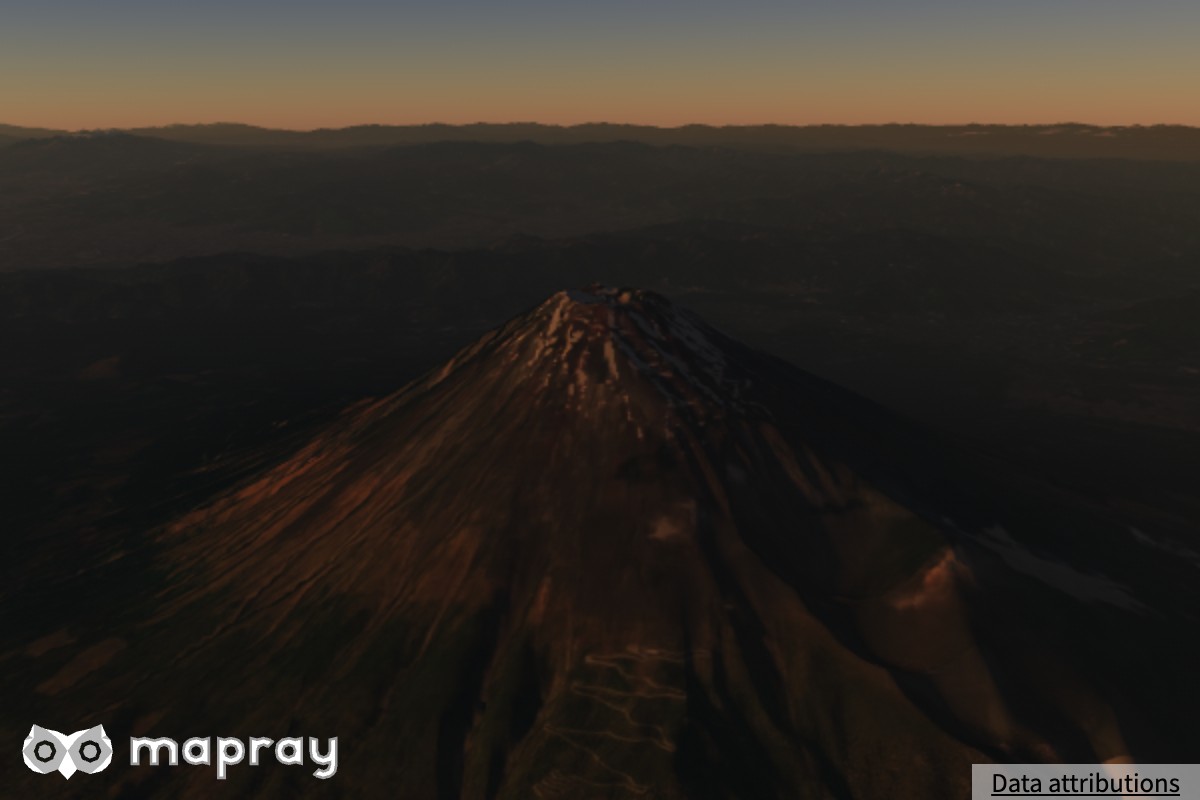
setMultiScattering — 多重散乱
2 回以上散乱した光の寄与の割合です。下げると、太陽の低い時間帯の空と、日の当たらない斜面が暗くなります。
| 0.1 | 1.0 |
|---|---|
 |
 |
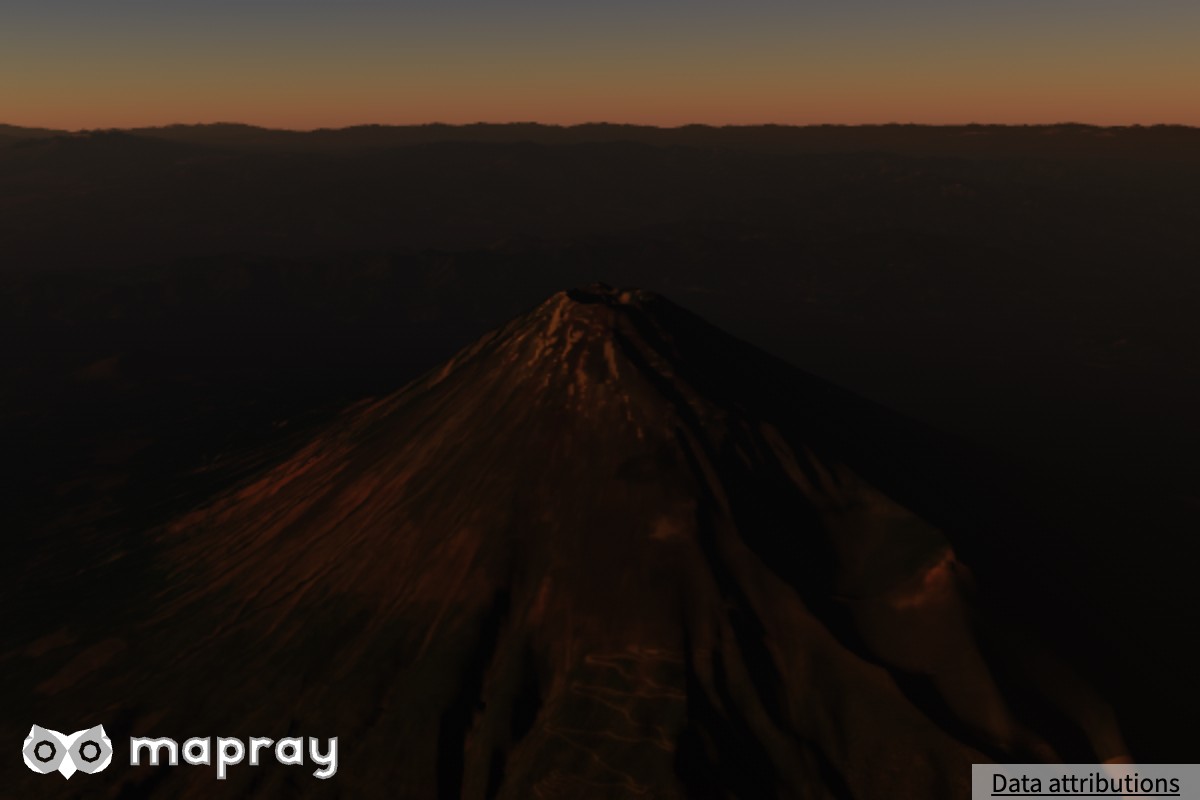
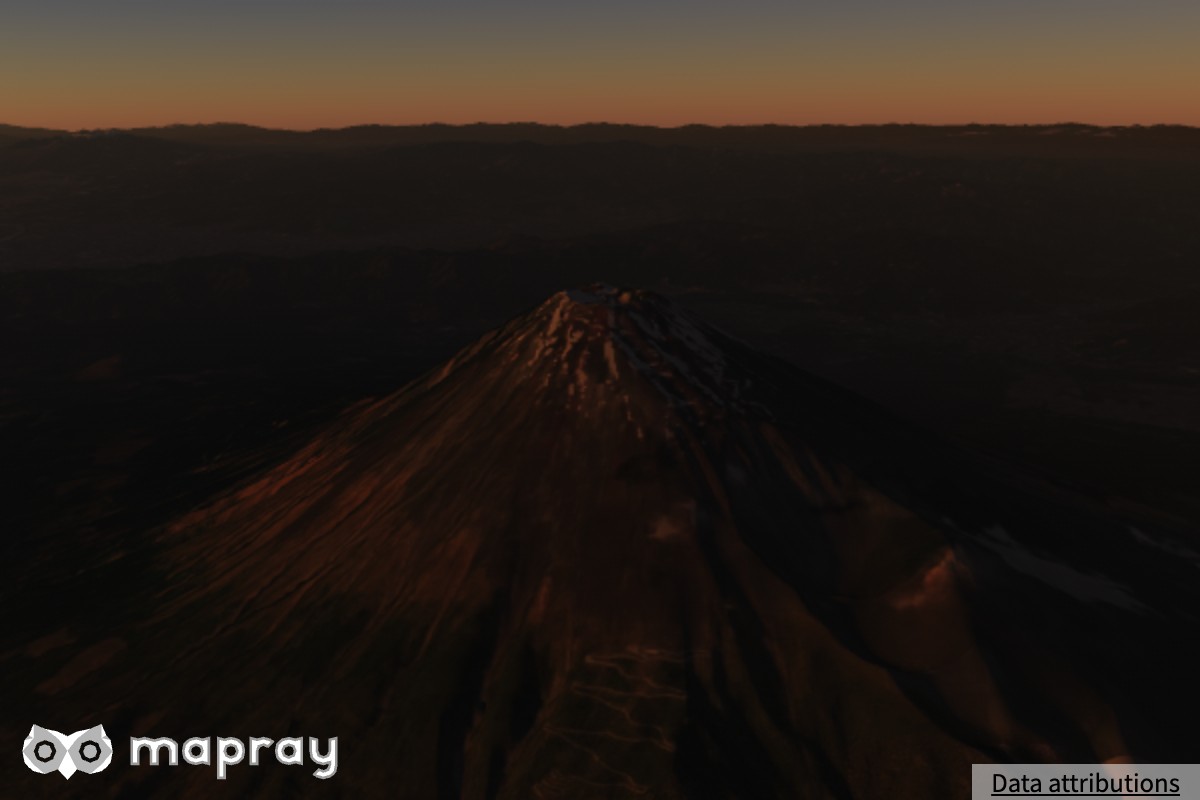
setAmbient — 環境光
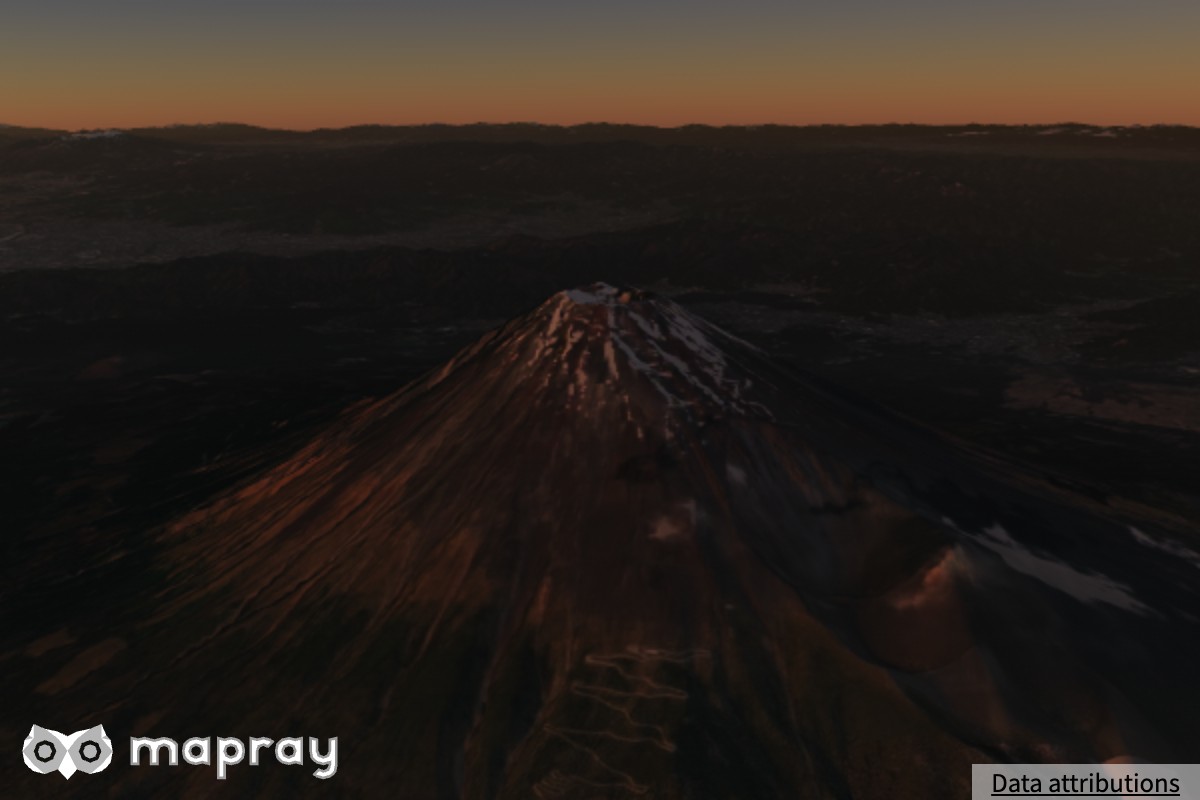
地表・建物・点群・水面が空から受ける環境光の強さです。多重散乱の LUT から求めるので、深夜には自動的にゼロへ近づきます。下の図は日没直前 (太陽の仰角 1°) で、影になった斜面の明るさが変わります。
| 0 | 1.0 | 4.0 |
|---|---|---|
 |
 |
 |
空気遠近
描画品質 minimal と low では空気遠近を描きません (値は保持されます)。
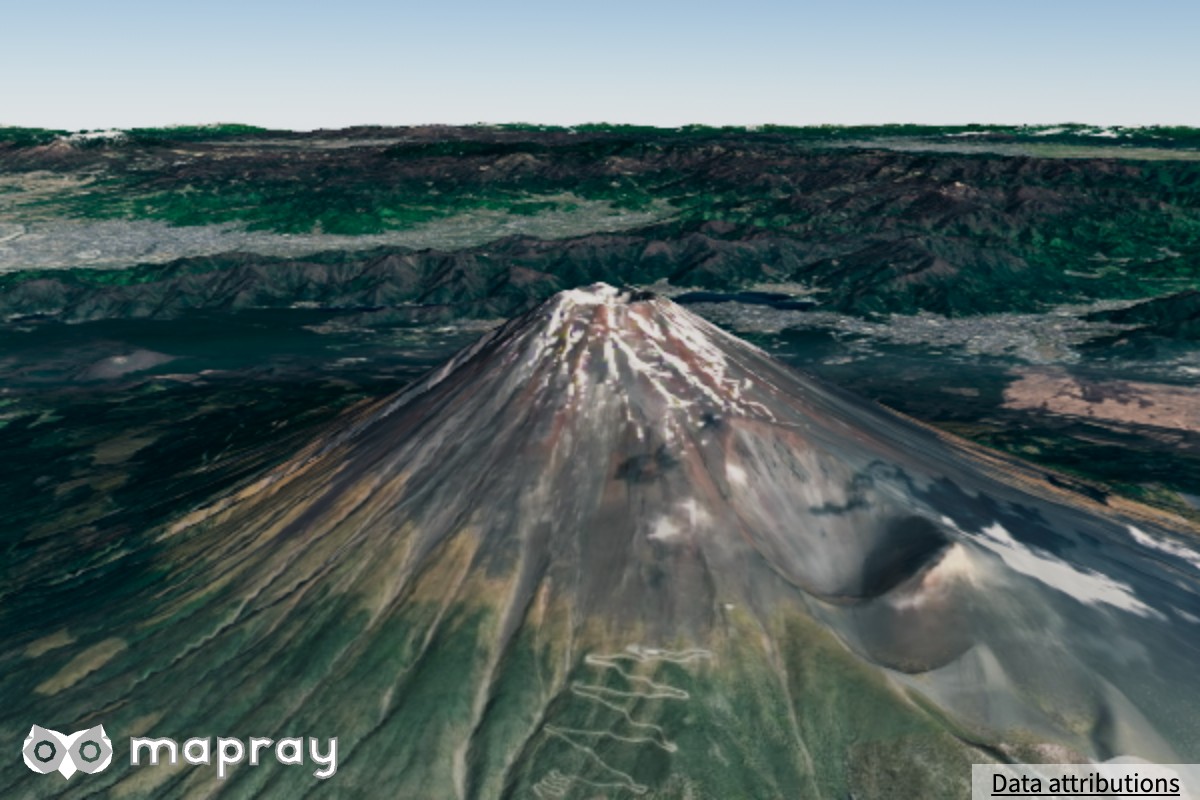
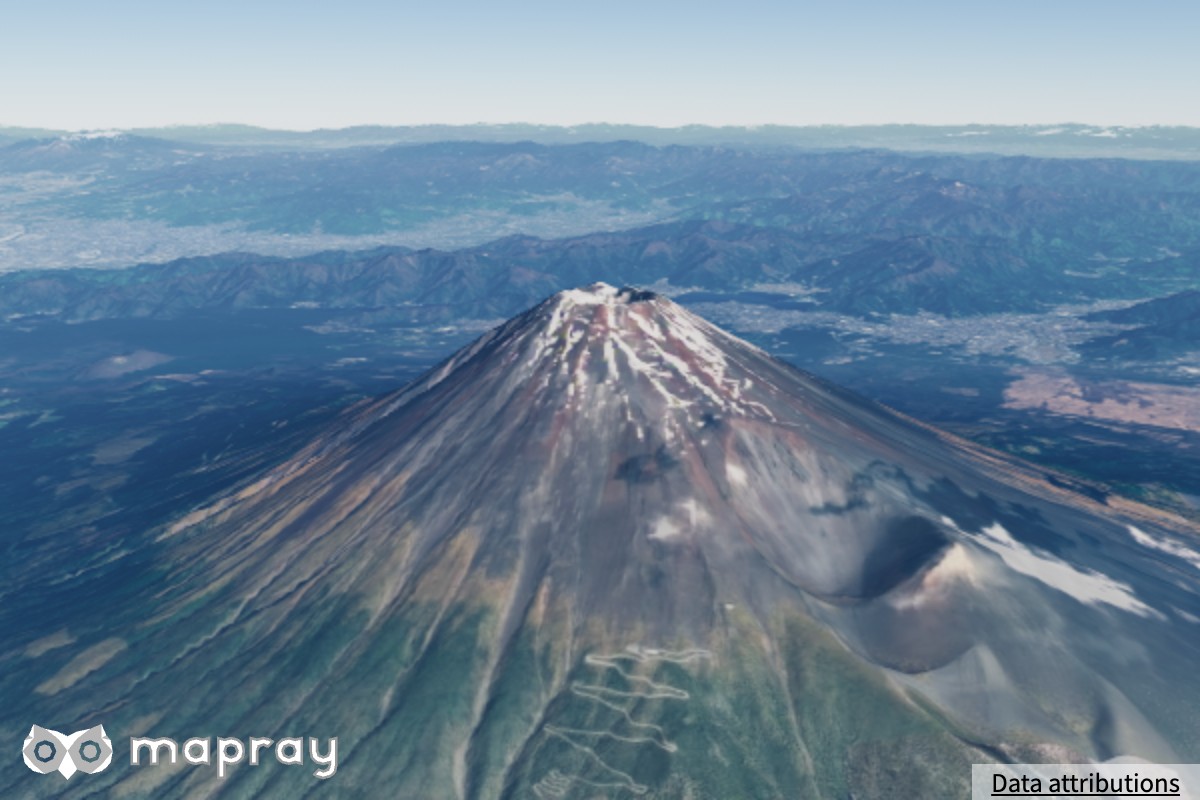
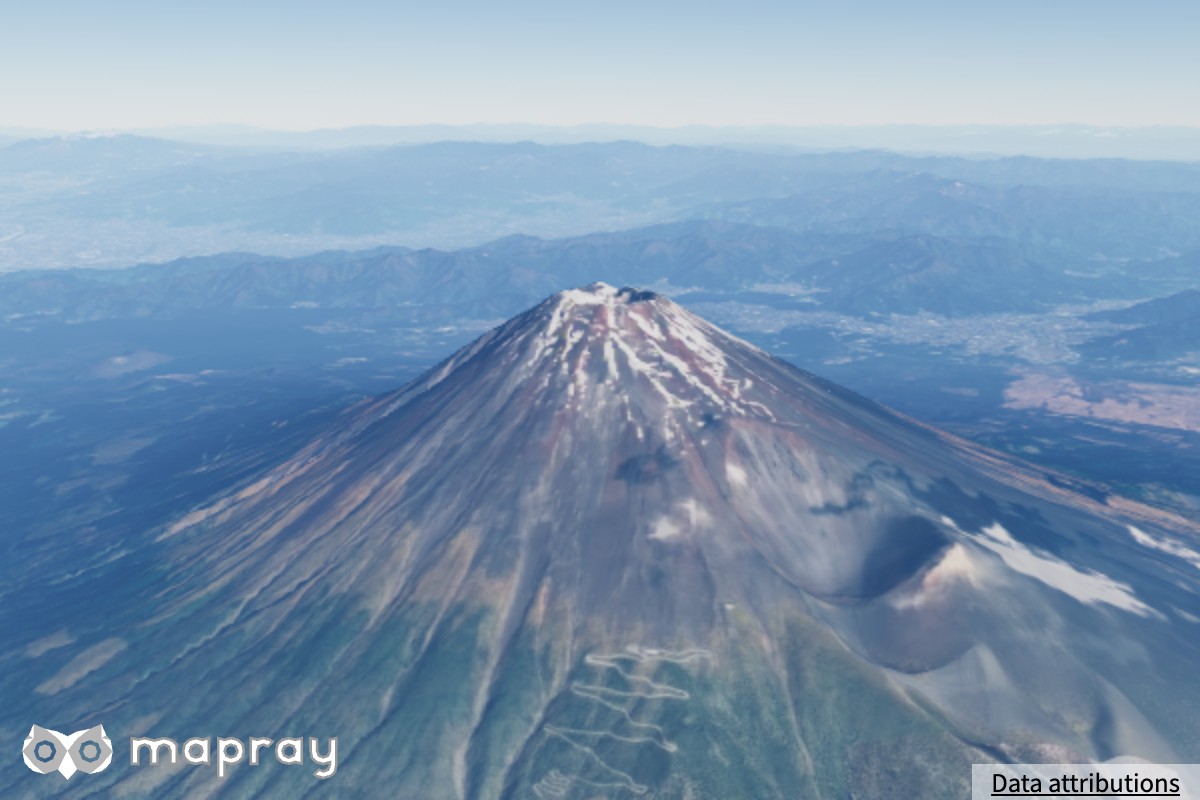
setAerialPerspectiveBlend — 空気遠近の強さ
遠景が大気に霞む効果の強さです。0 にすると空気遠近の LUT も作らなくなり、その分軽くなります。
| 0 | 0.5 | 1.0 |
|---|---|---|
 |
 |
 |
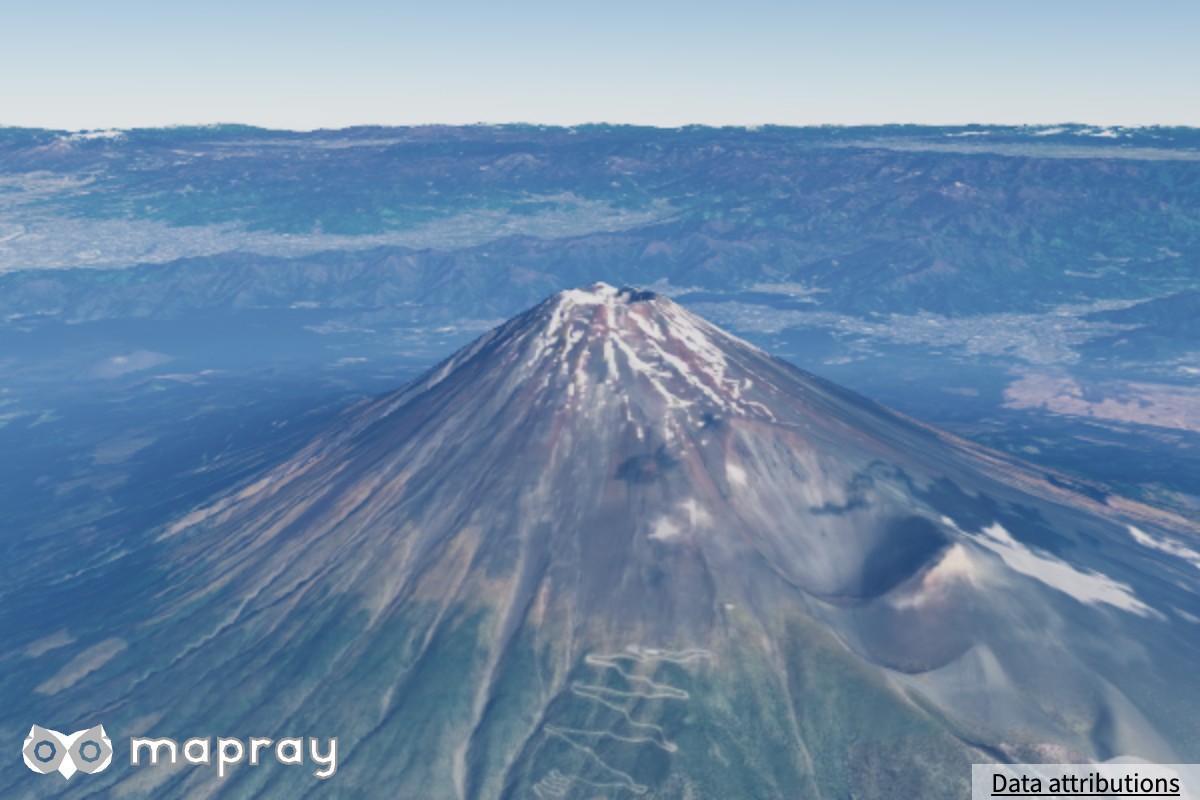
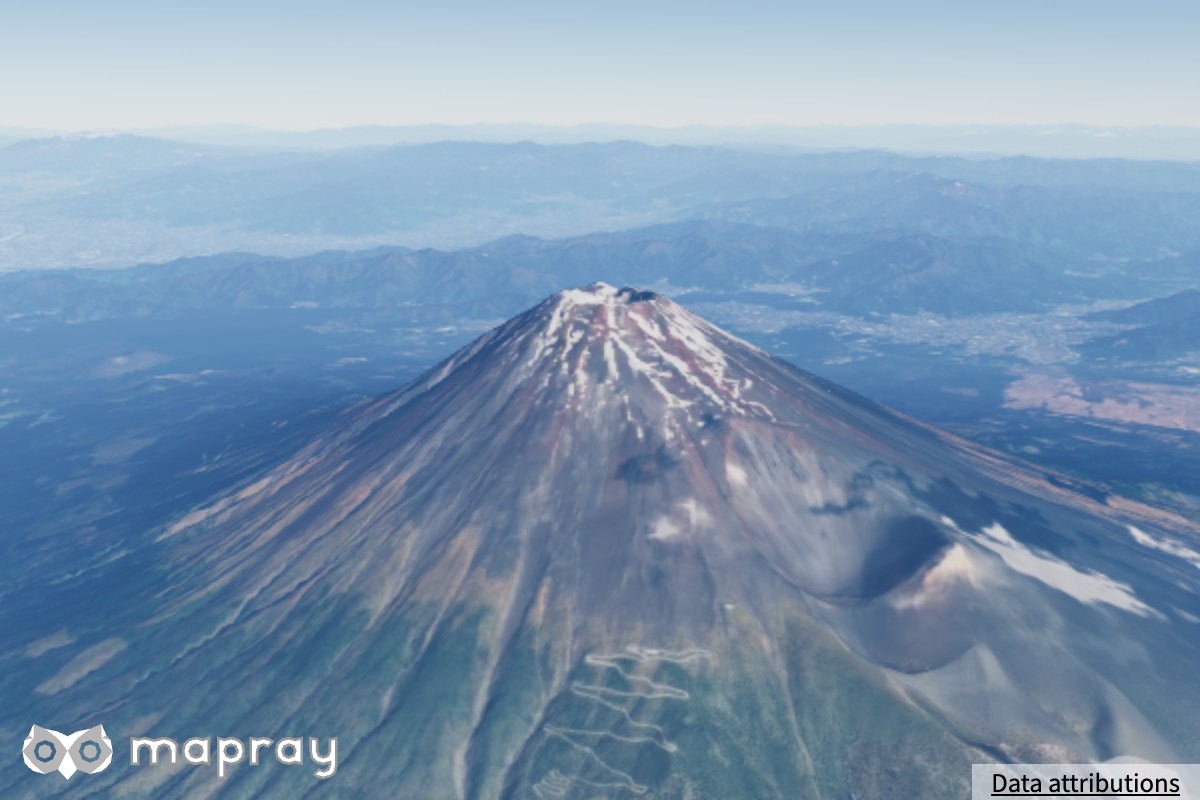
setAerialPerspectiveDistance — 空気遠近が飽和する距離 [m]
霞が積もる最大の距離です。この距離より先の霞は一定になります。宇宙視点では、描画のために自動で広げます。
| 20,000 m | 278,600 m |
|---|---|
 |
 |
地表のライティング
描画品質 minimal と low では地表の物理ライティングを行いません (値は保持されます)。
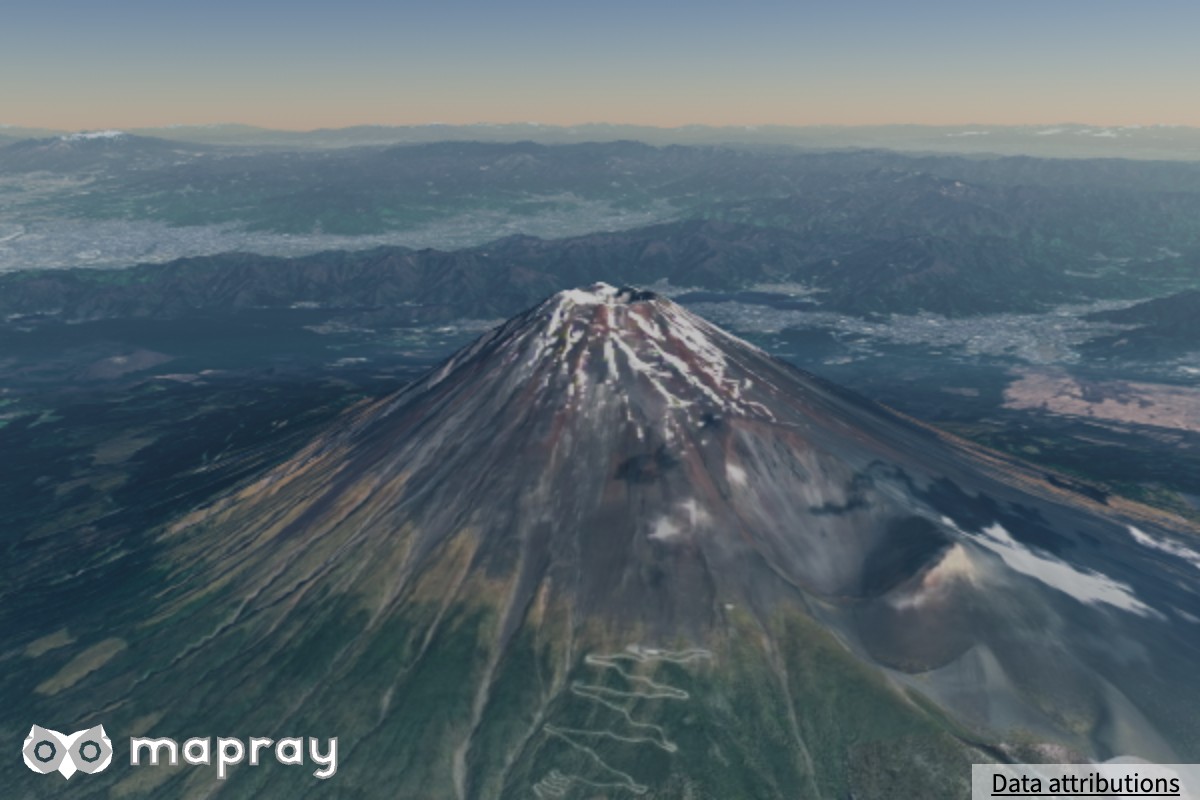
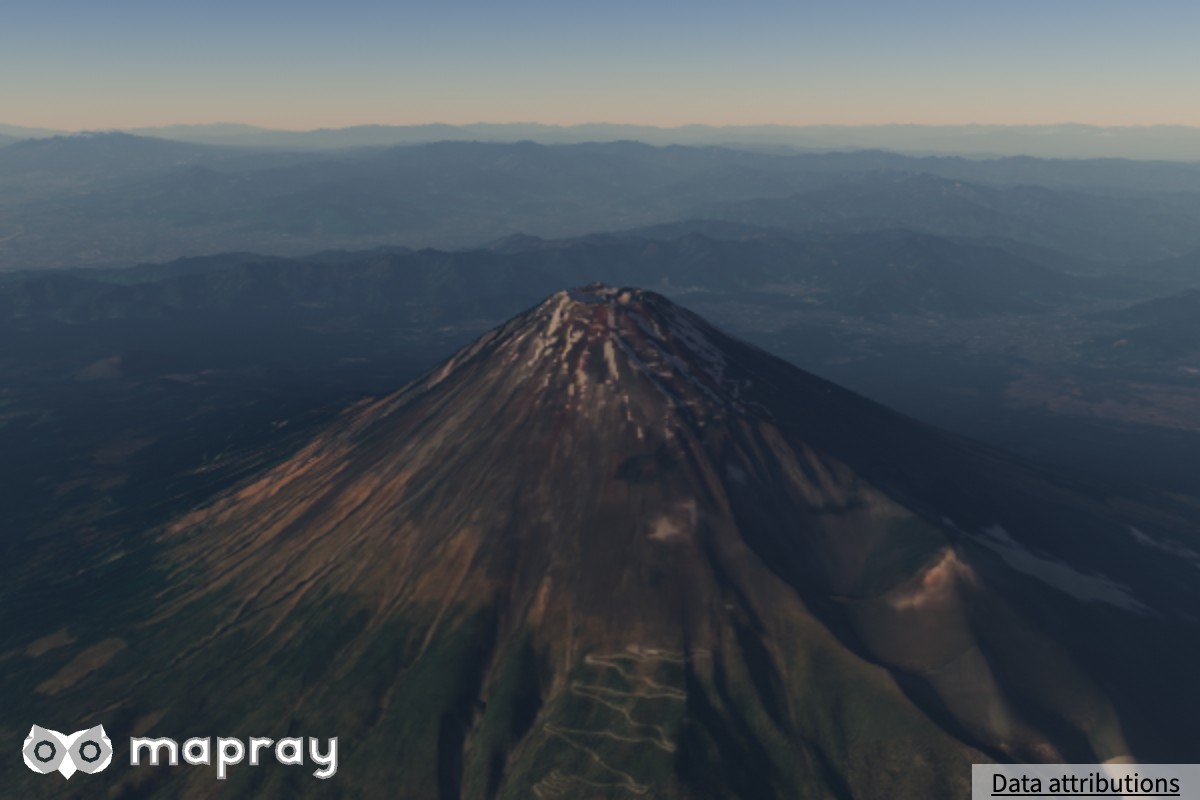
setGroundPhysicalLighting — 地表の物理ライティング
有効にすると、地形が太陽の方向と斜面の向きに応じて陰影づけされ、山の立体感が増します。無効にすると、地表には空気遠近だけが掛かります。太陽が低いほど差が大きく出ます (下の図は太陽の仰角 6°)。
| 無効 | 有効 |
|---|---|
 |
 |
setGroundLightingExposure — 地表の明るさの補正
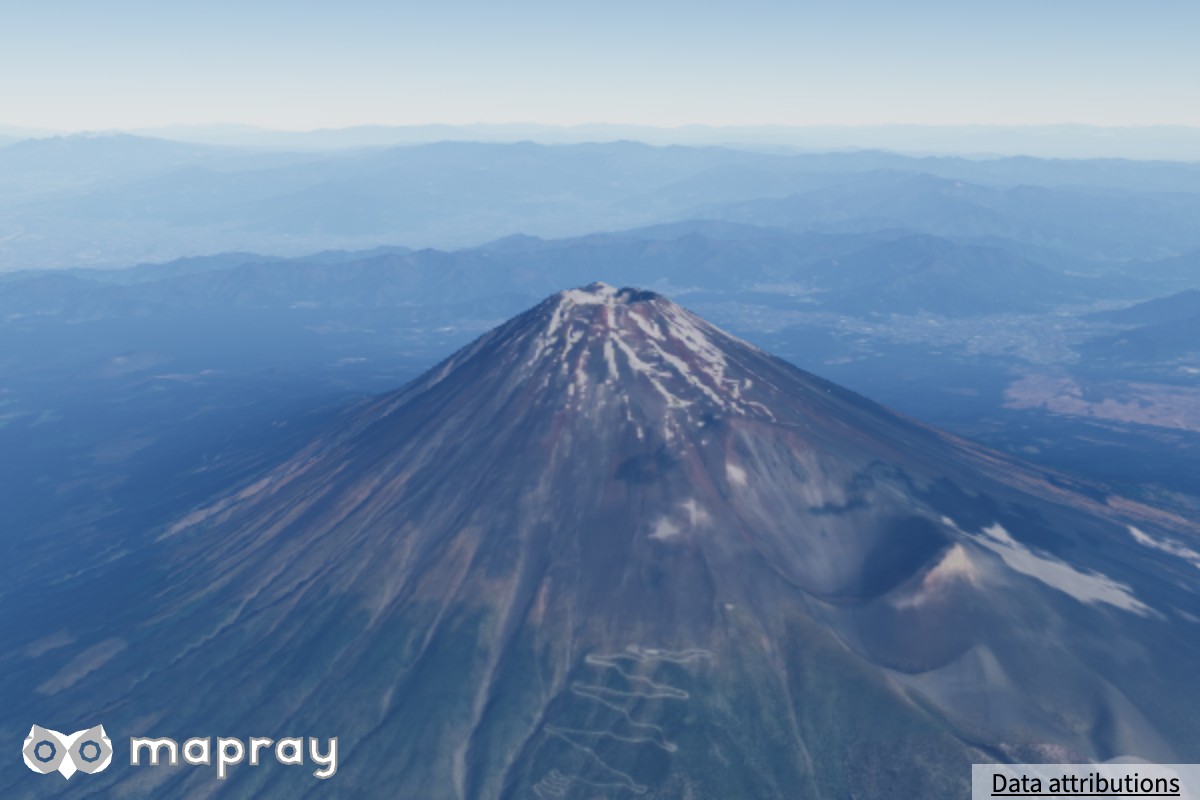
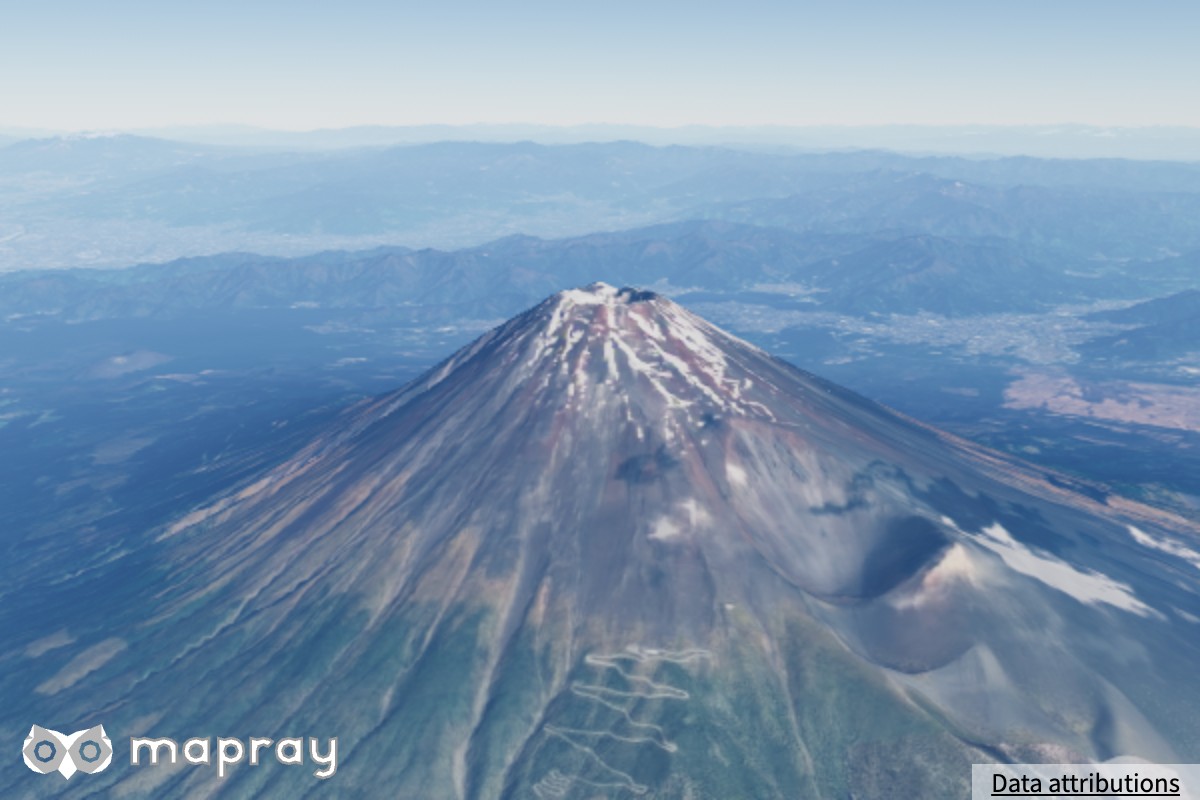
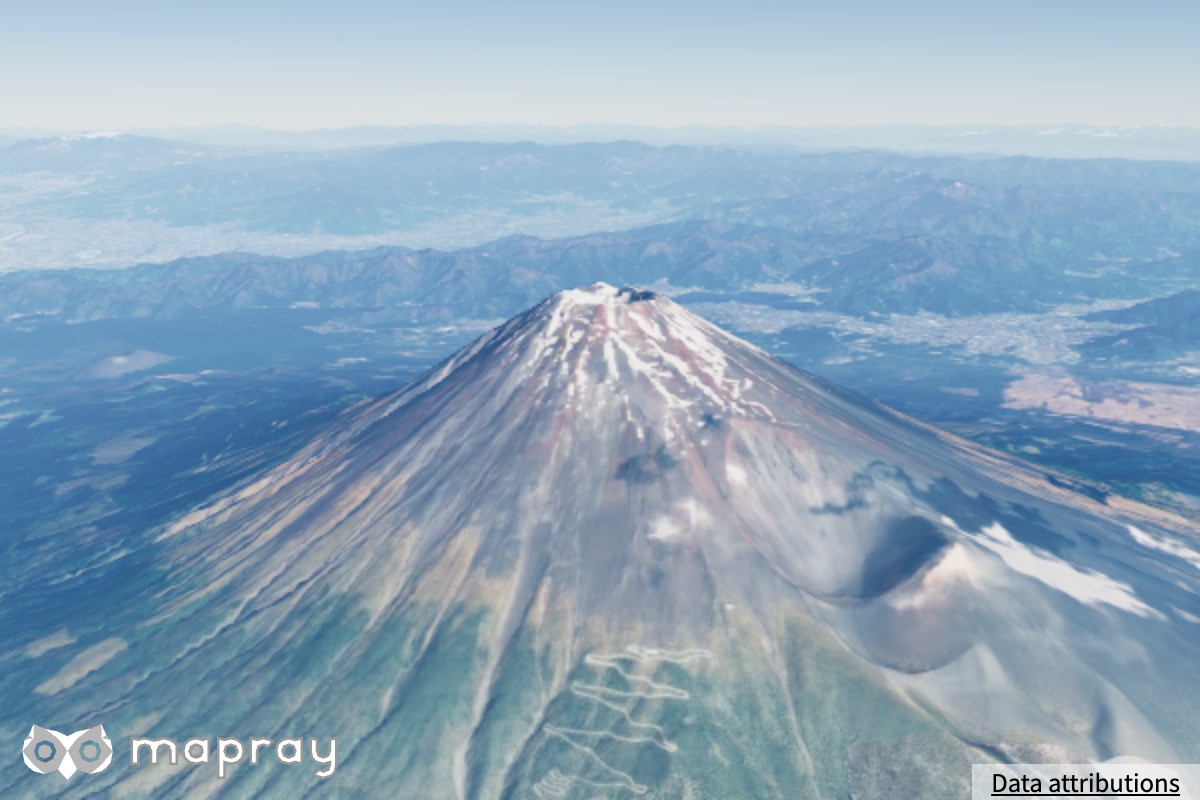
地表の衛星・航空写真には撮影時の光がすでに写り込んでいるため、太陽の光をそのまま掛けると明るくなりすぎます。それを補正する係数です。地表のほか、B3D 建物と点群 (PHYSICAL)、地表に貼り付けるラスターマップのポリゴンの照明にも掛かります。空・太陽・空気遠近・水面の明るさは変わりません。
| 0.2 | 0.45 | 0.9 |
|---|---|---|
 |
 |
 |
setBuildingReflectanceLimit — 建物の反射率の上限
B3D 建物の色 (反射率) の上限です。1.0 で無効になります。白い壁が明るくなりすぎるのを抑えます。大気ライティング (PHYSICAL / SIMPLE) で描く建物にだけ効きます。プリセットには含まれません。
建物・点群・データセットへの作用
大気が作用するのは、地形・B3D 建物・点群・水面・ラスターマップのポリゴンです。ピン・文字・ポリゴンなどのエンティティ (2D / 3D データセット) と glTF モデルには作用しません。
| 対象 | 大気ライティング | 空気遠近 | 決め方 |
|---|---|---|---|
| 地形 | あり | あり | setGroundPhysicalLighting (描画品質 medium 以上) |
| B3D 建物 | あり | あり | ライティングモード |
| 点群 | あり | あり | ライティングモード |
| 水面 | あり | あり | 常に (Water) |
| ポリゴン・線・ピン・文字・画像アイコン (GeoJSON などの 2D データセット) | なし | なし | 大気・露出・トーンマップの影響を受けず、指定した色のまま出します |
| glTF モデル (3D データセット) | なし | なし | 視点に固定した光で陰影を付け、指定した色のまま出します |
ライティングモード
B3D 建物と点群が大気をどう使うかを AtmosphereLightingMode で選べます。全体の既定は viewer.atmosphere.setDefaultLightingMode() で、個別には B3dScene.setAtmosphereLightingMode() と PointCloud.setAtmosphereLightingMode() で設定します。個別の設定を省略すると INHERIT で、全体の既定に従います。setDefaultLightingMode() に INHERIT を渡すと例外になります。
| モード | B3D 建物 | 点群 |
|---|---|---|
INHERIT |
全体の既定に従います | 全体の既定に従います |
AUTO |
PHYSICAL になります |
SIMPLE になります |
PHYSICAL |
太陽の方向と面の向きによる陰影、大気の透過率 (夕方の赤み)、環境光、月光、空気遠近、反射率の上限 | 真上を向いた面として照らします (点群は面の向きを持たないため)。面ごとの陰影は出ず、太陽の高さによる明暗と色味、環境光、月光、空気遠近が掛かります |
SIMPLE |
面の向きによる陰影、大気の透過率、環境光 (正午を基準に正規化)、反射率の上限。空気遠近と月光は掛かりません | 正午を基準にした明暗の変化だけを掛けます。空気遠近は掛かりません |
OFF |
視点に固定した光による陰影だけで、時刻に依らず同じ見た目になります | 点群が持つ色をそのまま出します |
B3D 建物
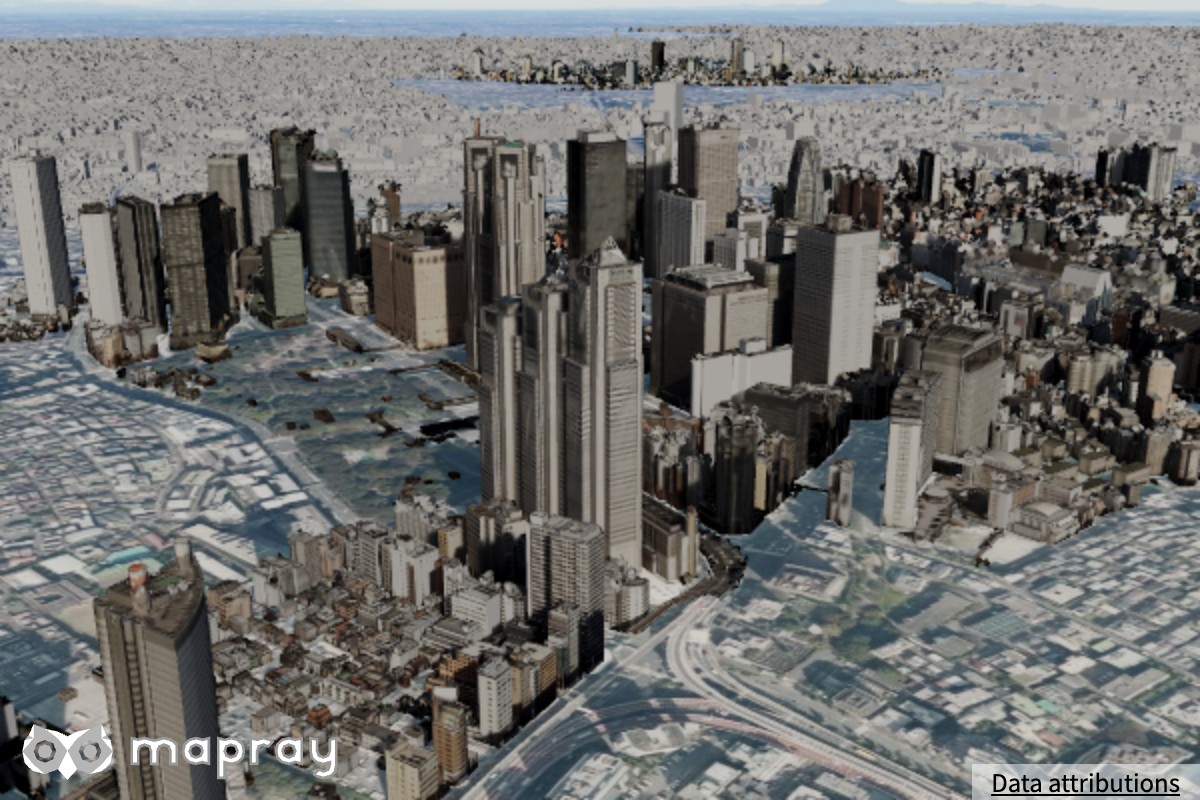
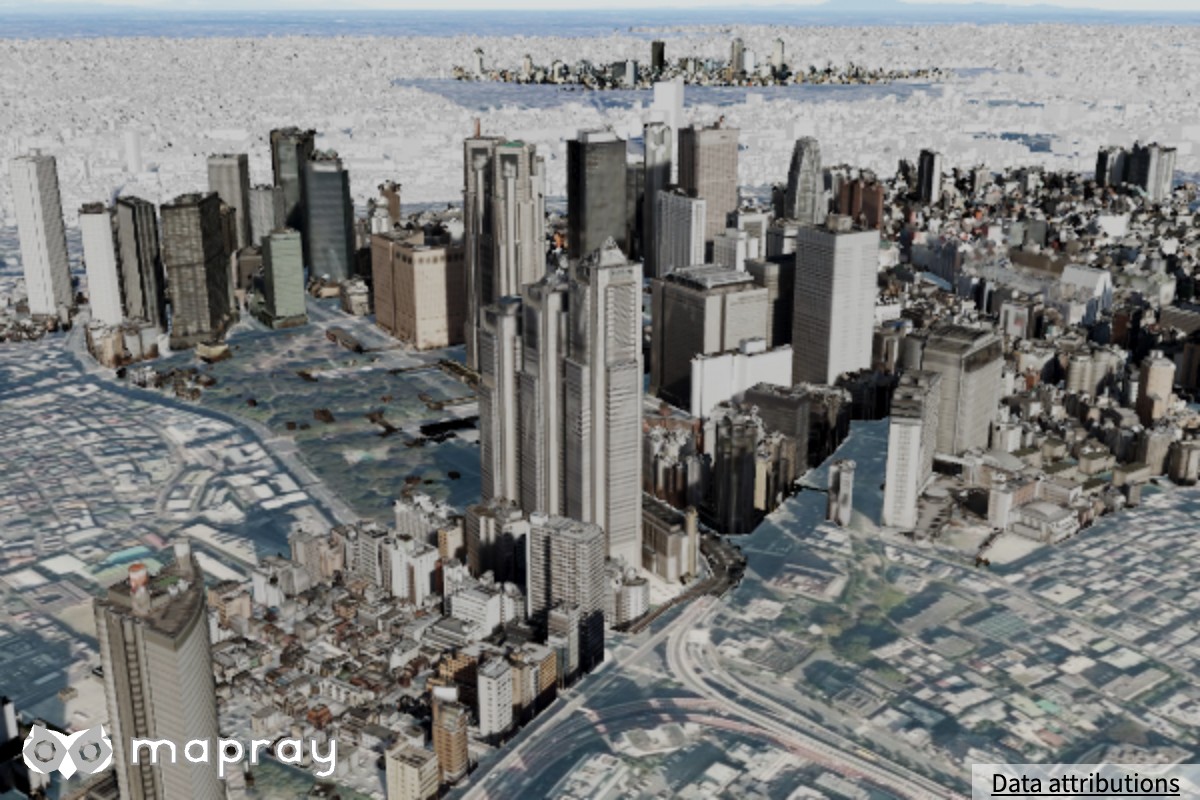
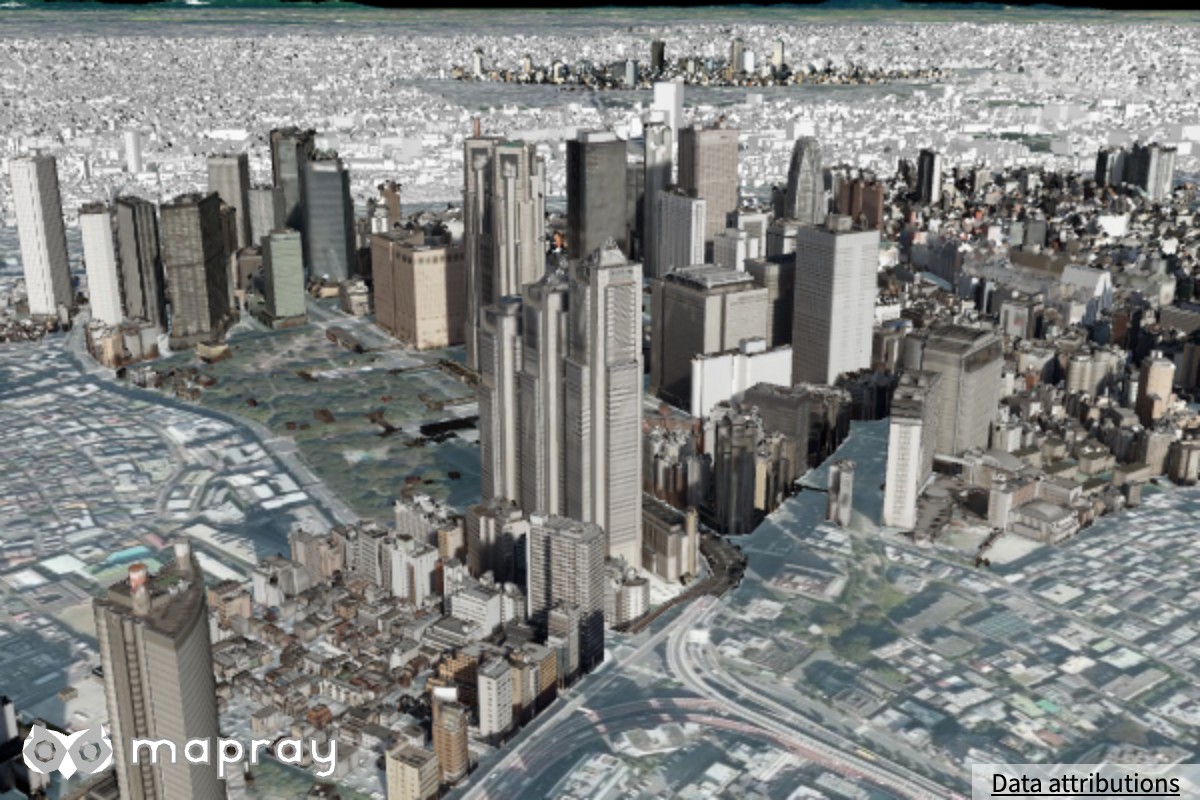
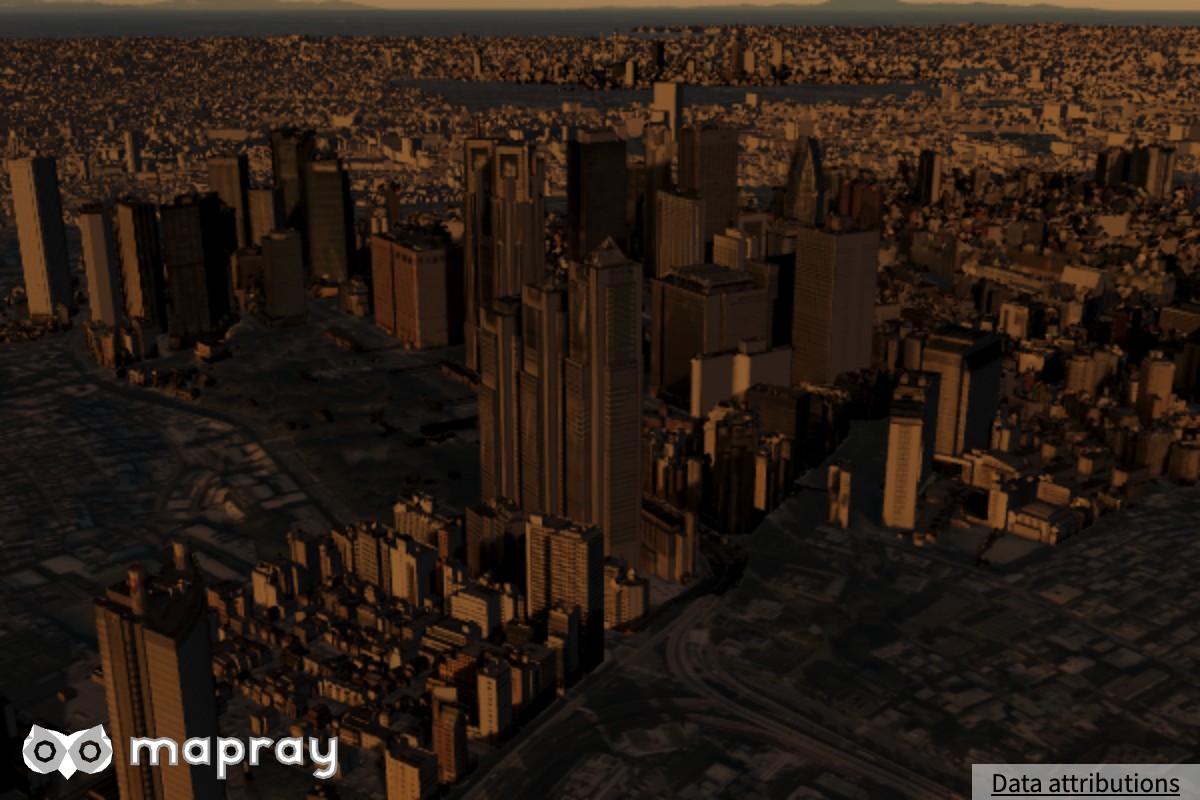
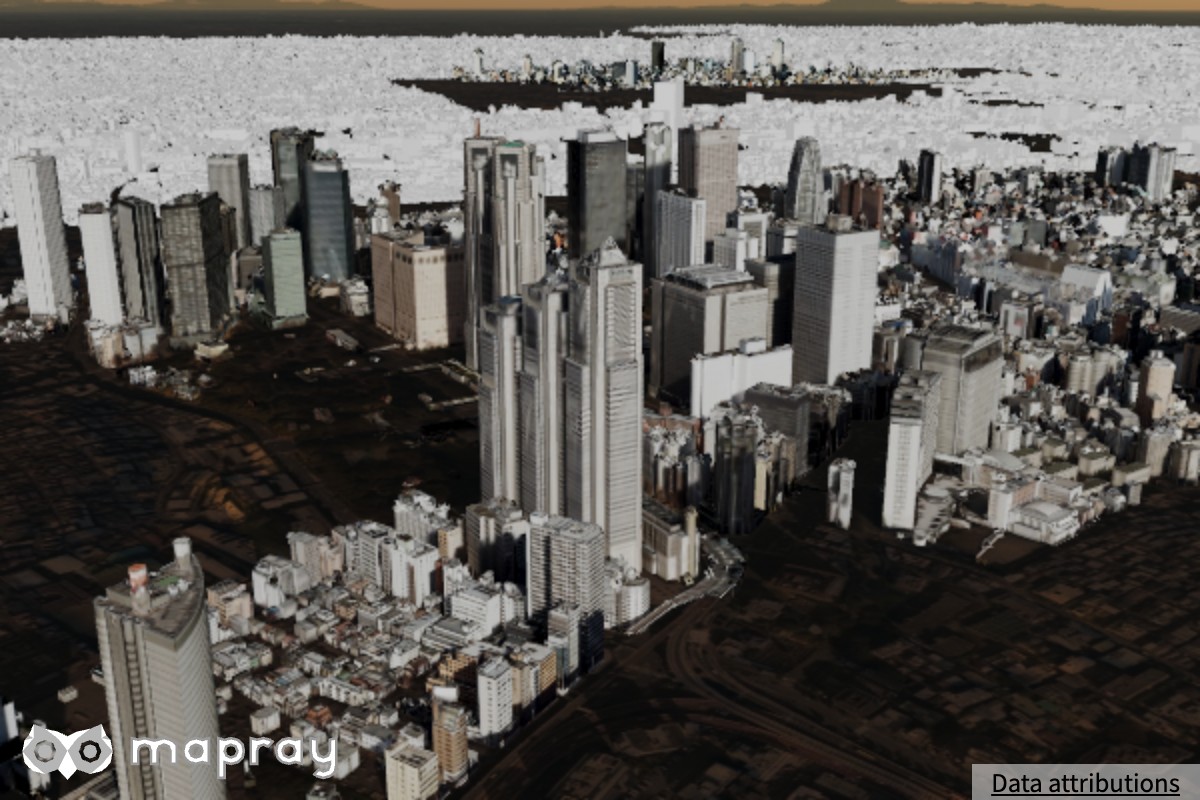
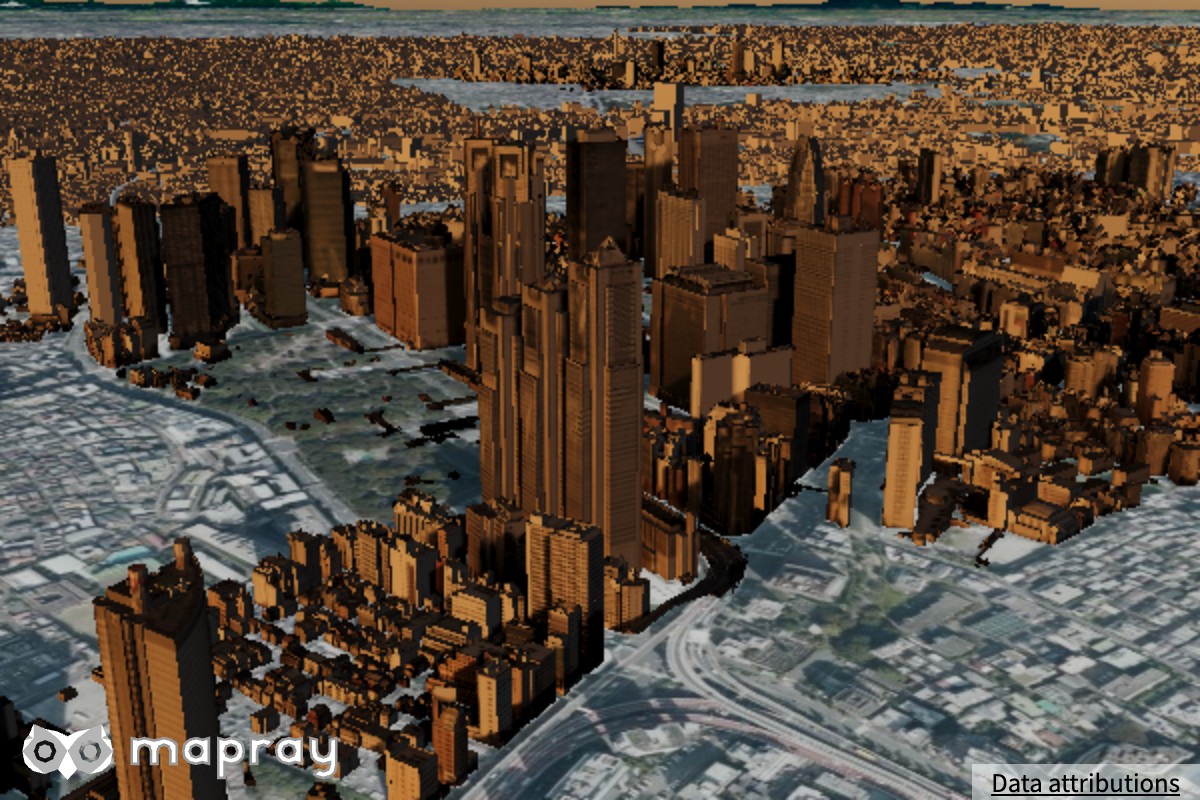
新宿の B3D 建物を、昼 (太陽の仰角 35°) と夕方 (仰角 4°) で、ライティングモードと大気の有無だけを変えて撮りました。
PHYSICAL (AUTO) |
SIMPLE |
OFF |
大気を無効 | |
|---|---|---|---|---|
| 昼 | 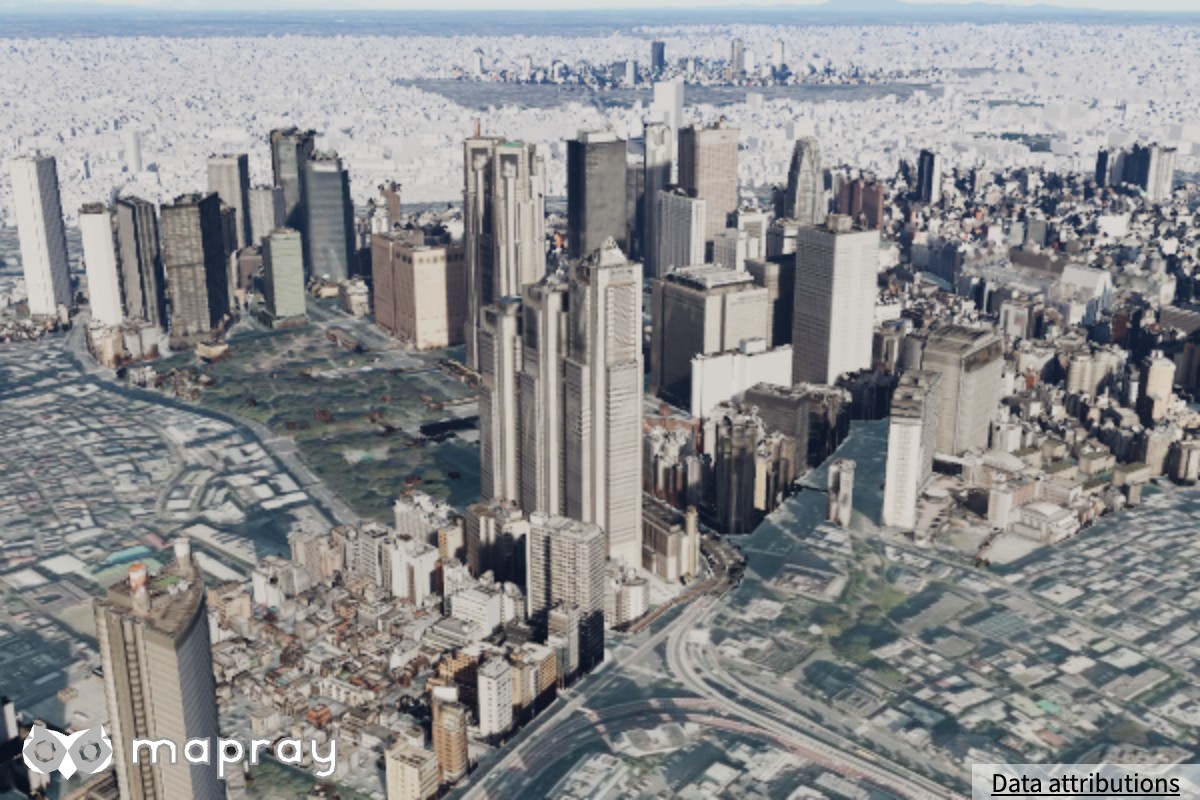 |
 |
 |
 |
| 夕方 | 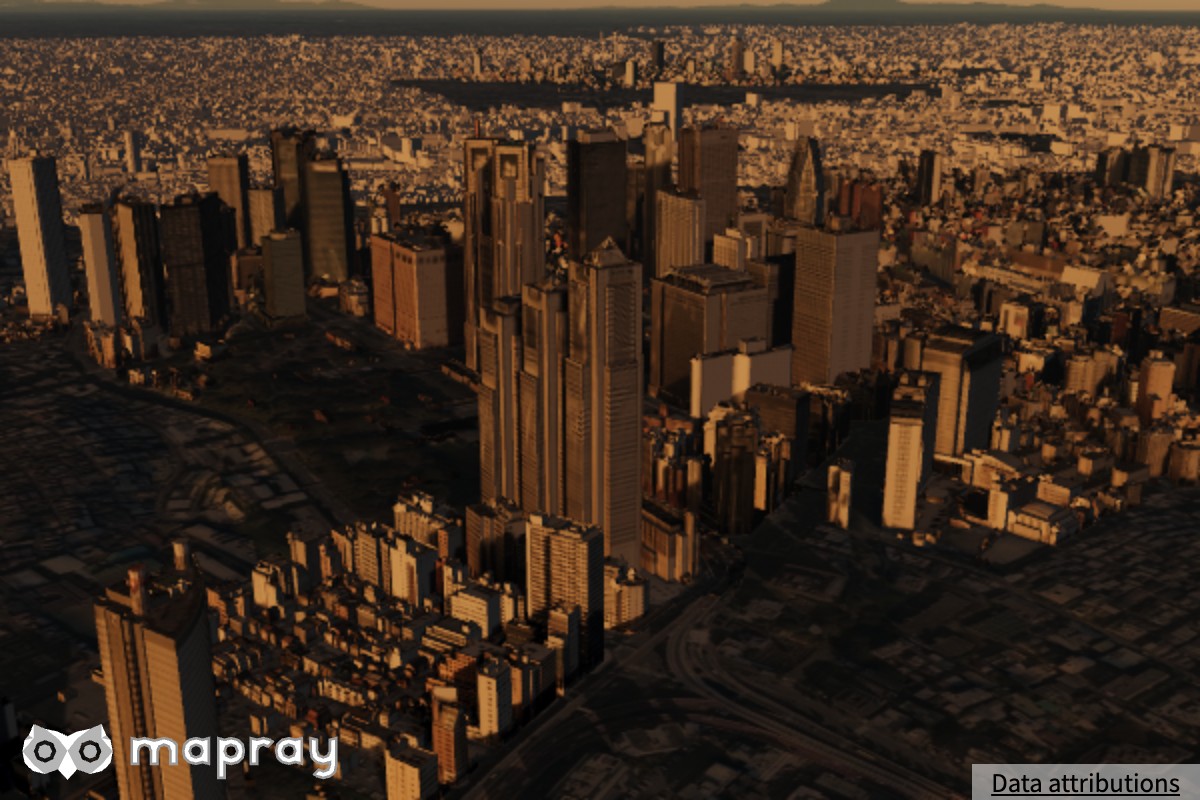 |
 |
 |
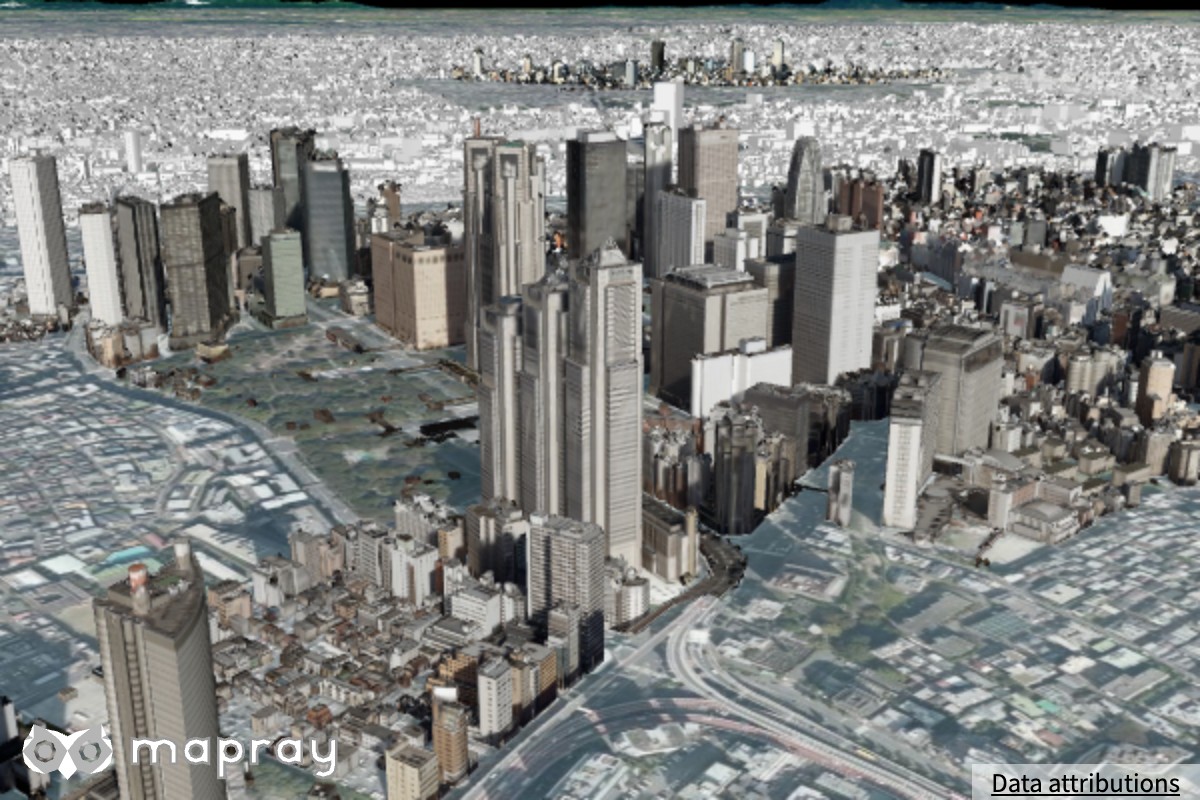 |
PHYSICAL/SIMPLEでは、夕方に建物が赤く照らされ、太陽の反対側の面が暗くなります。PHYSICALはさらに遠くの建物ほど霞みますOFFは大気が有効でも、昼と夕方で建物の見た目が変わりません (地形には大気が掛かっています)- 大気を無効にすると、建物も地形も時刻に依らない固定のライティングになります
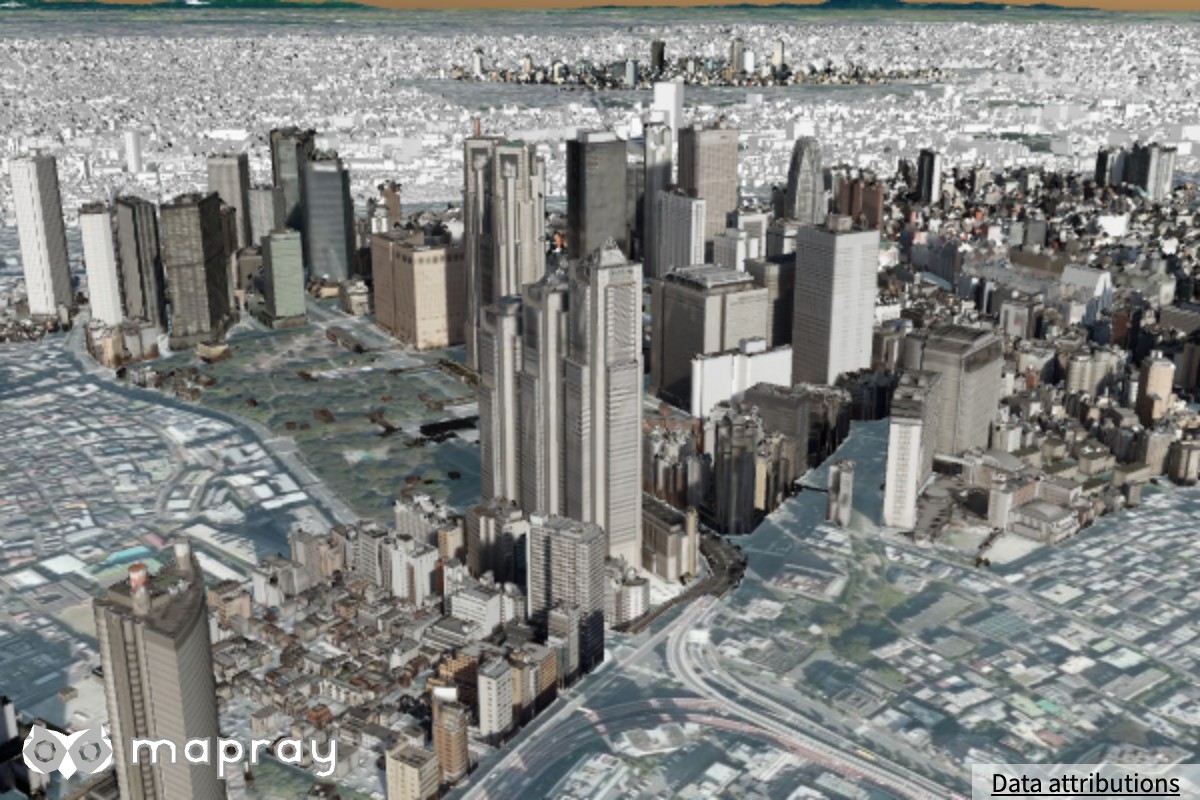
描画品質でも変わります。low では建物に大気ライティングが掛かりますが、地形の物理ライティングと空気遠近はありません。minimal ではモードに依らず固定のライティングになります。
夕方、high |
夕方、low |
夕方、minimal |
|---|---|---|
|
 |
 |
点群
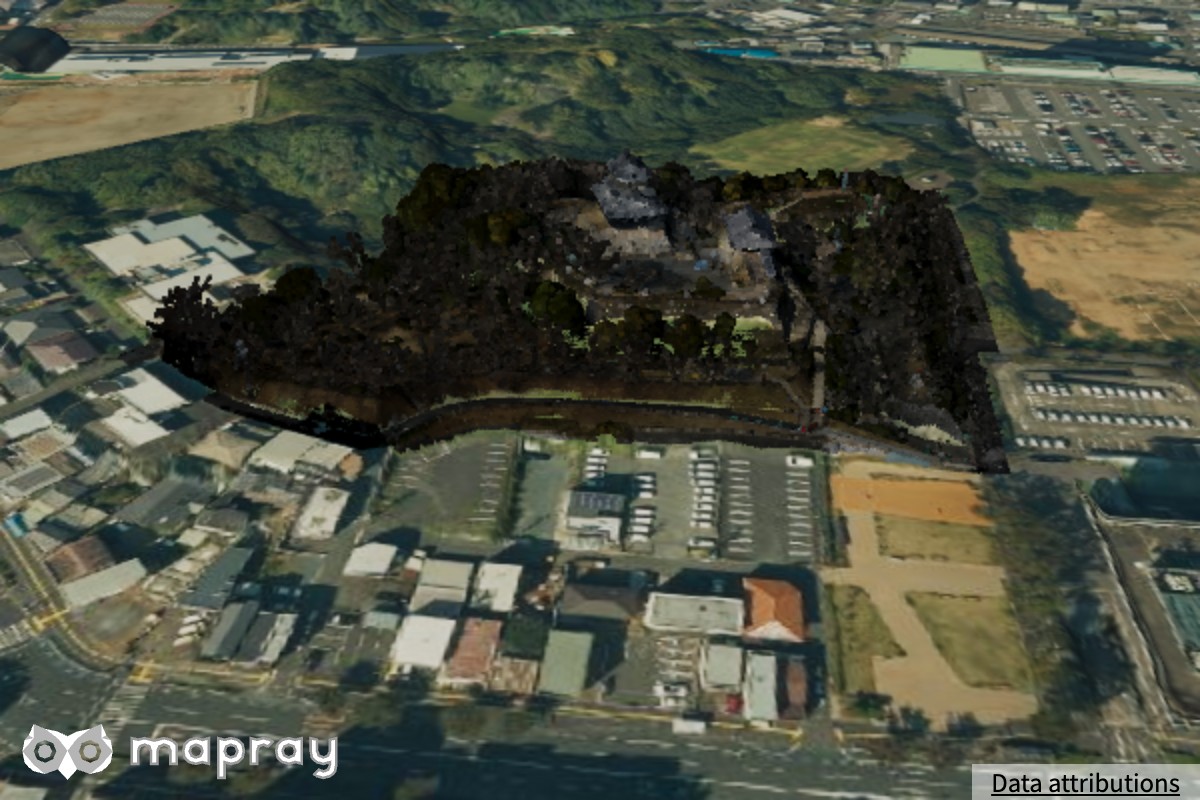
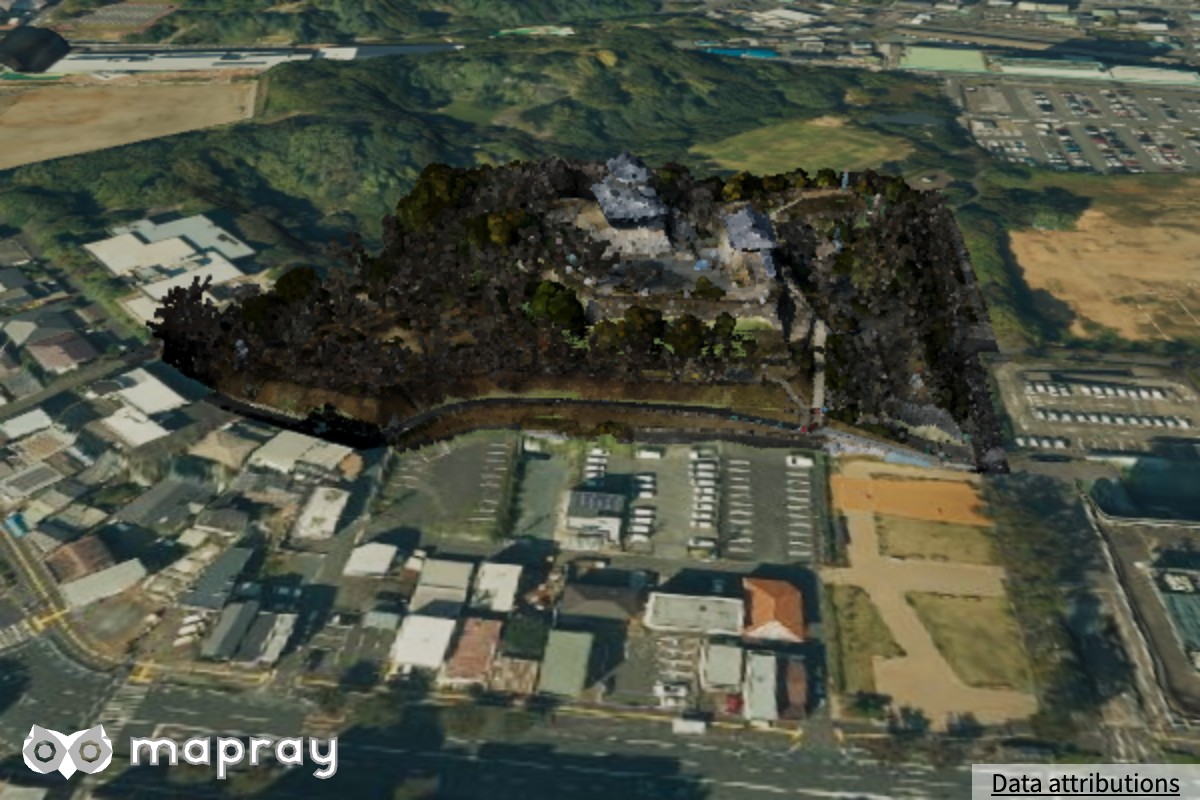
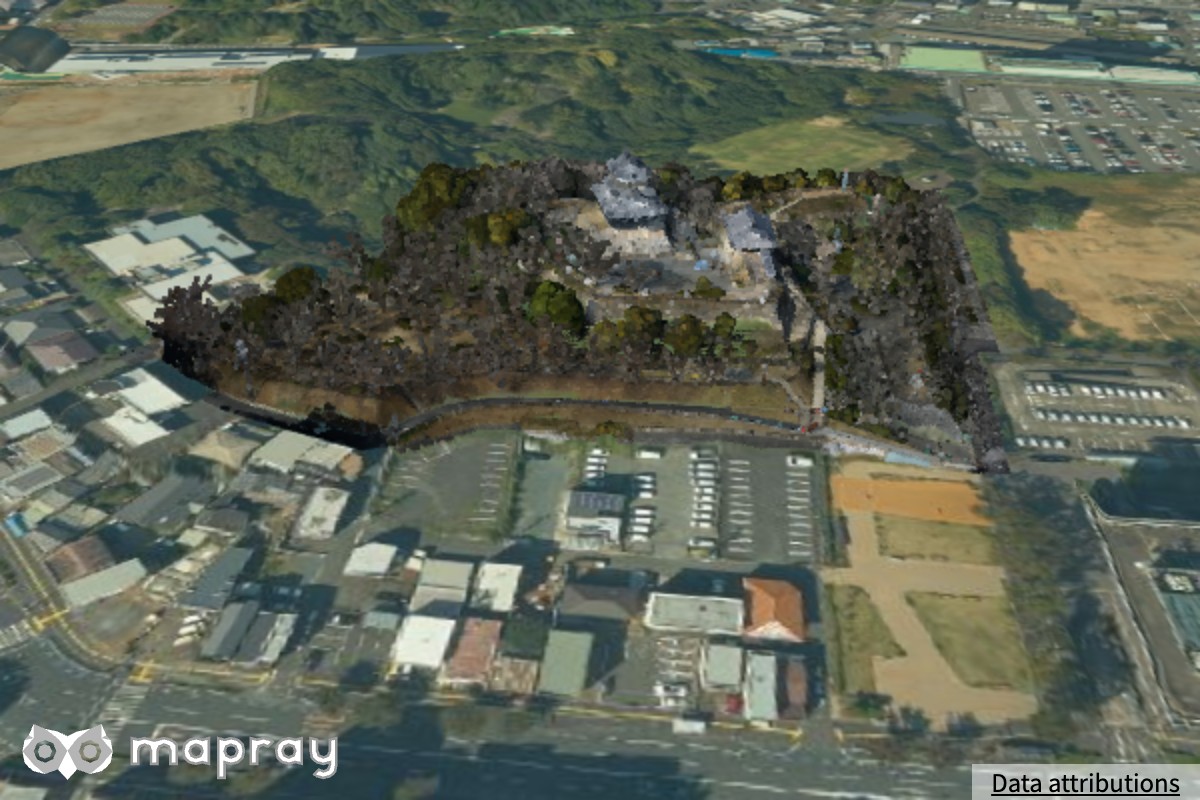
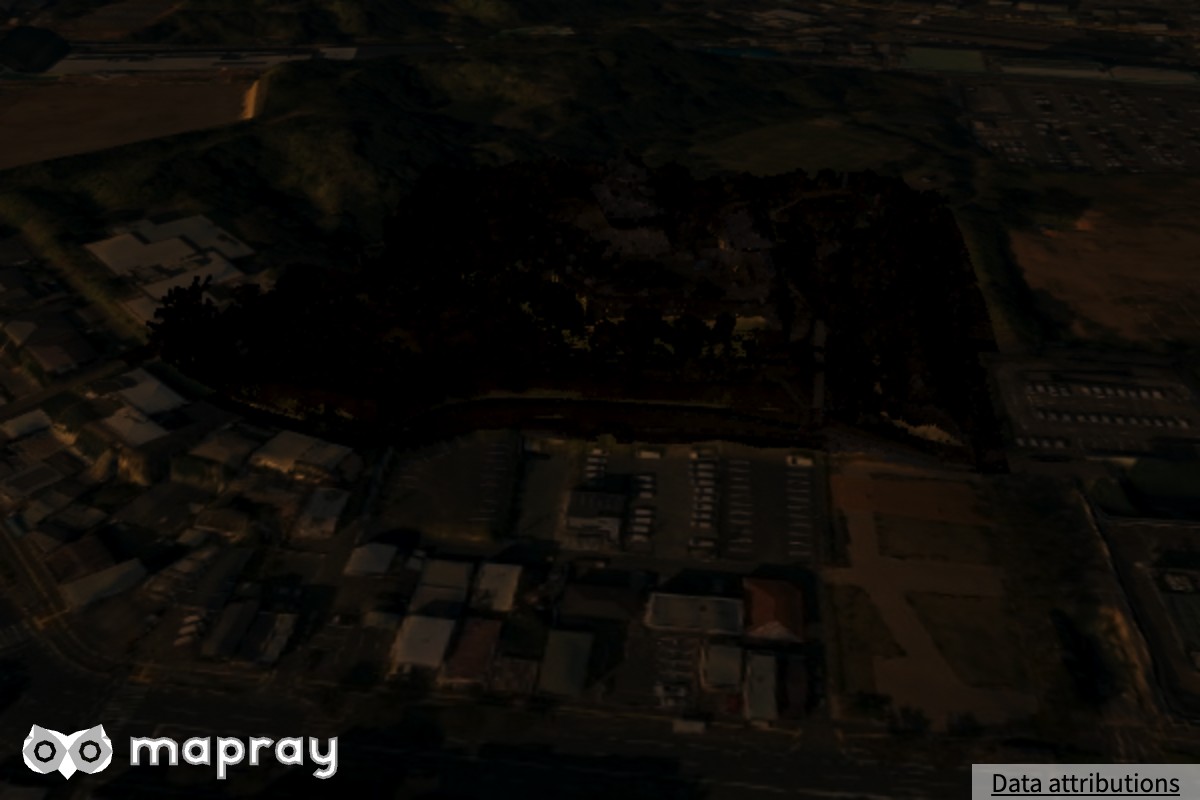
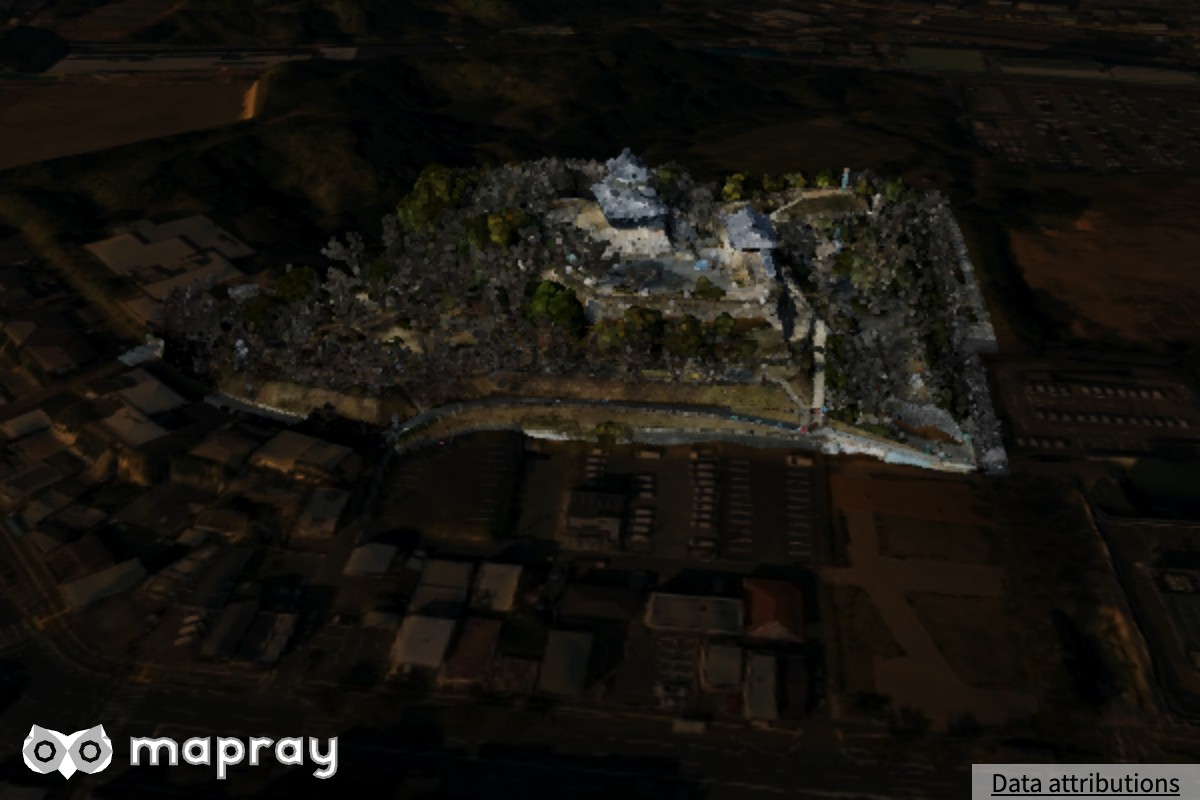
浜松城の点群を、同じ条件で撮りました。
PHYSICAL |
SIMPLE (AUTO) |
OFF |
大気を無効 | |
|---|---|---|---|---|
| 昼 | 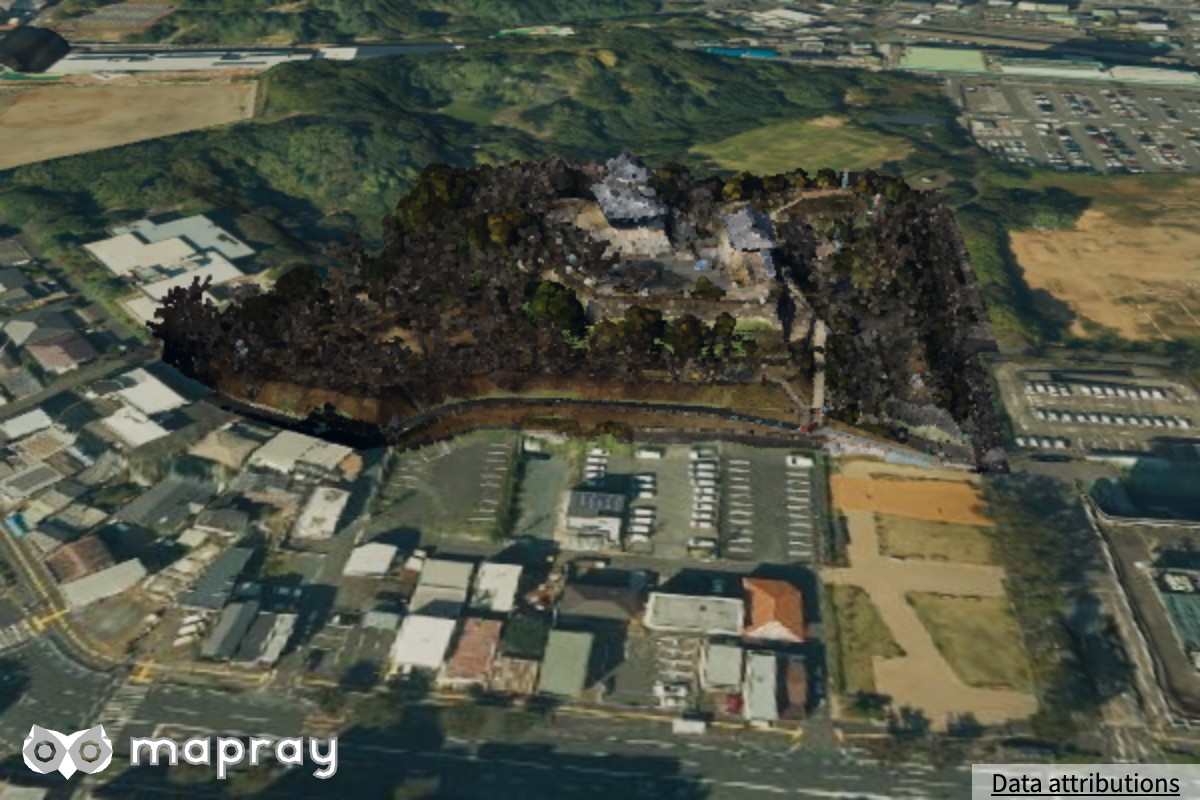 |
 |
 |
 |
| 夕方 | 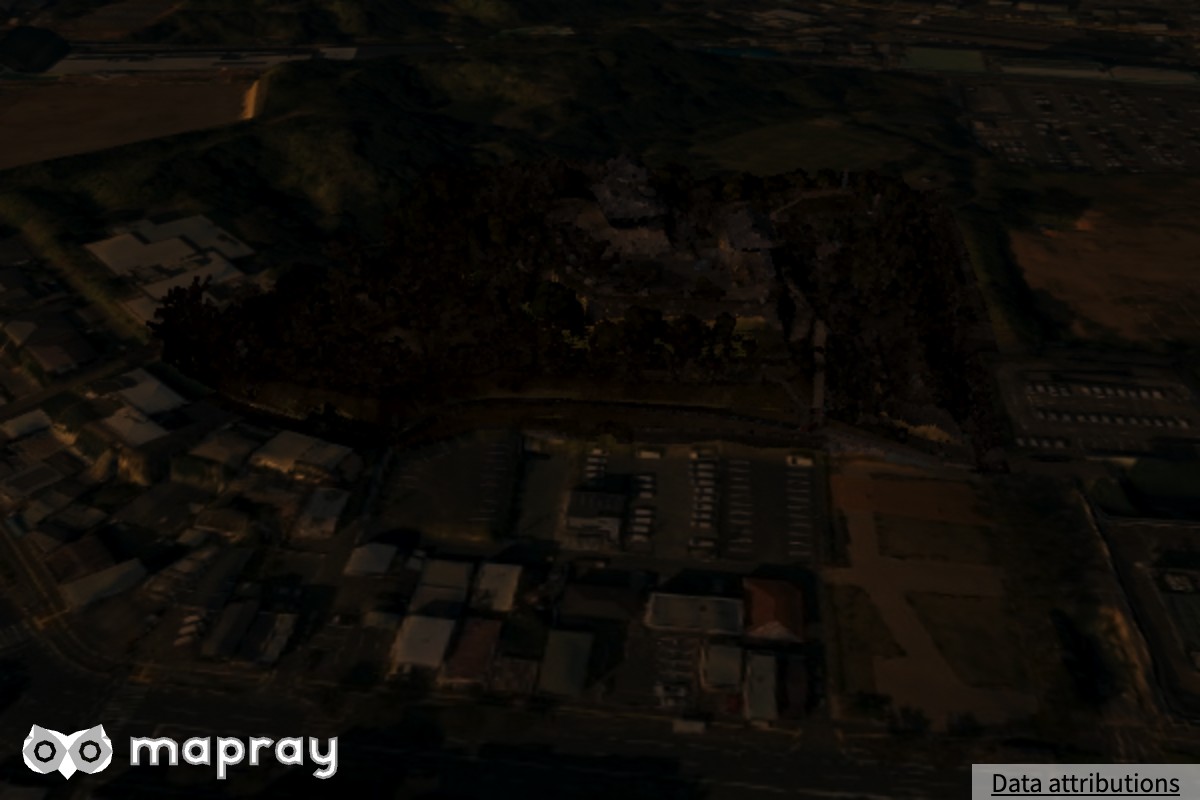 |
 |
 |
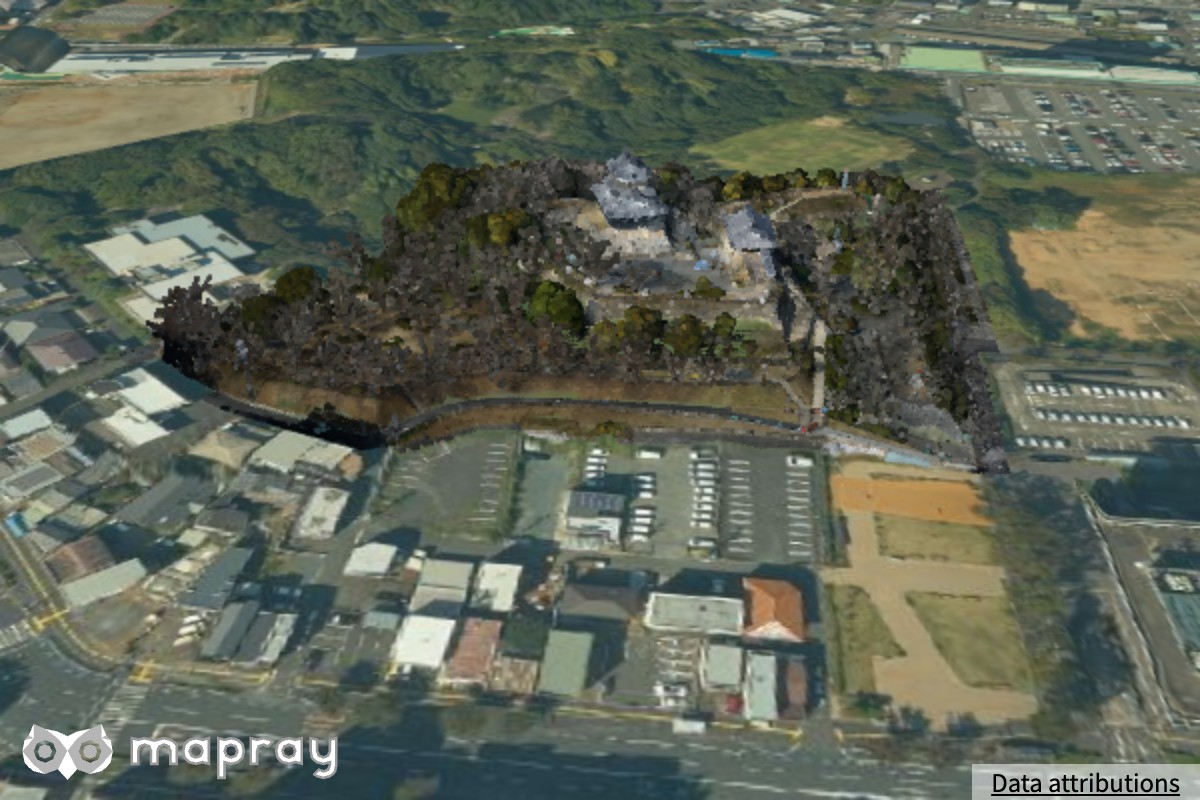 |
PHYSICAL/SIMPLEでは、夕方に点群も地形と一緒に暗くなりますOFFは点群が持つ色をそのまま出すので、夕方でも昼と同じ明るさです。周りの地形だけが暗くなるので、浮いて見えます- 大気を無効にすると、点群も地形も時刻に依らない見た目になります
2D / 3D データセット
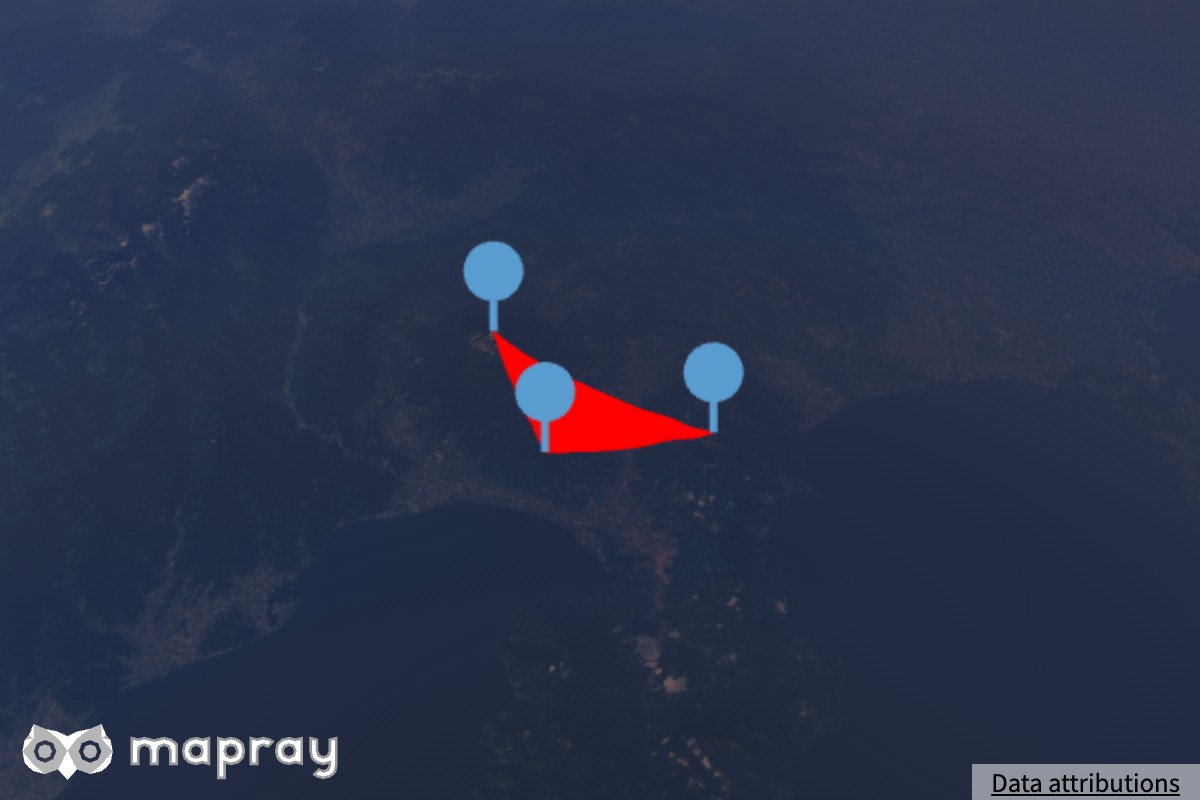
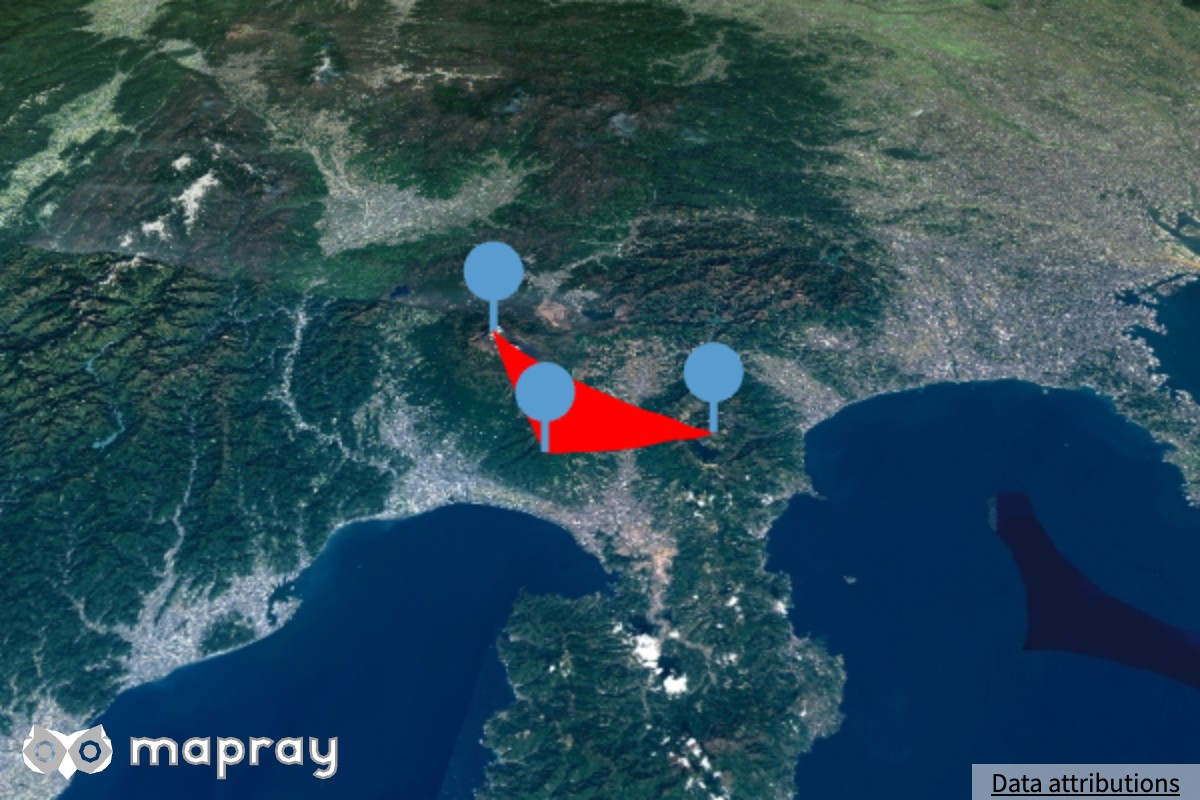
GeoJSON などで読み込んだポリゴン・線・ピン・文字 (2D データセット) は、大気・露出・トーンマップのどれにも影響されず、指定した色のまま出ます。glTF モデル (3D データセット) は大気のライティングを受けず、視点に固定した光で陰影を付け、指定した色のまま出します。
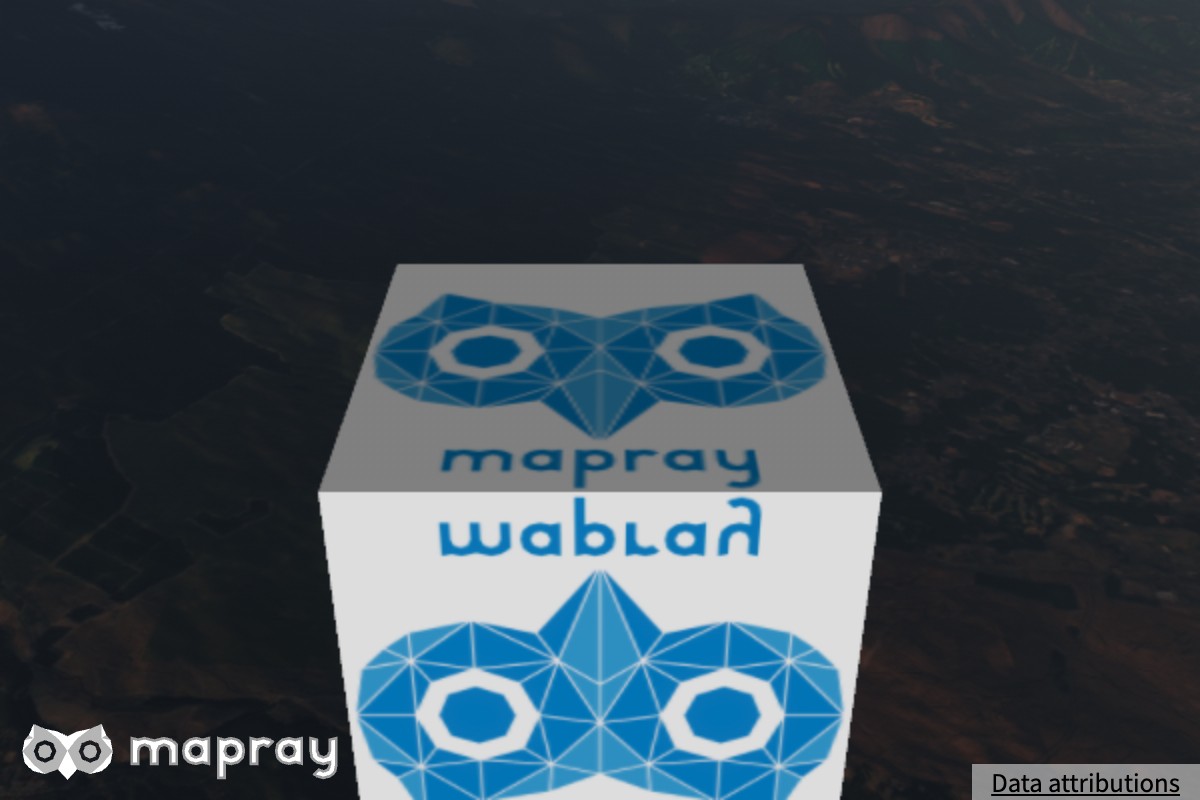
| 昼 | 夕方 | 大気を無効 | |
|---|---|---|---|
| 2D データセット (伊豆のポリゴンとピン) | 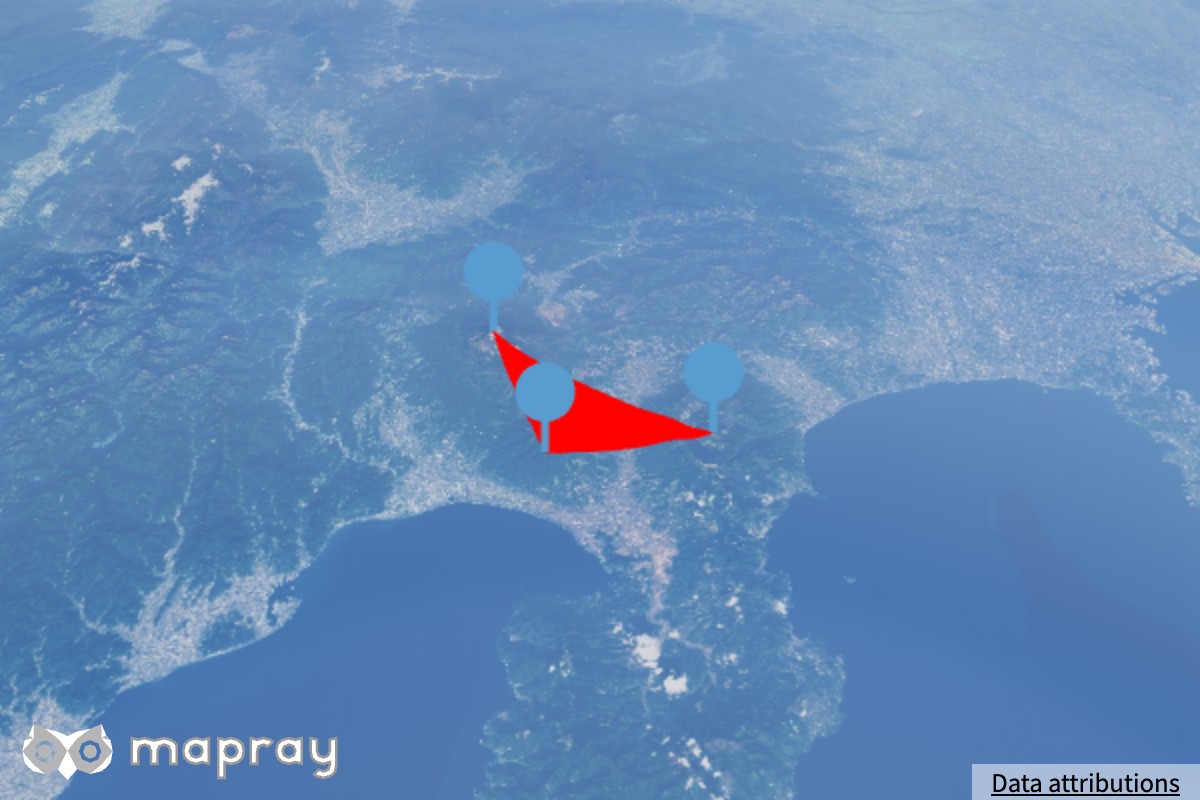 |
 |
 |
| 3D データセット (箱の glTF モデル) | 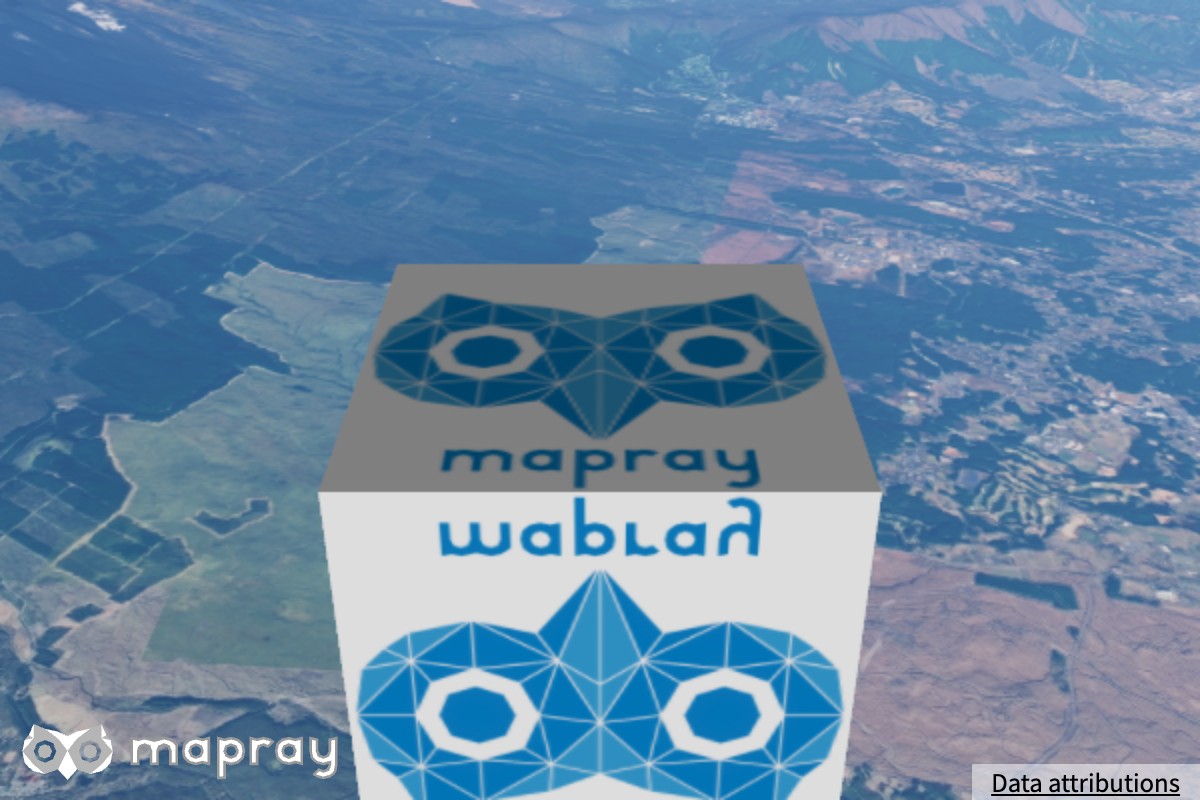 |
 |
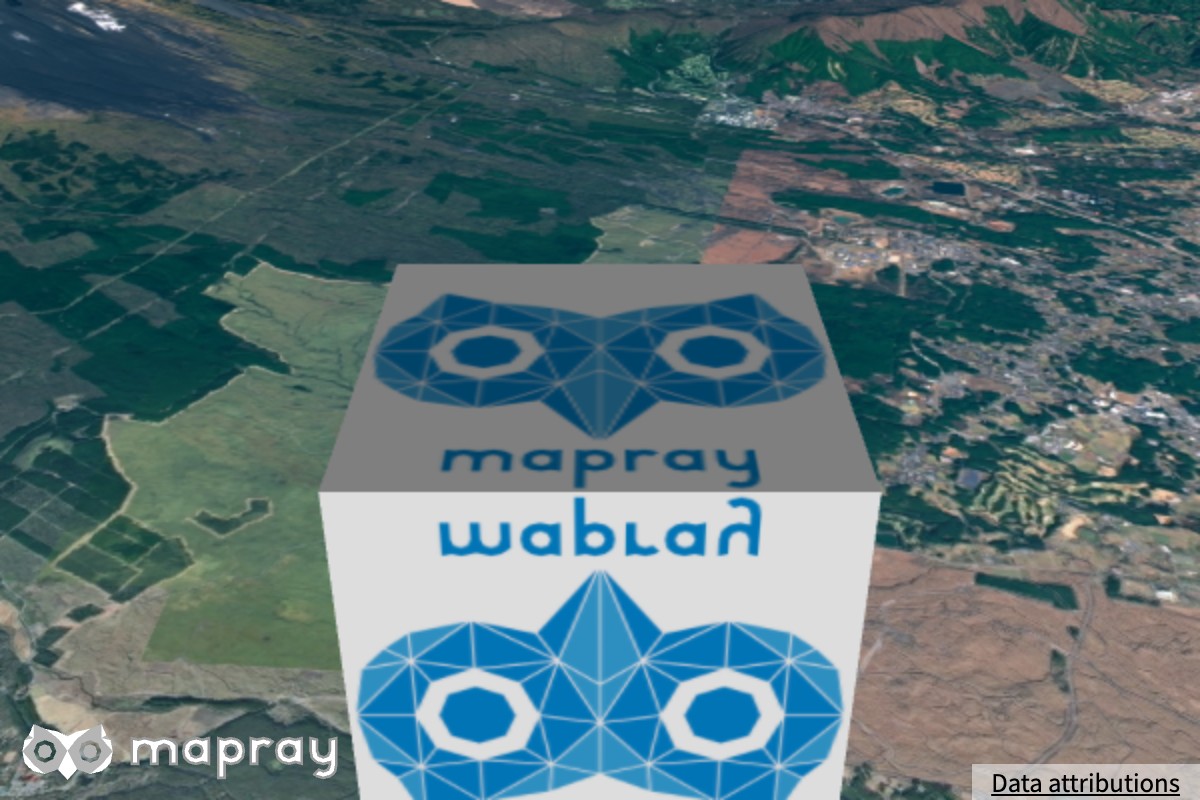 |
夕方の図では、地形は暗く赤くなりますが、ポリゴン・ピン・モデルの色は昼と同じです。
anchor_modeを指定しない glTF モデルは、水面の映り込みに映ります。anchor_modeのモデル、ピン・文字・ポリゴンは映りません- 地表に貼り付けるラスターマップのポリゴン (
RastermapTilesPolygonEntity) は地表と一緒に描くので、大気が作用します
共通の条件
どのモードでも、次のときは大気ライティングを掛けず、時刻に依らない固定のライティングになります。
- 大気が無いとき、大気を無効にしたとき (
setEnvironmentEnabled( false )、または空と地表を両方非表示) - 大気の描画品質が
minimalのとき render_effectsの HDR モードがoffのとき
空気遠近は、描画品質 medium 以上で、地表を表示しているときだけ掛かります。
表示の制御
| メソッド | 動作 |
|---|---|
setSkyVisibility |
空を描くか。昼の星を隠すマスクも一緒に止まります |
setGroundVisibility |
地表に大気を掛けるか。false にすると、B3D・点群・水面を含めて空気遠近が消えます |
setEnvironmentEnabled |
大気全体を使うか。false にすると LUT の更新を止め、大気が無いときと同じ描き方になります |
setStarMask |
明るい空で星を隠すか (Star を参照) |
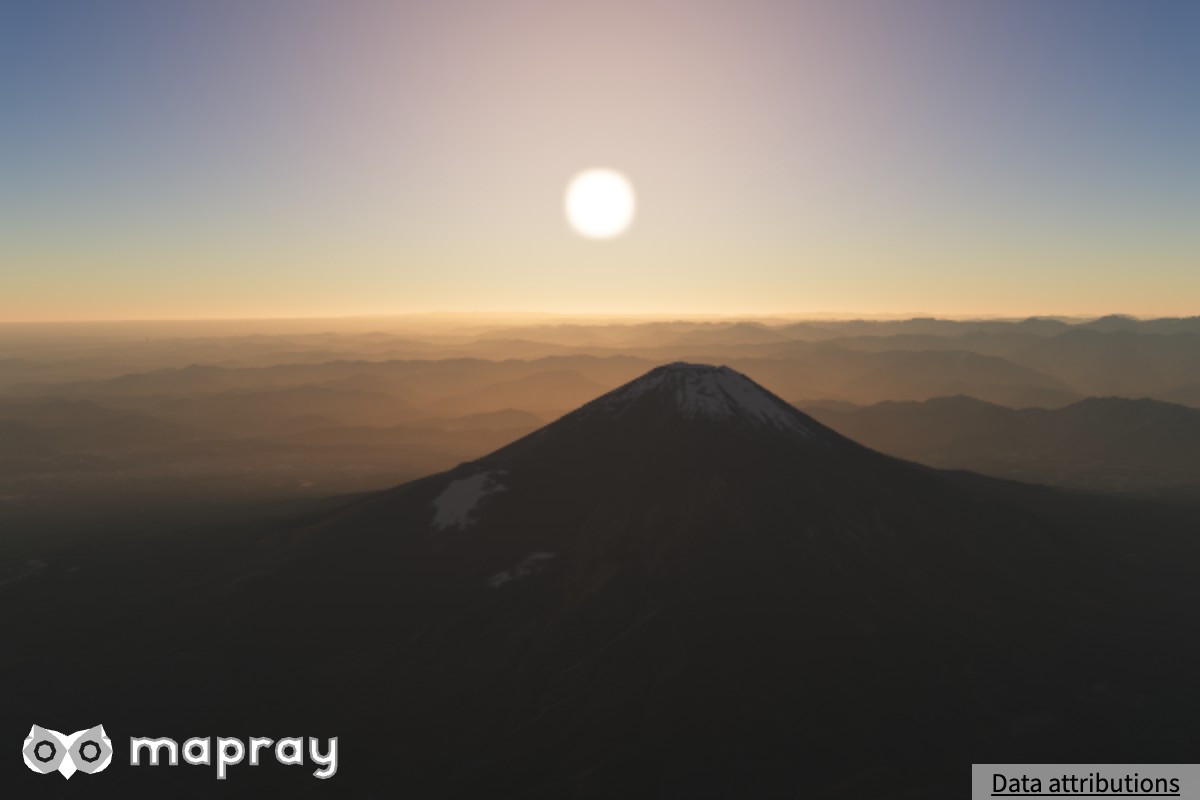
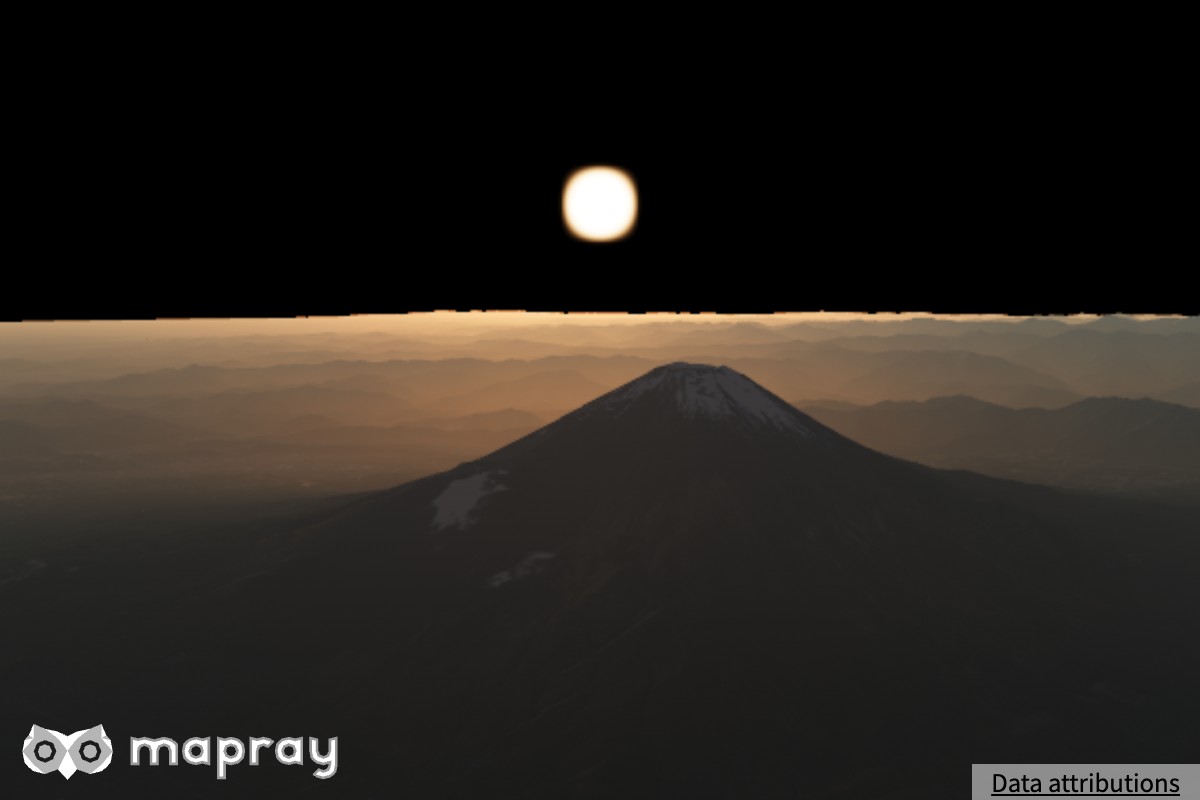
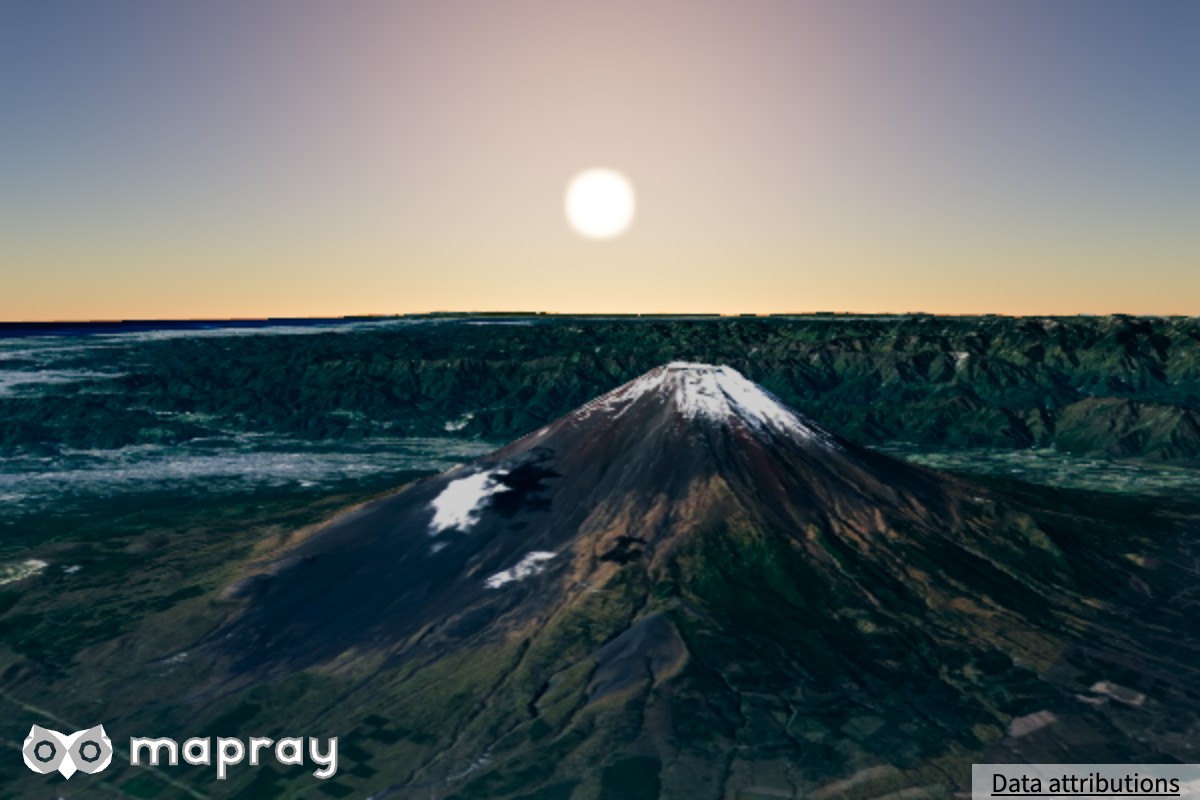
setSkyVisibility と setGroundVisibility は setEnvironmentEnabled も書き換えます。どちらかを表示にすると大気が有効になり、両方を非表示にすると無効になります。後から呼んだ方が残ります。
| すべて表示 | 空を非表示 |
|---|---|
 |
 |
| 地表を非表示 | setEnvironmentEnabled( false ) |
 |
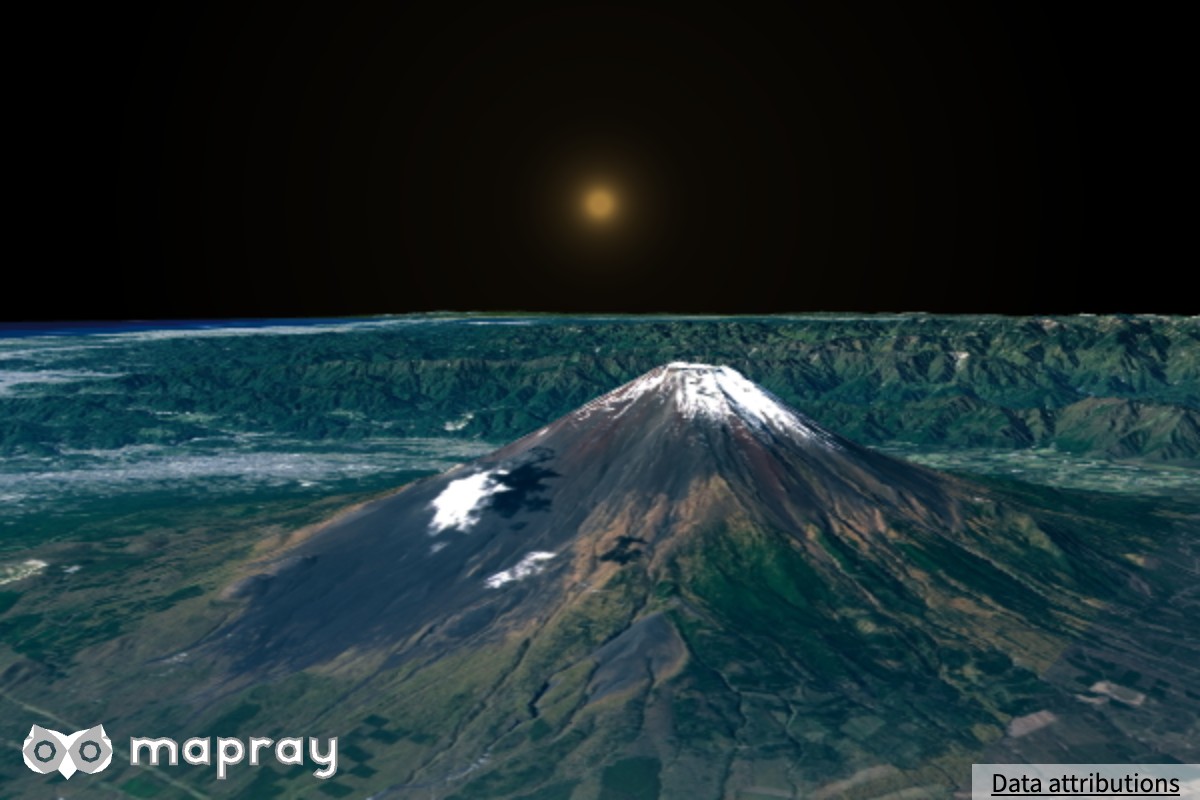 |
大気を無効にしたとき (setEnvironmentEnabled( false )、または空と地表を両方非表示) は次のようになります。
- 空を描かず、LUT の更新を止めます。空気遠近の LUT のメモリも解放します
render_effectsの HDR モードがautoなら HDR パイプラインを使わず、キャンバスへ直接描きます- 地形・建物・点群は固定のライティングになります
- 太陽と月は大気で減光しません。昼の星を隠すマスクも描きません
浮動小数点のカラーバッファに描けない環境では、大気は自動的に無効になり、コンソールに警告を 1 回出します。
描画品質
setQuality() で、品質と負荷の釣り合いを選びます。
| 品質 | 内容 |
|---|---|
minimal |
低スペック GPU 向け。HDR パイプラインを使わずキャンバスへ直接描きます。地形・建物・点群は固定のライティング、空気遠近なし |
low |
建物・点群・水面の大気ライティングとトーンマップは使います。ブルーム・光芒・アンチエイリアス・空気遠近・地表の物理ライティングなし |
medium |
全機能を使います。アンチエイリアスはマルチサンプルです |
high |
全機能を使います。アンチエイリアスのサンプル数は medium より多くなります。カメラや太陽のわずかな変化にも追従して LUT を作り直します |
品質ごとに、どの機能とどの設定が反映されるかは 描画品質 を参照してください。
宇宙からの表現
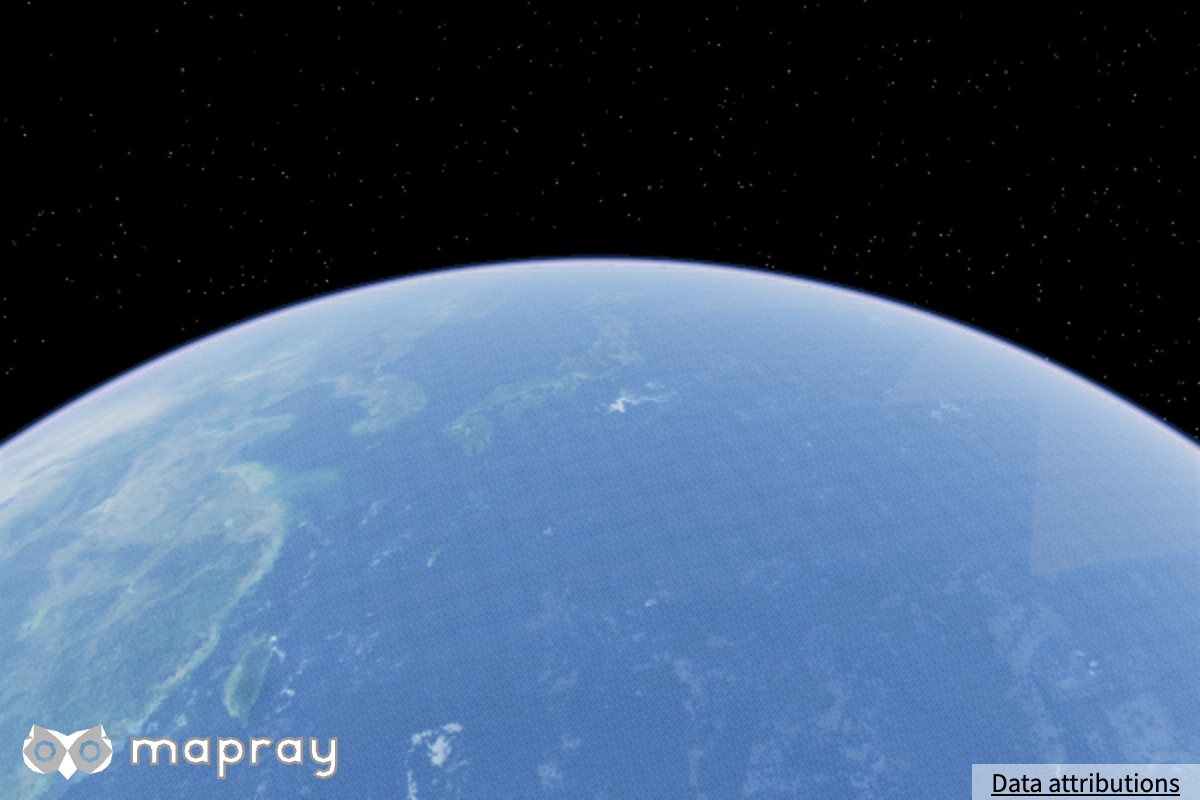
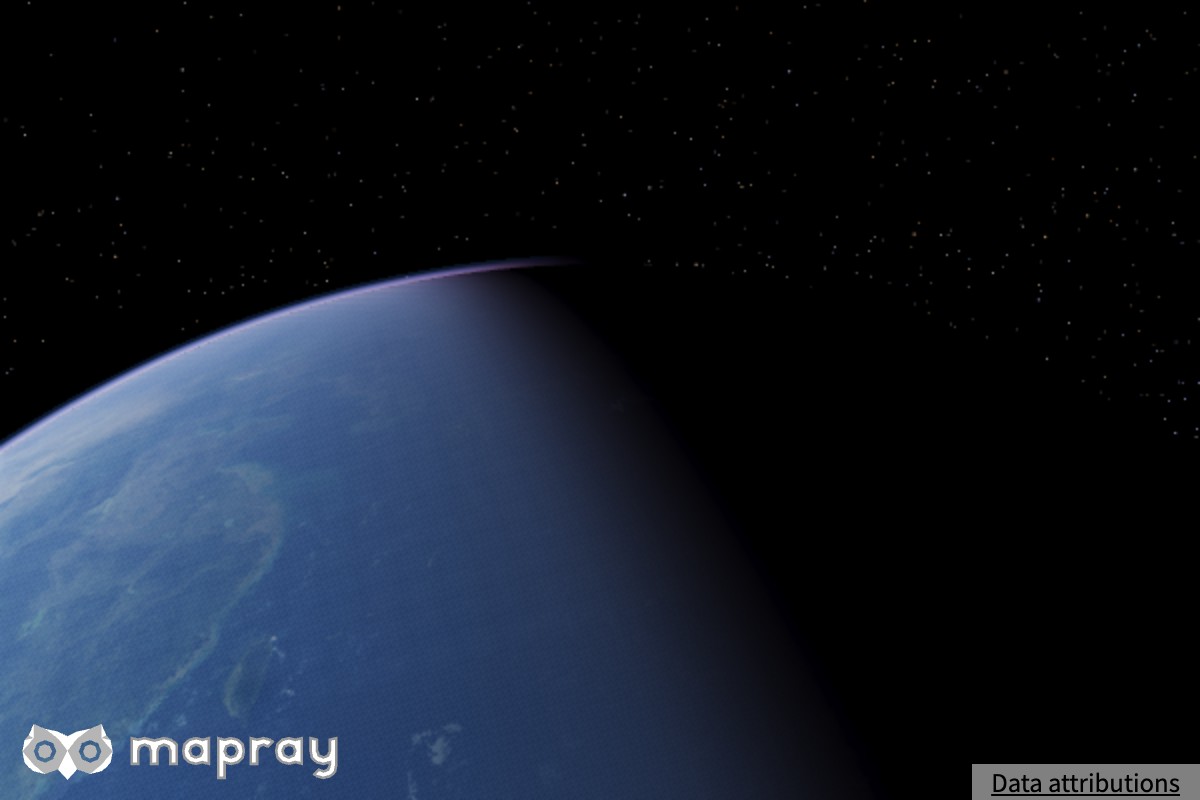
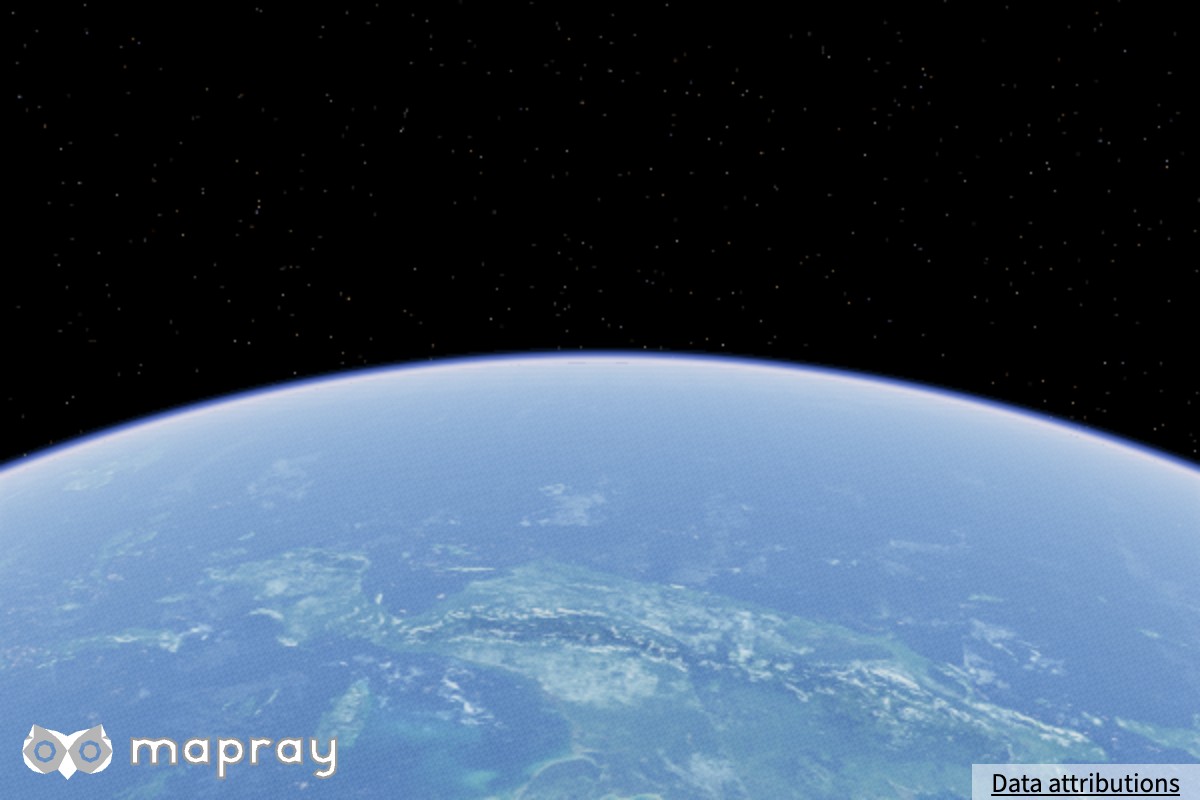
カメラが大気圏の外へ出ると、宇宙から見た描き方に自動で切り替わります。地球の青い縁、昼夜の境界、夜側の暗さが描かれます。専用の設定は要りません。
| 昼側 | 昼夜の境界 | 大気の縁 |
|---|---|---|
 |
 |
 |
非推奨の API
次のメソッドは非推奨です。
| 非推奨のメソッド | 現在の動作 | 代わりに使うもの |
|---|---|---|
setRayleigh / setMie / setScaleDepth / setSunRate / setExposure / setGroundScaleDepth |
値を保持するだけで、描画には影響しません | setGroundRayleigh / setGroundMie / setRayleighDistribution / setMieDistribution / setExposureScale |
setGroundSunRate / setSunScale |
太陽の照度に、ground_sun_rate と sun_scale に比例する倍率を掛けます |
viewer.sun.setIlluminance() |
setMoonIlluminance |
viewer.moon.setIlluminance() に書き込みます |
viewer.moon.setIlluminance() |
setAureoleIntensity |
太陽と月の円光の両方に書き込みます | SunVisualizer.setGlowIntensity() / MoonVisualizer.setGlowIntensity() |
旧バージョンの見た目に近づけたい場合は ONEIL_CLASSIC プリセットを適用してください。
viewer.atmosphere.applyPreset( mapray.Atmosphere.Preset.ONEIL_CLASSIC );
サンプルコード
FILMIC_PHYSICAL プリセットをもとに、夕焼けを描く例です。太陽を低い位置に置き、もやを少し足しています。
1 2 3 4 5 6 7 8 9 10 11 12 13 14 15 16 17 18 19 20 21 22 23 24 25 26 27 28 29 30 31 32 33 34 35 36 37 38 39 40 41 42 43 44 45 46 47 48 49 50 51 52 53 54 55 56 57 58 59 | |
Info
このサンプルコードは、<YOUR_MAPRAY_ACCESS_TOKEN>を、あなたのMapray CloudのアカウントのOrganization Tokenに置き換えるまで、期待通りに動作しません。
その他のメソッドや詳細は リファレンスマニュアル を参照してください。