Pole
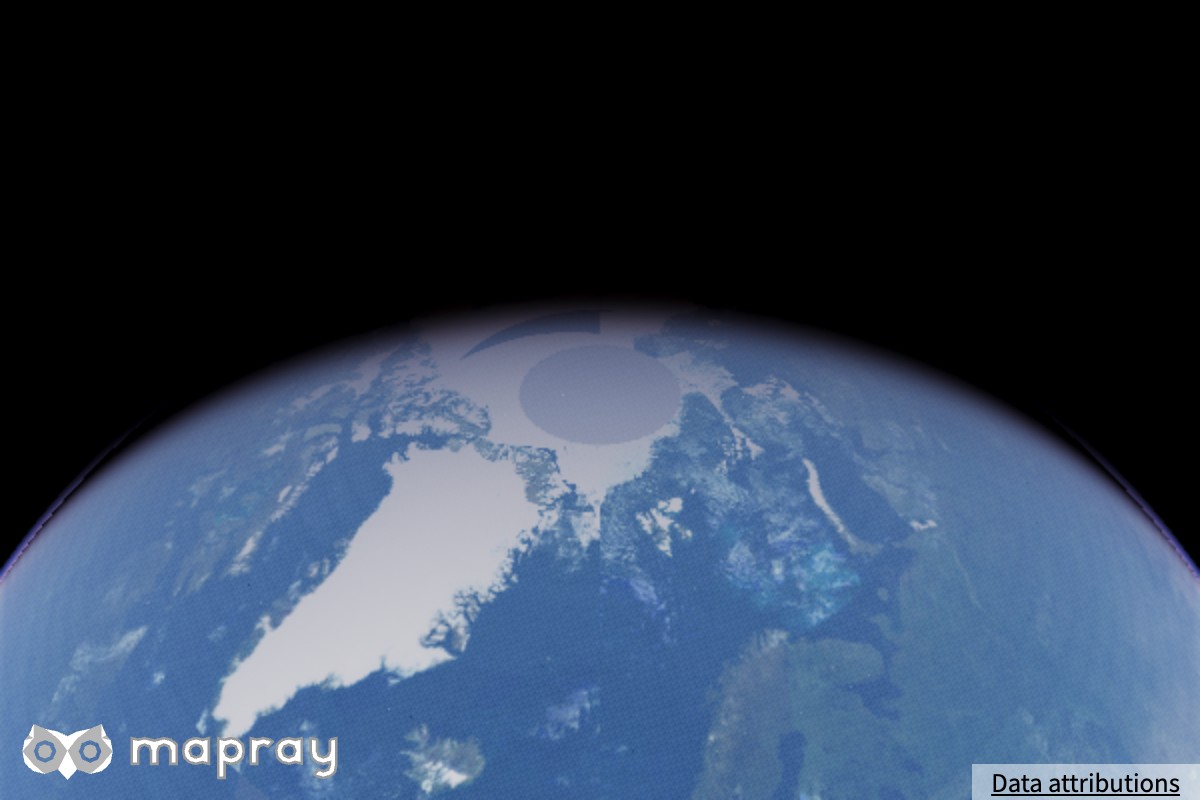
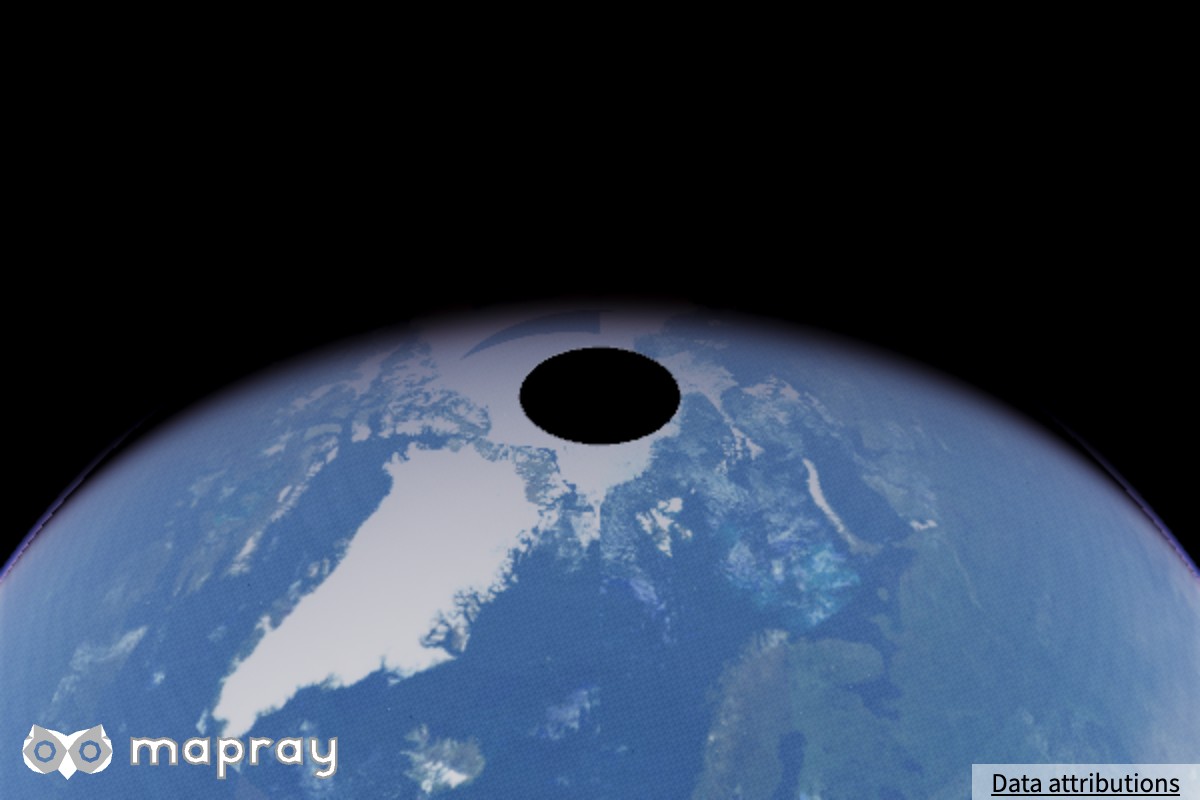
Mapray JS の地図タイルは、北極と南極の付近を持ちません。そのままでは極の部分が黒い穴になります。Viewer の pole オプションで、極の部分を指定した色と高さで埋められます。
pole なし |
pole あり |
 |
|
pole オプション
Viewer または StandardUIViewer の生成時に pole オプションとして指定します。
| const uiviewer = new maprayui.StandardUIViewer( "mapray-container", accessToken, {
pole: {
north_color: [1.0, 1.0, 1.0],
south_color: [0.5, 0.5, 0.5],
},
});
|
| パラメータ |
内容 |
north_color |
北極の部分の色。RGB を各 0.0〜1.0 で指定します |
south_color |
南極の部分の色。RGB を各 0.0〜1.0 で指定します |
north_height |
北極の部分の高さ [m] |
south_height |
南極の部分の高さ [m] |
各パラメータの詳細と既定値は リファレンスマニュアル を参照してください。
サンプルコード
pole オプションで北極と南極の色を指定する例です。
1
2
3
4
5
6
7
8
9
10
11
12
13
14
15
16
17
18
19
20
21
22
23
24
25
26
27
28
29
30
31
32
33
34
35
36
37
38
39
40
41
42
43
44
45
46
47
48
49
50 | <!DOCTYPE html>
<html>
<head>
<meta charset="UTF-8">
<script src="./v0.10.6/mapray.min.js"></script>
<script src="./v0.10.6/maprayui.min.js"></script>
<link rel="stylesheet" href="https://resource.mapray.com/styles/v1/mapray.css">
<style>
html, body, div#mapray-container { margin: 0; padding: 0; height: 100%; }
</style>
</head>
<body>
<div id="mapray-container"></div>
</body>
</html>
<script>
async function main() {
// Set up your Organization Token, which can be created in Mapray Cloud.
const accessToken = "<YOUR_MAPRAY_ACCESS_TOKEN>";
const uiviewer = new maprayui.StandardUIViewer( "mapray-container", accessToken, {
dem_provider: new mapray.StandardDemProvider( {
prefix: "https://tiles.mapray.com/dem/",
headers: { Authorization: "Bearer " + accessToken }
} ),
pole: {
north_color: [1.0, 1.0, 1.0],
south_color: [0.5, 0.5, 0.5],
},
});
// Wait for the initialization process to complete.
await uiviewer.viewer.init_promise;
uiviewer.setCameraPosition({
longitude: 135.0,
latitude: 35.0,
height: 25000000
});
uiviewer.setLookAtPosition({
longitude: 135.0,
latitude: 35.0,
height: 0
});
}
main();
</script>
|